Our most powerful streaming stick - Elevate your entertainment experience with a powerful processor for lightning-fast app starts and fluid navigation.
Lifelike picture and sound - Enjoy the show in 4K Ultra HD, with support for Dolby Vision, HDR 10+, and immersive Dolby Atmos audio.
Wi-Fi 6E support - Enjoy smoother 4K streaming, even when other devices are connected to your router.
Turn your living space into an art gallery - The first-ever streaming stick with Fire TV Ambient Experience lets you display over 2,000 pieces of museum-quality art and photography.
Do more with your smart home - Control compatible devices like cameras, lights, and more with your remote. Press and ask Alexa to check the weather or dim the lights.
The most storage in a Fire TV stick - Fire TV Stick 4K Max has 16 GB of storage—double that of Fire TV Stick 4K and our other streaming sticks, for even more apps, games and downloads.
Endless entertainment - Stream more than 1.5 million movies and TV episodes. Watch favorites from Netflix, Prime Video, Disney+, Max, and more, plus listen to millions of songs. Subscription fees may apply.
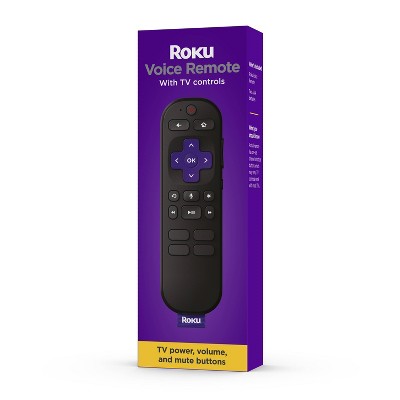
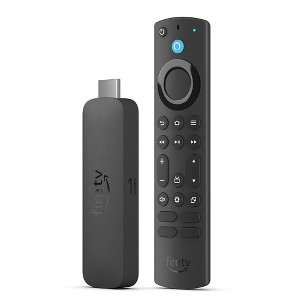
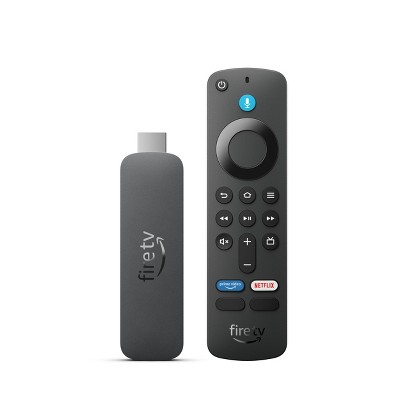
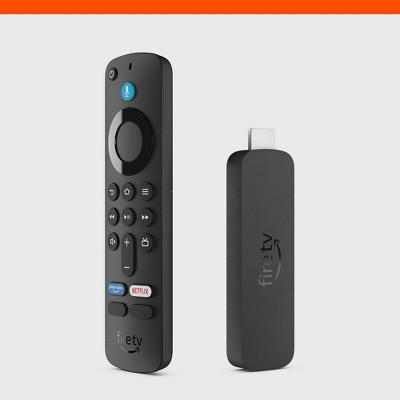
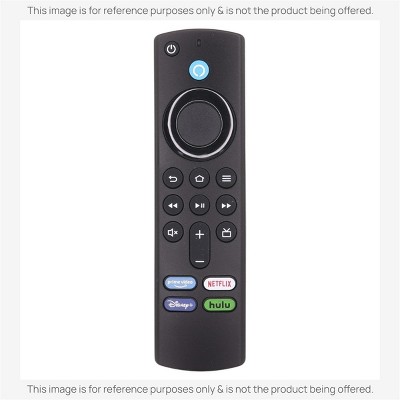
Alexa Voice Remote Enhanced - Control your TV and connected devices with an upgraded remote that includes voice control, a recents button, and dedicated channel buttons to surf live TV.
Cloud gaming - Enjoy fluid gameplay and fast-rendering graphics with a lightning-fast processor. Access popular games with an Amazon Luna subscription—no console required
Play Xbox games with no console required – discover hundreds of high-quality games directly on your Fire TV Stick 4K and 4K Max with Xbox Game Pass Ultimate via cloud gaming. To play Xbox games on Fire TV a Xbox Game Pass Ultimate subscription and compatible controller required. Each sold separately.
Description
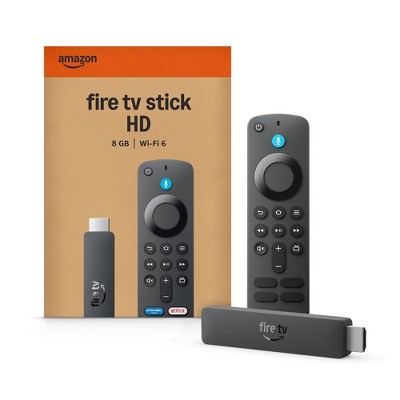
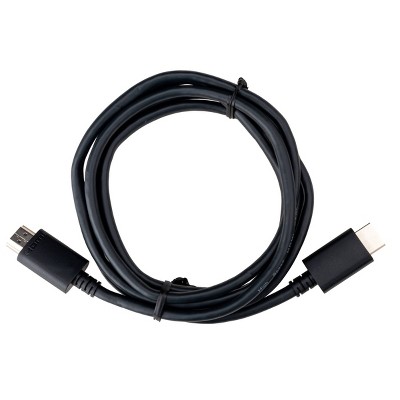
Our most powerful 4K streaming stick. Level up your 4K Ultra HD entertainment with a powerful 2.0 GHz quad-core processor for lightning-fast app starts, next-gen Wi-Fi 6E support for smoother streaming, and double the storage for even more downloads. Choose from over 1.5 million movies and TV episodes and control it all with the press of a button. Plus, Fire TV Ambient Experience brings atmosphere to any room. In the Box: Fire TV Stick 4K Max, Alexa Voice Remote Enhanced, power cable and power adapter, HDMI extender cable for Fire TV Stick 4K Max (2nd Gen), 2 AAA batteries, Quick Start Guide.
Dimensions (Overall): 1.18 Inches (H) x 4.27 Inches (W) x .55 Inches (D)
Wireless Technology: Wi-Fi 6E (IEEE 802.11ax), Bluetooth 5.2
System RAM: 2 GB
Compatible With: Amazon Prime Video
Battery: 2 AAA Alkaline, Required, Packaged With
Warranty: 1 Year Limited Warranty. To obtain a copy of the manufacturer's or supplier's warranty for this item prior to purchasing the item, please call Target Guest Services at 1-800-591-3869
TCIN: 89419625
UPC: 840268907969
Item Number (DPCI): 008-06-0029
Origin: Imported
If the item details aren’t accurate or complete, we want to know about it.
Shipping details
Estimated ship dimensions: 7.2 inches length x 5.3 inches width x 1 inches height
Estimated ship weight: 0.5291 pounds
Return details
This item can be returned to any Target store or Target.com.
This item must be returned within 30 days of the date it was purchased in store, delivered to the guest, delivered by a Shipt shopper, or picked up by the guest.
Q: I lost my tv remote. Can this work like one (power on, volume, etc.) I am currently using an older fire stick to stream and the tv buttons
submitted by Kayla - 2 years ago
A: Hello, maybe purchase a universal remote control. The directions on the universal remote package will indicate which Tv the remote is compatible with, and give instructions to connect with your Tv.
submitted byBlazenT - 2 years ago
A: Hi Kayla, thanks for reaching out about Amazon Fire TV Stick 4K Max Streaming Device, Wi-Fi 6, Alexa Voice Remote - Includes TV Controls (2023)
Yes, when paired with your FireStick. For pairing Firestick remote to TV volume, you may need to set up equipment control:
Go to “Settings” > “Equipment Control” > “Manage Equipment” > “TV” on your Firestick.
Follow the prompts to set up your TV control. This might include testing volume and power control to ensure the remote can control your TV.
If you have any additional questions, we welcome you to contact MyTGTtech at 833-848-8324 every day, between 7am-11pm CST
submitted byJustin - 2 years ago
Target expert support
A: Hi Kayla! The included Alexa Voice Remote can absolutely be set up to control your TV in addition to the Fire TV Stick 4K Max. The best part is that the Fire TV Stick 4K Max will actually walk you through the process to get it working with your TV as part of setting it up. If you need to get back to it in the future, it's under "Settings", then "Equipment Control." I hope that helps, have a great rest of your day!
submitted byAmazon Devices Customer Support - 2 years ago
Brand expert
Q: Is this compatible to stream videos in my 2021 Escalade?
submitted by Mama17 - 3 months ago
A: Hello Mama17! I'm not sure exactly what setup you have in your vehicle, but the Fire TV Sticks require an HDMI port, a USB power source, and a stable wi-fi connection to function. I hope this answers your question and I hope you have a great day!
submitted byAmazon Devices Customer Support - 3 months ago
Brand expert
Q: the remote for my fire tv was submerged and no longer works. could i use this remote as a replacement without using the fire stick?
submitted by mamasteele - 1 year ago
A: Hi mamasteele, thanks for reaching out about Amazon Fire TV Stick 4K Max Streaming Device, Wi-Fi 6, Alexa Voice Remote - Includes TV Controls (2023)
While many Fire TV remotes are compatible with different Fire TV devices, it's not a universal rule. Some remotes are designed for specific models or generations of Fire Sticks, and pairing compatibility depends on the remote and device models.
If you have any additional questions, we welcome you to contact MyTGTtech at 833-848-8324 every day, between 7am-11pm CST.
submitted byJustin - 1 year ago
Target expert support
A: Hello mamasteele. the remote that comes with this Fire TV stick will only work with standalone Fire TV Devices and not a TV with the Fire TV built-in. There are universal remotes available that will work, you just need to make sure that the universal remote says that it is Fire TV compatible and that it will work with your specific brand of TV.
Have a great day!
submitted byAmazon Devices Customer Support - 1 year ago
Brand expert
Q: Can I get Bet+ and bet star along with food network??
submitted by Joy - 1 year ago
A: Hi Joy, thanks for reaching out about Amazon Fire TV Stick 4K Max Streaming Device, Wi-Fi 6, Alexa Voice Remote - Includes TV Controls (2023)
Yes, this has access to an Amazon App Store so you can install a wide variety of apps, including ones the BET and Food Network.
If you have any additional questions, we welcome you to contact MyTGTtech at 833-848-8324 every day, between 7am-11pm CST.
submitted byMike - 1 year ago
Target expert support
A: Hi Joy, thank you for your question. Yes, Fire Stick supports the Food Network app and BET+. You can download the app directly from the Amazon Appstore on your Fire Stick. Once downloaded, you can access the content through the respective app. I hope this helps, have a great day!
submitted byAmazon Devices Customer Support - 1 year ago
Brand expert
Q: Can you add a micro sd card to this for more storage?
submitted by Nancy Y - 1 year ago
A: Hello Nancy Y, the Amazon Fire TV Stick 4K Max does not have a slot for additional storage. This Fire TV stick does have 16GB of internal storage. There are 3rd party adapters available that will allow you to add more storage to your Fire TV devices.
Have a great day!
submitted byAmazon Devices Customer Support - 1 year ago
Brand expert
A: Hi Nancy Y, thanks for reaching out about the Amazon Fire TV Stick 4K Max Streaming Device, Wi-Fi 6, Alexa Voice Remote - Includes TV Controls (2023)
The Amazon Fire TV Stick 4K Max (2023) does not have a built-in microSD card slot for directly adding more storage.
If you have any additional questions, we welcome you to contact MyTGTtech at 833-848-8324 every day between 7 am and 11 pm CST.
submitted byRena - 1 year ago
Target expert support
Q: Will this work for 1st generation 4k max stick?
submitted by Sabb - 2 years ago
A: Hi Sabb! This is actually a totally new device, the Fire TV Stick 4K Max, which is a more powerful version of the Fire TV Stick 4K. If you're looking for a replacement remote, I would check out the Amazon Fire TV Alexa Remote Pro. Otherwise, if you're just looking to get another TV hooked up and streaming in your home, the Fire TV Stick 4k Max is a great choice! You'll be able to redownload all of your apps easily once you log in with your Amazon account. I hope that helps, have a great rest of your day!
submitted byAmazon Devices Customer Support - 2 years ago
Brand expert
A: Hi Sabb, thanks for reaching out about Amazon Fire TV Stick 4K Max Streaming Device, Wi-Fi 6, Alexa Voice Remote - Includes TV Controls (2023)
To better understand your individual needs, we welcome you to contact MyTGTtech at 833-848-8324 every day, between 7am-11pm CST.
submitted byMike - 2 years ago
Target expert support
Q: What generation is this 4k Max?
submitted by Scott - 2 years ago
A: Hi Scott, thanks for reaching out about Amazon Fire TV Stick 4K Max Streaming Device, Wi-Fi 6, Alexa Voice Remote - Includes TV Controls (2023)
This is the FireStick Max released in 2023
If you have any additional questions, we welcome you to contact MyTGTtech at 833-848-8324 every day, between 7am-11pm CST.
submitted byJustin - 2 years ago
Target expert support
A: Hello Scott, this is the 2nd Gen Amazon Fire TV Stick 4K Max.
Have a great day!
submitted byAmazon Devices Customer Support - 2 years ago
Brand expert
Q: Does this model Fire Stick contain the Spectrum TV App?
submitted by Awwtwenty22 - 2 years ago
A: Hi Awwtwenty22, thanks for reaching out about Amazon Fire TV Stick 4K Max Streaming Device, Wi-Fi 6, Alexa Voice Remote - Includes TV Controls (2023).
The Spectrum TV app is not currently available for Amazon Fire TV streaming devices.
If you have any additional questions, we welcome you to contact MyTGTtech at 833-848-8324 every day, between 7am-11pm CST.
submitted byMatt - 2 years ago
Target expert support
A: Hi Awwtwenty22-
The Spectrum TV App is available for the Fire TV Stick 4K Max on the Amazon App store. I apologize for the confusion. Thanks for the question, have a great day!
submitted byAmazon Devices Customer Support - 2 years ago
Brand expert
Q: Does it upscale to 2160p?
submitted by 2160p - 2 years ago
A: Hi 2160p! The Fire TV Stick 4K Max will upscale content to whatever output resolution it is outputting to the TV. If you'd like the Fire TV Stick 4K Max to display content at it's native resolution with no upscaling, you would have to change the video output settings under Display and Sound > Display to whatever the native resolution of what you were going to watch was. Likely your TV would then take over upscaling the content, depending on your picture settings. I hope that helps, have a great rest of your day!
submitted byAmazon Devices Customer Support - 2 years ago
Brand expert
A: Hi 2160p, thanks for reaching out about Amazon Fire TV Stick 4K Max Streaming Device, Wi-Fi 6, Alexa Voice Remote - Includes TV Controls (2023).
This Fire Stick displays and streams at 2160p directly.
If you have any additional questions, we welcome you to contact MyTGTtech at 833-848-8324 every day, between 7am-11pm CST.
submitted byMatt - 2 years ago
Target expert support
Q: I have an old non 4K HD TV - will it work? And can I route it to a splitter going to the tv and my AV receiver?
submitted by AC55 - 2 years ago
A: Hello, AC55. The Fire TV Stick 4K Max requires a high-definition television with an available high-speed HDMI input and a high-speed internet connection via Wi-Fi. The TV must support the minimum HDCP requirements for protected content playback. It is compatible with:
1) 4K UHD TVs with HDMI capable of 2160p at 24/25/30/50/60 Hz and HDCP 2.2 or
2) High-definition TVs with HDMI capable of 1080p or 720p at 50/60 Hz. As long as the splitter accepts HDMI input (and you have used it with an HDMI device in the past), the Fire TV Stick 4K Max should work just fine. While you won't be able to display a 4K picture if your TV doesn't support that resolution, you will get to take advantage of support for Atmos and the faster speeds. I hope this information is helpful. Have a great day!
submitted byAmazon Devices Customer Support - 2 years ago
The product has received a mix of positive and negative feedback from guests. Many appreciate its fast performance, ease of installation, and the ability to access a wide range of streaming services. The included HDMI extender and user-friendly interface enhance the overall experience. However, some guests have encountered issues with delivery and product functionality, leading to dissatisfaction. Overall, it is a popular choice for those looking to upgrade their streaming capabilities.
Summary created by AI from text of reviews reflecting recent feedback provided across different star ratings (includes incentivized reviews)
4.5
4.5 out of 5 stars
440 star ratings
4.5 out of 5 stars with 440 reviews
ease of use
4.8 out of 5
ease of use: 4.78 out of 5
features
4.7 out of 5
features: 4.65 out of 5
quality
4.6 out of 5
quality: 4.64 out of 5
value
4.6 out of 5
value: 4.61 out of 5
88% would recommend
75 recommendations
5 out of 5 stars
Thumbs up graphic, would recommendWould recommend
9 August, 2026Verified purchase
Would buy again.
Amazing.
ease of use
5.0 out of 5
ease of use: 5 out of 5
features
5.0 out of 5
features: 5 out of 5
quality
5.0 out of 5
quality: 5 out of 5
value
5.0 out of 5
value: 5 out of 5
Did you find this review helpful?
5 out of 5 stars
3 August, 2026Verified purchase
(no review title)
It was a good product
Did you find this review helpful?
5 out of 5 stars
Thumbs up graphic, would recommendWould recommend
31 July, 2026Verified purchase
Value
Best price anywhere. Best fire stick out there
ease of use
5.0 out of 5
ease of use: 5 out of 5
features
5.0 out of 5
features: 5 out of 5
quality
5.0 out of 5
quality: 5 out of 5
value
5.0 out of 5
value: 5 out of 5
Did you find this review helpful?
1 out of 5 stars
24 July, 2026Verified purchase
No customer service!
Target delivered the item to a wrong address in another town, and refuse to do anything to help me get it. Would not rcommend buying anything online from them. I have no idea how well the product works.
Did you find this review helpful?
1 out of 5 stars
Thumbs down graphic, would not recommendWould not recommend
17 July, 2026Verified purchase
Does not work
I bought Feb 16,2026. Today is July 16, 2026. After only 4 months, it doesnt work anymore!!!
1 reply from Amazon Devices Customer Support team - 1 month ago
Hello Anh! Thank you for your feedback on the Fire TV Stick 4K Max, Jermaine. I'm sorry to hear about the issues your having with your Fire TV Stick 4k Max after only a few months. There are several troubleshooting steps that may help resolve the issue and get your Fire TV Stick 4K Max back up and running. Start by unplugging the device from power, waiting 30 seconds, and then plugging it back in, as this performs a soft restart that can clear up many common issues. You may also want to try a different HDMI port on your TV, since sometimes a specific port may stop communicating properly with the device. Make sure you are using the original power adapter and USB cable that came with the device, as an under powered connection can cause the device to malfunction or fail to boot. If the device powers on at all, you can perform a factory reset by pressing and holding the Back button and the right side of the navigation circle on your remote simultaneously for about 10 seconds, then confirming the reset when prompted this restores the device to its original settings and can resolve software-related failures. Additionally, check that the device is not overheating due to being in a confined space behind the TV with little ventilation, and try using the included HDMI extender to allow better airflow. If none of these steps resolve the issue, you can reach Amazon Customer Service 24/7 for further troubleshooting assistance at 1-888-280-4331. I hope this information helps get your streaming back on track. Thank you for your feedback!
features
4.0 out of 5
features: 4 out of 5
quality
1.0 out of 5
quality: 1 out of 5
Did you find this review helpful?
1 out of 5 stars
Thumbs down graphic, would not recommendWould not recommend
16 July, 2026Verified purchase
RIPPED OFF
ZERO STARS! I got ripped off — in the box is 4k 2nd generation, different serial number than what box shows. Unfortunately, my purchase was 8 months ago and since I finally opened the box and installed, it is now too late for me to contact Target. Buyer beware! Be smarter than me if you order and be sure to open box and install immediately to verify you got what you paid for :(
pippy
Did you find this review helpful?
1 out of 5 stars
10 July, 2026Verified purchase
The delivery he threw my package at least 10 yards from my door. I saw him and confronted him.
The delivery I was sitting by the window. He threw the package 10 yards. I went outside to confront him. Why did he throw my package from that distance? He told me I’ll pay for it. I went to open. It walked outside and he left.
Did you find this review helpful?
5 out of 5 stars
2 June, 2026Verified purchase
(no review title)
AWESOME !!!
ease of use
5.0 out of 5
ease of use: 5 out of 5
features
5.0 out of 5
features: 5 out of 5
quality
5.0 out of 5
quality: 5 out of 5
value
5.0 out of 5
value: 5 out of 5
Did you find this review helpful?
5 out of 5 stars
Thumbs up graphic, would recommendWould recommend
28 May, 2026Verified purchase
(no review title)
Great for hotels and connecting to hotel Wi-Fi portals. The included HDMI extender makes it easy to plug into TVs. The UI is smooth, and it supports all the apps I use. I just wish it had Apple Music support.
Liam
1 guest found this review helpful. Did you?
5 out of 5 stars
Thumbs up graphic, would recommendWould recommend
2 May, 2026Verified purchase
(no review title)
Great product
Becky
ease of use
5.0 out of 5
ease of use: 5 out of 5
features
5.0 out of 5
features: 5 out of 5
quality
5.0 out of 5
quality: 5 out of 5
value
5.0 out of 5
value: 5 out of 5
Did you find this review helpful?
5 out of 5 stars
27 April, 2026Verified purchase
(no review title)
good price
Mathavan
Did you find this review helpful?
5 out of 5 stars
26 April, 2026Verified purchase
(no review title)
Great price and great quality
Bessie
Did you find this review helpful?
4 out of 5 stars
Thumbs up graphic, would recommendWould recommend
22 March, 2026
Best budget streaming device
Great for gaming and streaming and sideloading but doesn’t have airplay or Apple home support
TA
ease of use
4.0 out of 5
ease of use: 4 out of 5
features
4.0 out of 5
features: 4 out of 5
quality
5.0 out of 5
quality: 5 out of 5
value
5.0 out of 5
value: 5 out of 5
1 guest found this review helpful. Did you?
2 out of 5 stars
14 March, 2026Verified purchase
(no review title)
Remote control doesn’t work had to bring it back to the store
Jamie
1 guest found this review helpful. Did you?
1 out of 5 stars
13 March, 2026Verified purchase
(no review title)
I order a 4k max but got a regular 4k
Ronnderick
1 guest found this review helpful. Did you?
1 out of 5 stars
21 February, 2026Verified purchase
Very mad
I would review but it was stolen in the parking lot.

![Anderic Substitute for Amazon L5B83G 3rd Gen & 4k Alexa Voice with TV control Streaming Remote Control [RRF1G1]](https://target.scene7.com/is/image/Target/GUEST_df8ac681-86c7-439a-9815-34a931b9e487)

![Anderic Substitute for Amazon Alexa Voice Remote 3rd Gen Streaming Remote Control with TV controls [RRF1G1]](https://target.scene7.com/is/image/Target/GUEST_827f34ea-6639-4d27-a559-dab31118cb84)