
New ArrivalsGift Ideas for MomClothing, Shoes & AccessoriesHomeKitchen & DiningOutdoor Living & GardenFurnitureGroceryHousehold EssentialsBabyBeautyPersonal CareHealthWellnessBackpacks & LuggageSports & OutdoorsToysElectronicsVideo GamesMovies, Music & BooksSchool & Office SuppliesParty SuppliesGift IdeasGift CardsPetsUlta Beauty at TargetShop by CommunityTarget OpticalDealsClearanceTarget New ArrivalsHome Decor Ideas & TrendsTop DealsTarget Circle DealsWeekly AdShop Order PickupShop Same Day DeliveryRegistryRedCardTarget CircleFind Stores
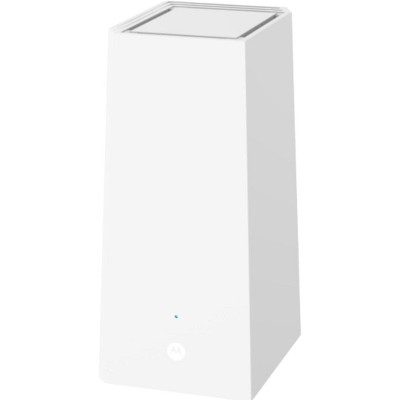
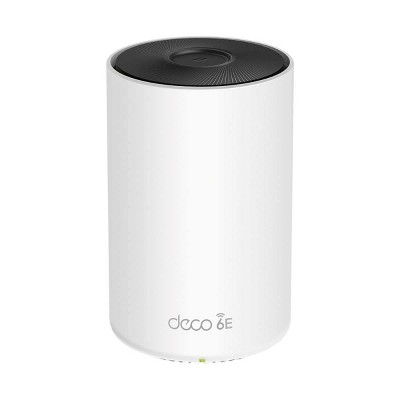
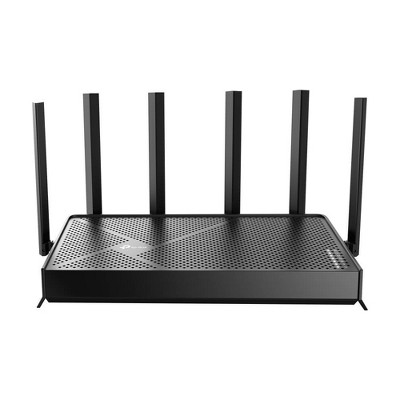
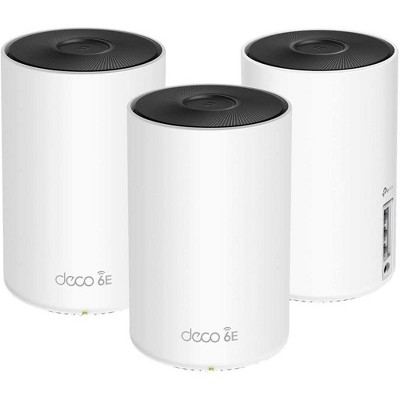
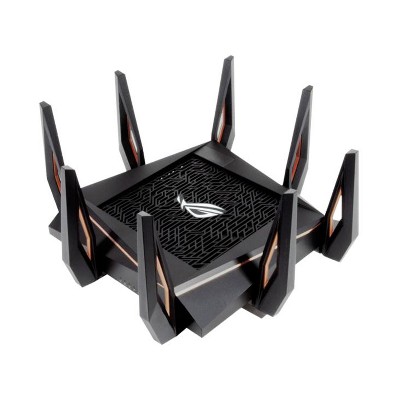
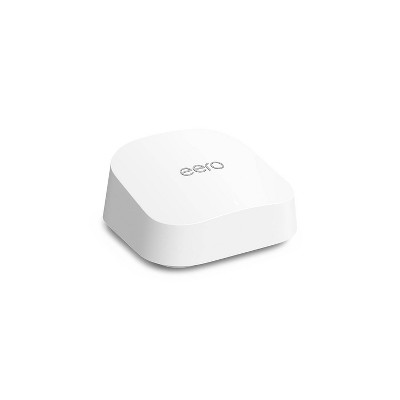
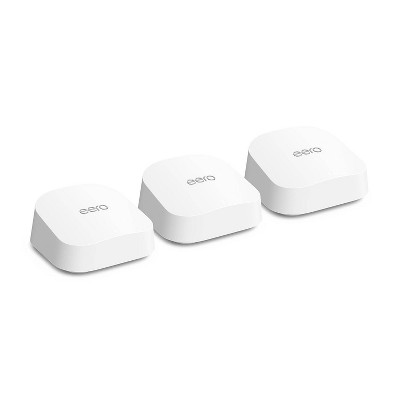
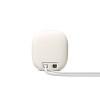
Google Nest Wifi Pro - (Wi-Fi 6E) - 2 of 4Google Nest Wifi Pro - (Wi-Fi 6E) - 3 of 4Google Nest Wifi Pro - (Wi-Fi 6E) - 4 of 4
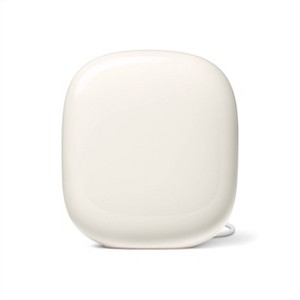
Google Nest Wifi Pro - (Wi-Fi 6E) - 1 of 4

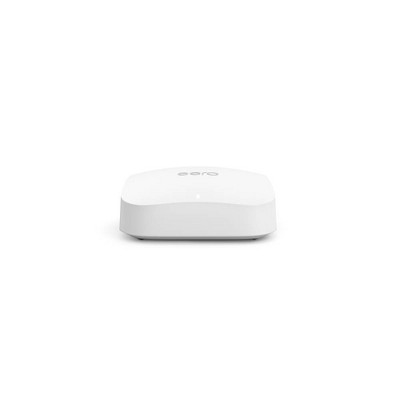
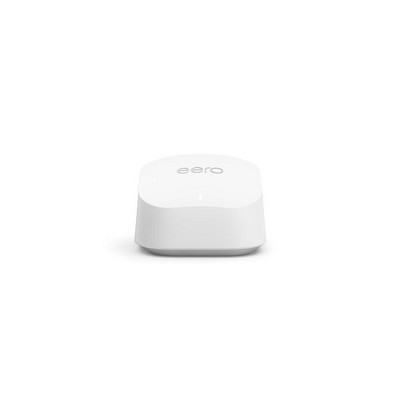
Google Nest Wifi Pro - (Wi-Fi 6E) - Linen: Universal Router, 5100 Mbps, Dual Ethernet


ColorLinen
  • Snow
  • Lemon Mint
  • Linen

In Stock

Eligible for registries and wish lists

About this item

Highlights

  • Nest Wifi Pro is built for Wi-Fi 6E. It’s up to 2x faster than Wi-Fi 6, so you get super fast speeds and a reliable connection for your entire home.(1)
  • One router provides up to 2200 square feet of fast, reliable Wi-Fi.(2) And you can customize your setup for the coverage you need.
  • It automatically manages network performance and activity to prioritize things like video calls, help websites load quickly, and keep everything running smoothly.
  • Parental controls for more peace of mind. Use the Google Home app to block access to certain websites and explicit content. Set Wi-Fi schedules, internet time-outs, and more.
  • Nest Wifi Pro monitors itself, diagnoses network issues, and can even fix some common issues on its own.
  • Thoughtfully designed to perform. Wi-Fi routers perform best when they’re out in the open. So Nest Wifi Pro is designed to look good anywhere.(3)
  • Made with the environment in mind. Nest Wifi Pro is made with over 60% recycled materials based on product weight.
  • Nest Wifi Pro uses the latest, most advanced Wi-Fi 6E technology.(4) So it isn’t compatible with previous generations of Google Wifi or Nest Wifi.

Description

Nest Wifi Pro gives you super fast, reliable Wi-Fi 6E coverage for your entire home.(5) It automatically adjusts your network’s performance to keep things running smoothly. It’s so smart it can monitor and diagnose common issues on its own. And it has privacy and security features to help keep you and your family safe.

Disclaimers:
(1)Up to 2x faster as compared to a Wi-Fi 6 router that supports 80 MHz channels. Wi-Fi 6E specifications are based on use of a Wi-Fi 6 or later generation client device that supports 160 MHz channels. Actual speeds depend on your internet service provider, network conditions, connected device, local regulations and environmental factors. Additional routers may be needed for full coverage.
(2)Router placement and home size, materials and layout can affect how Wi-Fi signal travels. Poor placement and larger homes or homes with thicker walls or long, narrow layouts may need extra Wifi points for full coverage. Strength and speed of signal will also depend on your internet provider. More than 5 routers in a network may result in degraded performance and is not recommended.
(3)Nest Wifi Pro should only be used indoors.
(4)A Wi-Fi 6E client device is needed to directly access the 6 GHz band, which is limited to indoor use only.
(5)Actual speeds depend on your internet service provider, network conditions, connected device, local regulations and environmental factors. Wi-Fi 6E-compatible devices enable the full benefits of Wi-Fi 6E. Intended for indoor use only. Router placement and home size, materials and layout can affect how Wi-Fi signal travels. Poor router placement and larger homes or homes with thicker walls or long, narrow layouts may require extra Wifi points for full coverage.
Dimensions (Overall): 3.34 Inches (H) x 4.64 Inches (W) x 5.15 Inches (D)
Weight: 21.27 Ounces
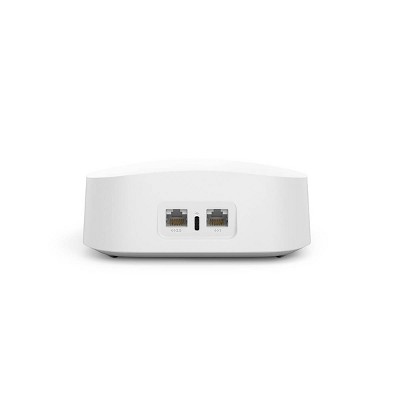
Number of Ethernet Ports: 2
Electronics Features: Gigabit Ethernet
Connection Type: No Wired Connection Ports
Includes: Quick Start Guide, AC Power Adapter
Wireless Frequency/Band: 2.4 GHz / 5Ghz / 6 GHz
Wireless Technology: Wi-Fi 6E (IEEE 802.11ax)
Industry or Government Certifications: No Certifications
Maximum Wi-Fi Speed: 5100 Mbps
Mesh Networking: Not Mesh Compatible
Maximum Wired Speed: 1000 Mbps
Compatible Service Providers: Universal
Battery: No Battery Used
Warranty: 1 Year Limited Warranty. To obtain a copy of the manufacturer's or supplier's warranty for this item prior to purchasing the item, please call Target Guest Services at 1-800-591-3869
Street Date: October 27, 2022
TCIN: 87295794
UPC: 193575032801
Item Number (DPCI): 056-02-7339
Origin: Imported
If the item details aren’t accurate or complete, we want to know about it.

Shipping details

Estimated ship dimensions: 8.5 inches length x 6.2 inches width x 3.7 inches height
Estimated ship weight: 2.3 pounds

Return details

This item can be returned to any Target store or Target.com.
This item must be returned within 30 days of the date it was purchased in store, delivered to the guest, delivered by a Shipt shopper, or picked up by the guest.
See the return policy for complete information.

Q: Is this a stand-alone router or do I need a current one in order to have this to be setup? Or can I just take the cord from my internet provider and plug it into this and get rid of the router that came with the internet router from xfinity?

submitted by TheOutdoorsCouple - 2 years ago
  • A: You will need a modem ignore the other answer they are clueless

    submitted byTargetExpert - 2 years ago
  • A: Hi TheOutdoorsCouple. The Nest Wifi Pro is a standalone router, so you can completely replace the one provided by your ISP. Simply connect the cable from your internet service provider (ISP) directly to the Nest Wifi Pro's WAN port (the internet port) using an ethernet cable. This will eliminate the need for your ISP's router and provide Wi-Fi coverage for your home. However, it's important to note that the Nest Wifi Pro still requires a modem to function.

    submitted byGoogle Nest Support - 2 years ago
    Brand expert
  • A: Hi TheOutdoorsCouple, thanks for reaching out about Google Nest Wifi Pro - (Wi-Fi 6E) The Google Nest Wi-Fi Pro is universally compatible with all providers. To find out the proper way to set up this network on your Internet Providers equipment, I would suggets reaching out to them directly. This router does work as a standalone piece of hardware. The Google Nest Wifi Pro is a mesh Wi-Fi system designed to provide seamless and reliable internet coverage throughout your home. Each unit broadcasts the Wi-Fi signal, forming a "mesh" that covers a larger area than a single router. Your devices automatically connect to the strongest signal, regardless of which unit they're closest to. This ensures you never experience dropped connections as you move around your home. If you have any additional questions, we welcome you to contact MyTGTtech at 833-848-8324 every day, between 7am-11pm CST.

    submitted byMike - 2 years ago
    Target expert support

Q: Hi, Happy Holidays! I have Google GFiber. Is it compatible with Google Nest Wifi Pro (Wi-Fi 6E)? Do I need a modem, in addition to the Google Nest Wifi pro (Wi-Fi 6E)? Thank You, Crafty

submitted by Crafty - 3 months ago
  • A: Hey there, Crafty. Yes, the Nest Wifi Pro still requires a modem to operate. Some apartments and homes don't require a modem for Internet access. You can plug a Google Nest Wifi router or Google Nest Wifi point directly into your wall's Ethernet jack. If you need an extra hand, reach out to us here: https://support.google.com/googlenest/gethelp

    submitted byGoogle Team - 3 months ago
    Brand expert
  • A: Hi, thank you for reaching out about Google Nest Wifi Pro - (Wi-Fi 6E). Yes, Google Nest Wifi Pro (Wi-Fi 6E) is compatible with GFiber, but it * replaces* your existing GFiber router, and you won't need a separate modem because GFiber's connection goes directly to the Nest Wifi Pro, which acts as your main router; however, Nest Wifi Pro cannot mix and match in a mesh with older Nest Wifi or Google Wifi devices. You'll set it up in place of your GFiber router, connecting it to the fiber line. If you have any additional questions, we welcome you to contact MyTGTtech at 833-848-8324 every day, between 7am-11pm CST.

    submitted byMatt - 3 months ago
    Target expert support

Q: Does this item work with the other Google nest WiFi routers that are not the pro version?

submitted by Shan - 2 years ago
  • A: Hi Snh, thanks for reaching out about Google Nest Wifi Pro - (Wi-Fi 6E). The Nest Wifi Pro uses the latest, most advanced Wi-Fi 6E technology.(4) So it isn’t compatible with previous generations of Google Wifi or Nest Wifi. If you have any additional questions, we welcome you to contact MyTGTtech at 833-848-8324 every day, between 7am-11pm CST.

    submitted byMike - 2 years ago
    Target expert support
  • A: Hey there, Snh! We appreciate your interest. Unfortunately, the Nest Wifi Pro (Wi-Fi 6E) can't be combined with other Nest Wifi or Google Wifi (Wi-Fi 5) in a mesh network. Visit the Google Nest Help Center to learn more about the Nest Wifi Pro.

    submitted byGoogle Nest Support - 2 years ago
    Brand expert

Q: How does the Google nest Wi-Fi pro work?

submitted by Mercedes - 2 years ago
  • A: Helo Mercedes - We appreciate your interest in this Google Nest Wifi Pro.It automatically manages network performance and activity to prioritize things like video calls, help websites load quickly, and keep everything running smoothly. I hope it helps - Santo.

    submitted bysanto - 2 years ago
    Target staff support
  • A: Hey there, Mercedes! Thanks for the question. The Google Nest Wifi Pro is a mesh Wi-Fi system designed to provide seamless and reliable internet coverage throughout your home. Each unit broadcasts the Wi-Fi signal, forming a "mesh" that covers a larger area than a single router. Your devices automatically connect to the strongest signal, regardless of which unit they're closest to. This ensures you never experience dropped connections as you move around your home. To learn more about how Nest Wi-Fi Pro works, you can check the Google Help Center page.

    submitted byGoogle Nest Support - 2 years ago
    Brand expert

Q: Would this product work even if normal internet isnt available where I live?

submitted by - 3 years ago
  • A: Hi Leah Clemons! No, the Nest Wifi Pro requires to be connected to a modem with broadband internet connection from an Internet Service Provider (ISP). Take a look at this link to see setup requirements and guide on how to setup Nest Wifi Pro: https://support.google.com/googlenest/answer/9548301

    submitted byGoogle Nest Support - 3 years ago
    Brand expert
  • A: Hi, Leah Clemons! Regarding your question about the Google Nest Wifi Pro - (Wi-Fi 6E): This would replace a normal router, which needs to be connected to an active modem to work. This does not itself provide internet access. If you have any further questions, please don't hesitate to contact MyTGTtech at 877-698-4883 every day, between 7am-11pm CST.

    submitted byPatrick - 3 years ago
    Target expert support

Q: I am traveling and need a device that will take public WiFi from the hotel and create a private network for me to be able to log use my work laptop. Would the Google Nest be sufficient with this?

submitted by Ask1234 - 2 years ago
  • A: Hi there. No, the Nest Wifi Pro is not designed to be used as a portable Wi-Fi hotspot. Its primary function is to connect your smart devices and other Wi-Fi and ethernet devices onto one thread mesh network. For your travel needs, a portable Wi-Fi hotspot would be a more suitable option.

    submitted byGoogle Nest Support - 2 years ago
    Brand expert

Q: I want to replace my Verizon Fios router. I already have google mesh to improve internet coverage in my home. If I buy the google nest router, do I still need a modem since I have google mesh? Thanks

submitted by sc600 - 2 years ago
  • A: Hi there, thank you for your questions. A modem is required to use the Google mesh system as it provides the WAN signal.

    submitted byGoogle Nest Support - 2 years ago
    Brand expert

Additional product information and recommendations

4.6 out of 5 stars with 201 reviews
quality: 2.33 out of 5
value: 2.33 out of 5
25% would recommend
4 recommendations
1 out of 5 stars
Thumbs down graphic, would not recommend
4 December, 2024Verified purchase

Missing item

Received one one router ordered two pack
am
value: 1 out of 5
quality: 1 out of 5
Did you find this review helpful?
1 out of 5 stars
Thumbs down graphic, would not recommend
13 September, 2024Verified purchase

Buy Litterally anything else

Bought this to replace my Aging Apple Time Capsule Router. This device seemed like a reasonable and high quality replacement with simple features. Now, Keep in mind I am an IT Networking Professional of 14 years and I was after something simple and reliable. This is definitely Simple for sure, but absolutely no other redeemable qualities. After about a week the network connection was dead. Had to reboot the this router. Everything worked again. Periodically after about a month or two it would need to be rebooted again. Eventually this no longer became an issue. However we started having issues with devices falling off the network, and refusing to reconnect. Our entire home network crashed several times, needing the unit to be completely reset. Once done, things stabilized, but speeds were slower. Then we noticed networked devices lost the ability to communicate with one another. Printers not being found, TV's not connecting for casting devices, or being found, smart speakers not being found, but yet every devices was still connected to the internet. None of our devices could see each other as this device could not route internal traffic correctly. Due to the simple nature of this router, we had no troubleshooting options. Unfortunately at this point we're stuck with ours, but ended up Replacing going back to the 13 year old time capsule router, which not only had a higher wireless range and stronger signal but operated at 40 MBPS faster than our Google Nest Wifi Pro and all of our network issues were resolved after going back. We decided to replace the entire thing with the Unifi Dream Router mesh system from Ubiquiti, and our home has never worked better. Check it out here https://store.ui.com/us/en/category/cloud-gateways-wifi-integrated/products/udr Skip this Google Garbage and go for Unifi, Linksys Velope Or TP link Deco, or even a potato with an antena would be an improvement...
1 reply from Google Nest Support team - 2 years ago
Hi there. We appreciate your feedback regarding your Nest Wifi Pro. We would like to take a deeper look into this trouble you've experienced. Please, contact us: https://support.google.com/googlenest/gethelp
Buy something else
quality: 1 out of 5
value: 1 out of 5
6 guests found this review helpful. Did you?
5 out of 5 stars
Thumbs up graphic, would recommend
9 December, 2022

Excellent, after recent software update

I've had Google Wifi and Nest Wifi for years and was excited to try out the new Wi-Fi 6E Pro. I'm enjoying the whole home coverage, including strong Wi-Fi in my back yard and garage. I have over 70 devices in my house and love the strong and stable signal that Nest Wifi Pro delivers. I can do clear video calls and streaming everywhere in my house which has two high school kids at home working or playing games on their computers. Nest Wifi Pro is super easy to set up and use. I like that Google offers free parental controls and other free features as well that you have to pay a monthly fee to Eero or Netgear if you get their systems. Google has a history of regular software updates that constantly add new features and improve performance. They recently updated the software on Nest Wifi Pro as well that greatly improved the performance.
PizzaNinja
value: 5 out of 5
quality: 5 out of 5
12 guests found this review helpful. Did you?
1 out of 5 stars
Thumbs down graphic, would not recommend
2 November, 2022

Better options out there.

Speed is not good, lots of software bugs.
1 reply from Nest Support team - 3 years ago
Hi Xgen, thanks for your feedback. We're sorry to hear you're having an issue with the Wi-Fi speed of your Nest Wifi Pro. Wi-Fi speed can vary depending on a few things: the type of device you are using, distance between the device and your router or point, the frequency your devices are connected to, and physical barriers like walls in your home. To improve your Wi-Fi speed, try one or more of these steps: - Move the connected device closer to your Wifi router or point. - Run a mesh test to confirm placement of your Wifi points. Try to move your router or point to a more open or unobstructed location and your router or points closer to each other. - Restart your network. - Contact your Internet Service Provider (ISP) to confirm your service is working properly. The Nest Wifi Pro automatically updates with new features, improvements and bug fixes. You can find the version of your device in the Google Home app: - Open the Google Home app. - Touch and hold your device's tile. - Tap Settings > Device information. For further assistance, you may contact our support team anytime and we'll be more than happy to help. Reach out to us via Google Nest Help page.
Xgen
2 guests found this review helpful. Did you?

Get top deals, latest trends, and more.

Privacy policy

Footer

About Us

About TargetCareersNews & BlogTarget BrandsBullseye ShopSustainability & GovernancePress CenterAdvertise with UsInvestorsAffiliates & PartnersSuppliersTargetPlus

Help

Target HelpReturnsTrack OrdersRecallsContact UsFeedbackAccessibilitySecurity & FraudTeam Member ServicesLegal & Privacy

Stores

Find a StoreClinicPharmacyTarget OpticalMore In-Store Services

Services

Target Circle™Target Circle™ CardTarget Circle 360™Target AppRegistrySame Day DeliveryOrder PickupDrive UpFree 2-Day ShippingShipping & DeliveryMore Services
PinterestFacebookInstagramXYoutubeTiktokTermsCA Supply ChainPrivacy PolicyCA Privacy RightsYour Privacy ChoicesInterest Based AdsHealth Privacy Policy