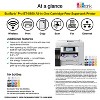
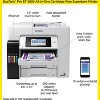
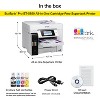
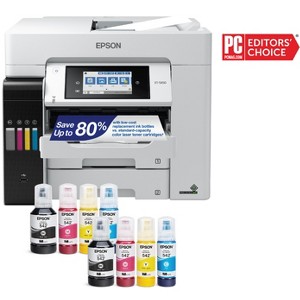
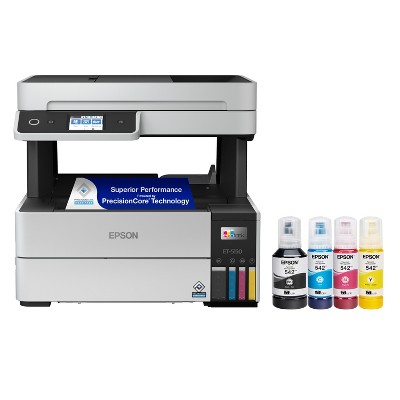
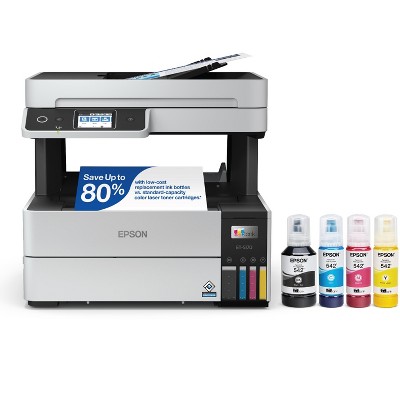
Epson EcoTank Pro ET-5850 Wireless Color All-in-One Supertank Printer
$799.99 reg $849.99
Sale save $50.00 (6% off)
In Stock

Free & easy returns
Return this item by mail or in store within 30 days for a full refund.
Sold & shipped by Epson
Eligible for registries and wish lists
About this item
Additional product information and recommendations
Discover more options
- $139.99reg $249.99 Sale3.9 out of 5 stars with 161 ratings


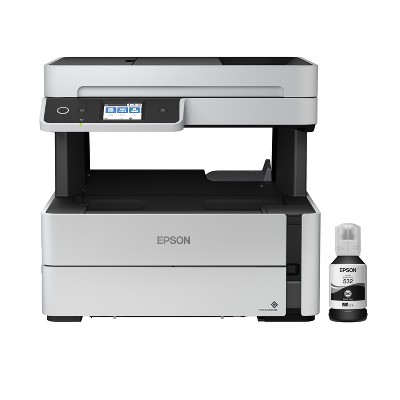



Frequently bought together
- $10.49was $11.99 New lower price4.8 out of 5 stars with 287 ratings


Guests also viewed


Related Categories
Guests are saying
The Epson EcoTank Pro ET 5850 is a versatile all-in-one printer that excels in print quality, speed, and cost efficiency with its cartridge-free ink system. Guests appreciate its easy setup, dual paper trays, and user-friendly touchscreen. However, some have experienced connectivity issues and paper handling problems. Overall, it is well-suited for both home and business use, making it a great investment for those looking to save on ink costs while enjoying high-quality prints.
Summary created by AI from text of reviews reflecting recent feedback provided across different star ratings (includes incentivized reviews)
4.2 out of 5 stars with 49 reviews
quality: 5 out of 5
value: 4 out of 5
100% would recommend
1 recommendations
3 out of 5 stars
29 January, 2026
originally posted on epson.com

very mixed feelings
This printer is awesome, if and when it works- until it doesn't. This is my 6th Epson and my 3rd ET-5850 and i loved it until today, when it gave me an error message (034019) and asked me to switch it off and on again. Well, funny enough, both of my ET-5850 standing next to each other had this problem. One recovered, the other one needed this ritual twice and is now sitting there idle and just does not accept any print jobs.
1 reply from Epson Service team - 4 months ago
Hello RainbowPrinter, we apologize for the disappointing experience you’ve encountered with your Epson printer. Your ET-5850 includes free technical support for the life of your product. Please reach out to our Epson Support Team for assistance at (562) 276-4382; Hours: Monday – Friday, 7 a.m. to 4 p.m. (PT). We’re here to help. Sincerely, Jacob– The Epson Team.
3 out of 5 stars
Thumbs up graphic, would recommend
23 October, 2025Verified purchase
(no review title)
received printer software didn't load drivers message showed no drivers detected very disappointed need help with this issue other than that very nice
5 out of 5 stars
7 October, 2025
originally posted on epson.com
Seems worth the cost.
Replaced my old work horse HP. I am pleased with the quality of print and operation of the printer. Set-up wasn't EASY, and I was able to make work.
5 out of 5 stars
21 September, 2025
originally posted on epson.com
GREAT FAST HOME/BUSINESS PRINTER WITH LOTS OF GREAT FEATURES
I've owned this printer for just over 3 yrs now. It has been used for home and our businesses. We've gone through a whole case of printer paper plus misc amounts of glossy & matte photo paper. Just now into using the 3rd set of printer ink (only filled up the Magenta & Yellow) plus had to put in a new maintenance box. Couldnt believe I didnt have to move the printer out to get to the back, on this model the Maint Box is right up front under the scanner bed. I can't say enough good about this printer as we've used it for all kinds of home & business projects plus monthly bookkeeping & other records. It prints so fast and the photo/text resolution looks great on everything we do. Never had a problem connecting to our server, the internet nor with our cell phones. I love having two paper drawers as we can put shipping labels in one and reg paper in another. We so enjoy not having to change out cartridges now! Wow, having EcoTanks is such a money saver as the ink is used so sparingly. We would have had to buy hundreds of dollars in cartridges by now. So glad to NOT have to install cartridges now too as it was always such a time consuming hassle especially when you needed to finish up on some printing project when you ran out of ink. IF this printer lasts 5+ yrs, it would have more than paid for itself!
1 out of 5 stars
19 July, 2025
originally posted on epson.com
Will Not work with MacBook Pro
will not work with my MacBook Pro
1 reply from The Epson Team team - 11 months ago
Hi JimmyH, we are sorry to hear you are having issues with your Epson printer. Your ET-5850 includes free technical telephone support for the life of your product. Our Epson Support Team would be happy to help you and can be reached at (562) 276-4382; Hours: Monday – Friday, 7 a.m. to 4 p.m. (PT). Sincerely, Joseph – The Epson Team.
1 out of 5 stars
6 June, 2025
originally posted on epson.com
GARBAGE PRINTER
STAY AWAY!!! I bought this printer in late 2021 (for the same price it's still selling for) and I may as well have set $800 on fire. From the very beginning it fell short of the HP model it replaced in every way but cost of toner/ink. I've had nothing but issues with the ADF, printing, paper handling, etc. Since I've owned the printer the only way to get a good scan is to go page by page as the automatic document feeder jams constantly, and when it does work, leaves lines and blurriness in the scans. This was my company's first, and last Epson printer purchase.
1 reply from The Epson Team team - 1 year ago
Hi Epson Customer, thank you for sharing your experience. Epson takes into consideration all feedback to improve the performance and quality of our products. We will forward your feedback to the relevant Epson department, as we are always looking to make future Epson products better. Our Epson Support Team would be happy to help you and can be reached at (562) 276-4382; Hours: Monday – Friday, 7 a.m. to 4 p.m. (PT). Once again, thank you. Regards, Joseph – The Epson Team.
5 out of 5 stars
6 March, 2025
originally posted on epson.com
Great feature's
IT works great and it was amazing quality! I loved how fast it was and I had no problems with it.I connected easy with my computer. (chrome)
1 out of 5 stars
27 April, 2024
originally posted on epson.com
Why I Switched From Epson's EcoTank Pro ET-5850 to HP
I recently (actually 2x) purchased the EcoTank Pro ET-5850 with high hopes, given its promise of a cartridge-free system. Unfortunately, my experience has been far from satisfactory. The printer failed twice, necessitating replacements each time. I also encountered significant difficulties connecting the printer to my computer, which cost me several hours of troubleshooting. Ultimately, I switched to an HP model, which has been working without issue. Based on my experience, I cannot recommend the Epson EcoTank Pro ET-5850. For those considering a reliable office printer, I suggest exploring alternatives, particularly from HP. This experience has led me to advise against purchasing this specific Epson model.
1 out of 5 stars
7 March, 2024
originally posted on epson.com
Connection/Printer head issues
This printer has been giving us nothing but issues since we bought it for our home office. Constant connection issues. Printer gets clogged often or something because it always looks faded no matter what I do. I bought this printer because it looked like it has good reviews but maybe people who have issues such as I just want to just toss this crappy printer out the window and not ever look back again. I'm going to have to cut my losses and move to a different brand.
5 out of 5 stars
16 January, 2024
originally posted on epson.com
(no review title)
I just received my printer. I love it it’s fast and very easy highly recommend the printer
5 out of 5 stars
20 August, 2023
originally posted on epson.com
Awesome printer
I bought this for my classroom (with personal money) and have been extremely happy with it. It prints quickly. It seems our copiers are always on the fritz, so I am thankful I have a reliable printer!
5 out of 5 stars
10 May, 2023
originally posted on epson.com
Printer for our church
This printer does more than we need, but I’d we need the options it has we have it. Also a big deciding point were the ink tanks because ink cartridges are so costly.
5 out of 5 stars
9 February, 2023
originally posted on epson.com
ET-5850
Had it for a month, seems to be very economical with the ink, unlike our previous Brother printer that ate toner every month to the tune of over $300. Easy to connect wirelessly with all our computers. Very happy so far.
5 out of 5 stars
5 January, 2023
originally posted on epson.com
EXCELLENT
This printer has been nothing short of exceptional. Replaced previous HP printer for the cost of the cartridges and I've been saving ever since. Quality prints. Fast production. Would highly recommend.
5 out of 5 stars
2 May, 2022
originally posted on epson.com
I love this printer/scanner
I am a (formerly) loyal HP customer. I've always had HP printers/scanners. I made the decision to get this printer because the ink on my HP Color Laser was averaging $800 every 6 months, which is absolutely ridiculous. I chose this model after reading Consumer Reports and learning the EcoTanks have fabulous quality and INEXPENSIVE ink. And it's TRUE. This is not a color laser, but the quality has been GREAT and I'm so glad I made the decision. Also, ink level is so easy to see on the front panel and filling the tanks is easy and no mess.
3 out of 5 stars
8 April, 2022
originally posted on epson.com
Terrible Paper Handling
I purchased 2 of these for my small business hoping to cut down the cost of toner for my existing all-in-one units. What a mistake. Pros: 1. Ink lasts a long time and it is easy to fill 2. Nice interface on the touchscreen 3. Scanning via the computer interface is smooth and simple 4. Connection to my LAN was great and able to set a static IP address 5. Two paper trays 6. Print quality is pretty decent but doesn't match laser Cons: 1. Paper handling is TERRIBLE. If printing more than a 1 page document it will more often than not (greater than 90% of the time) grab multiple sheets of paper and either print a blank sheet or have print on about an inch of text on one page and then continue on the next. This is a deal breaker for printing multiple page documents and wastes a significant amount of paper and time. 2. Duplex printing is extremely slow and not reliable because of paper handling. See Cons #1 3. Duplex scanning is tedious I do a lot of research on products before purchasing and I typically take negative reviews with a grain of salt because often time it is buyers remorse or user error. However, I wish I would have taken the bad reviews to heart because I'm stuck with 2 VERY expensive paperweights that I can pretty much only print single page documents with. If Epson could get the paper handling issues resolved this would be a pretty fantastic machine!!
1 reply from Epson team - 4 years ago
Hello bauerod, we appreciate your time sharing your experience with the ET-5850 printer. Epson considers all feedback to improve the performance and quality of our products. Your printer includes a 1-year Limited Warranty, plus free technical support for the life of the product. You can reach our support team at (562) 276-4382 between 7 am - 4 pm (PT), Monday - Friday if you ever need assistance. Additionally, Epson provides helpful information, including device drivers and self-help tools, on the product support website at https://epson.com/Support/Printers/All-In-Ones/ET-Series/Epson-ET-5850/s/SPT_C11CJ29201#questions. Sincerely, Sam - The Epson Team.
5 out of 5 stars
17 November, 2021
originally posted on epson.com
Much better than a Toner fed printer
We have about fifty printers at our office and all are toner type printers. This is our first ink jet and we love the savings, quality of the prints and the ease of refilling the ink. We are starting to order more of these for our staff.
2 out of 5 stars
18 June, 2021
originally posted on epson.com
Unusable
Bought this as a home office printer. Both ADF and tray paper feeder constantly (I'd say 90% of the time when printing or scanning more than 3 pages) grab too many pages. This effectively makes the ADF useless for document scanning, as it regularly misses pages and jams frequently. Complete deal breaker. Scan to cloud also not working. Very disappointed, as there are many great features to this printer, like the supertank, Bluetooth connection, scan quality, etc.
1 reply from Epson team - 5 years ago
Hi Home office user 2, we're sorry to hear about the paper jam issues you encountered with your ET-5850 printer. Epson provides useful information to help address most issues with paper feed in the FAQs at https://epson.com/Support/Printers/All-In-Ones/ET-Series/Epson-ET-5850/s/SPT_C11CJ29201#faq-8796127504460. If you need further assistance, your EcoTank printer comes with free lifetime tech support, and you can reach our support team at (562) 276-4382 between 7 am - 4 pm (PT), Monday - Friday. We appreciate your business, and we're here to help. Sincerely, Sam - The Epson Team.
1 out of 5 stars
6 June, 2021
originally posted on epson.com
Can't get it to work and cannot get help from your site
#100017 scanner error cannot be fixed - I cannot scan - requested help but Epson avoids people with problems.
1 reply from Epson team - 5 years ago
Hi glonomore, we are sorry to hear about the issue you've encountered with your ET-5850 printer. Epson provides useful information like FAQs and the User’s Guide to help you troubleshoot common scanner codes at https://epson.com/Support/Printers/All-In-Ones/ET-Series/Epson-ET-5850/s/SPT_C11CJ29201#manuals. Additionally, your EcoTank is backed by a 1-year Limited Warranty and includes free lifetime tech support. We want to help resolve the scanner code error; please reach our Advanced Support Team at (562) 276-4382 between 7 am - 4 pm (PT), Monday - Friday. Sincerely, Sam - The Epson Team.
1 out of 5 stars
10 November, 2020
originally posted on epson.com
Dont Buy!
Returning it due to poor performance. At this price point we expected ease of use, which is NOT what we got. It was difficult to install onto our computer and wont stay "connected". We found multiple other people with the same issue online. I only wish we had seen them before the purchase and now I have to pay to return it.