
Target New ArrivalsGift Ideas for MomClothing, Shoes & AccessoriesHomeKitchen & DiningOutdoor Living & GardenFurnitureGroceryHousehold EssentialsBabyBeautyPersonal CareHealthWellnessLuggageSports & OutdoorsToysElectronicsVideo GamesMovies, Music & BooksSchool & Office SuppliesParty SuppliesGift IdeasGift CardsPetsUlta Beauty at TargetTarget OpticalDealsClearanceTarget New ArrivalsSpring OutfitsGift Ideas for MomWomen’s Festival OutfitsTop DealsTarget Circle DealsWeekly AdShop Order PickupShop Same Day DeliveryRegistryRedCardTarget CircleFind Stores
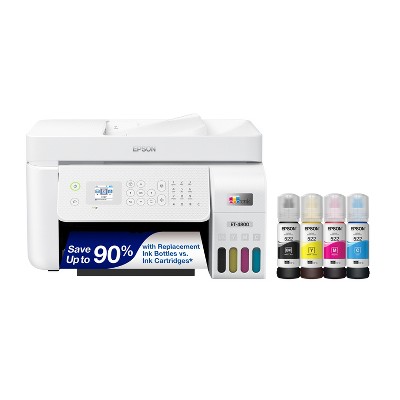
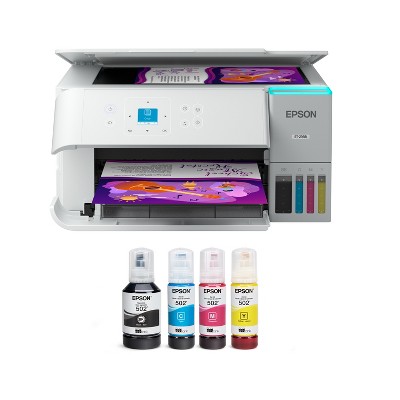
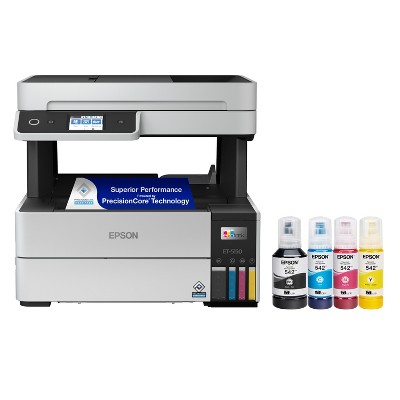
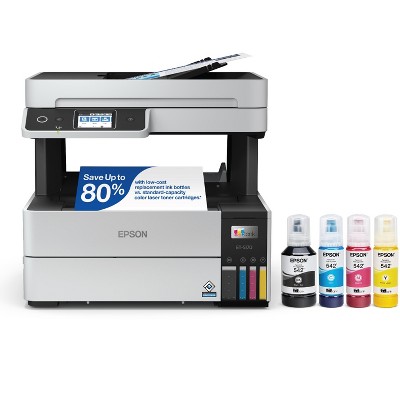
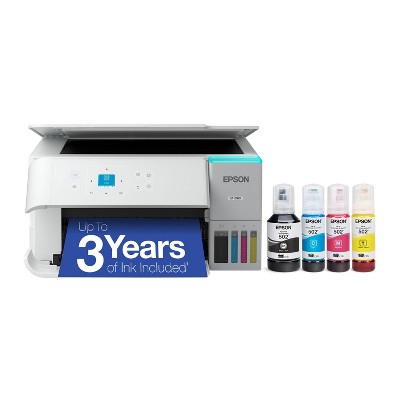
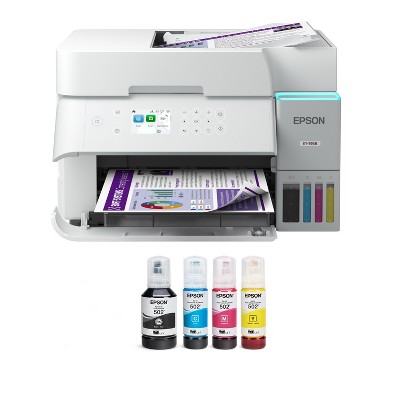
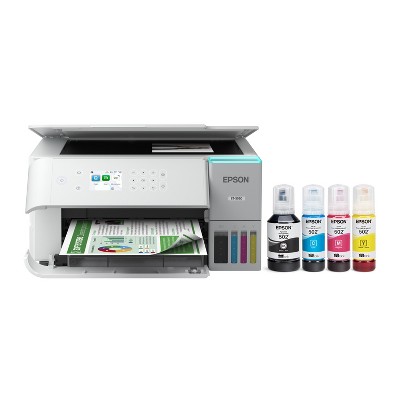
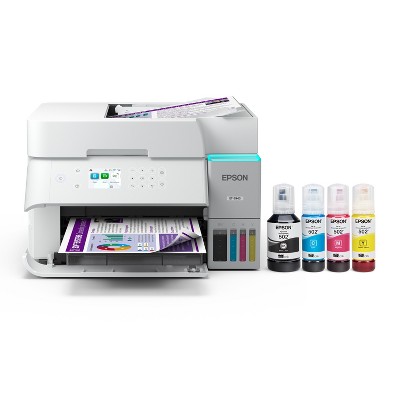
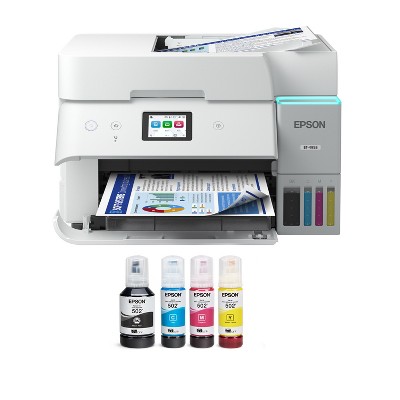
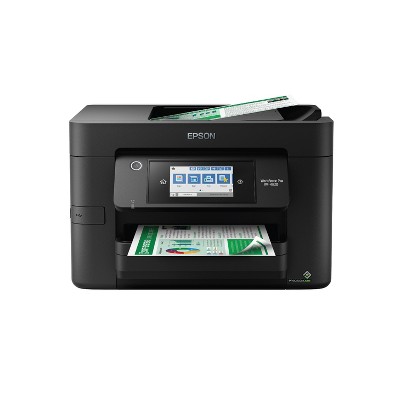
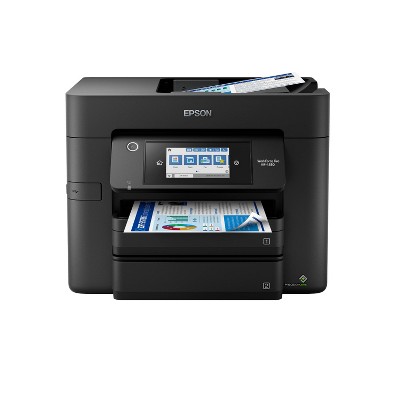
Refurbished: Epson EcoTank ET-2850 Wireless Color All-in-One Cartridge-Free Supertank Printer, White - Manufacturer Refurbished - 2 of 4Refurbished: Epson EcoTank ET-2850 Wireless Color All-in-One Cartridge-Free Supertank Printer, White - Manufacturer Refurbished - 3 of 4Refurbished: Epson EcoTank ET-2850 Wireless Color All-in-One Cartridge-Free Supertank Printer, White - Manufacturer Refurbished - 4 of 4
Refurbished: Epson EcoTank ET-2850 Wireless Color All-in-One Cartridge-Free Supertank Printer, White - Manufacturer Refurbished - 1 of 4

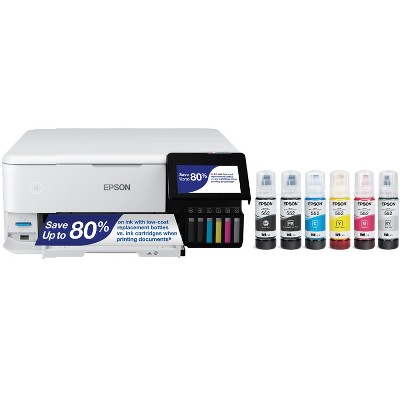
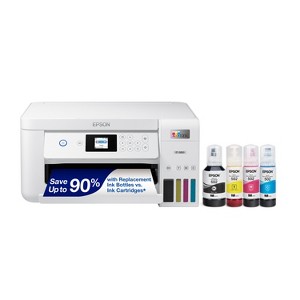
Refurbished: Epson EcoTank ET-2850 Wireless Color All-in-One Cartridge-Free Supertank Printer, White - Manufacturer Refurbished

$139.99 reg $169.99
Sale save $30.00 (18% off)

In Stock

Sold & shipped by Epson
Eligible for registries and wish lists

About this item

Highlights

  • Innovative Cartridge-Free Printing ― No more tiny, expensive ink cartridges; each ink bottle set is equivalent to about 80 individual cartridges
  • Dramatic Savings on Replacement Ink ― Save up to 90% with replacement ink bottles vs. ink cartridges – that’s enough to print up to 7,500 pages black/6,000 color
  • Stress-Free Printing — Up to 2 years of ink in the box – and with every replacement ink set – for fewer out of ink frustrations
  • High-Capacity Ink Tanks ― Epson’s exclusive EcoFit ink bottles make filling easy and worry-free
  • Zero Cartridge Waste ― By using an EcoTank printer, you can help reduce the amount of cartridge waste ending up in landfills
  • Impressive Print Quality ― Unique Micro Piezo Heat Free technology and pigment black ink produce extremely sharp text – plus impressive color photos and graphics – on virtually any paper type
  • Built-In Scanner & Copier, Plus Auto 2-sided Printing ― High-resolution flatbed scanner and a color display for easy document copying and navigation; paper-saving auto 2-sided printing
  • Modern Connectivity ― Features wireless, plus hands-free voice-activated printing. Easily print from your smart device with the intuitive Epson Smart Panel app
  • Use Genuine Epson Ink ― For optimal print quality and performance. Non-genuine ink could cause damage not covered by the printer’s limited warranty

Description

Your home needs a printer that’s fast, affordable, easy to use, and has great features. That’s why we developed the EcoTank ET-2850 – an innovative cartridge-free solution that uses high-capacity, easily refillable ink tanks. So you’ll worry less about running out of ink, and save a lot on replacement ink. The ET-2850 features outstanding print quality, auto-duplex printing, a high-resolution flatbed scanner, and convenient color display – making it the perfect family printer.
Dimensions (Overall): 7.4 inches (H) x 14.8 inches (W) x 13.7 inches (D)
Weight: 11.9 pounds
B&W Print Speed: 10.5 pages per minute
Color Print Speed: 10.5 pages per minute
Electronics Condition: New
Connection Type: USB-A
Compatible With: Up to 8.5" x 14" Documents
Maximum Resolution: 5760 x 1440 (Color)
Wireless Technology: Wi-Fi, Apple AirPrint
Printer Ink Color: Multiple Colors
Model name: C11CJ63202-N
Ink Series: Epson T502 series
Battery: No Battery Used
Warranty: 1 Year Limited Warranty. To obtain a copy of the manufacturer's or supplier's warranty for this item prior to purchasing the item, please call Target Guest Services at 1-800-591-3869
TCIN: 1002298811
UPC: 010343967625
Origin: imported
The above item details were provided by the Target Plus™ Partner. Target does not represent or warrant that this information is accurate or complete. On occasion, manufacturers may modify their items and update their labels.
We recommend that you do not rely solely on the information presented. If you have a specific question about this item, you may consult the item's label, contact the manufacturer directly or call Target Guest Services at 1-800-591-3869.
If the item details aren’t accurate or complete, we want to know about it.

Shipping details

Estimated ship dimensions: 19.3 inches length x 17 inches width x 11.1 inches height
Estimated ship weight: 16.2 pounds
item ships from third party seller: Epson

Return details

This item can be returned to any Target store or Target.com.
This item must be returned within 30 days of the date it was purchased in store, delivered to the guest, delivered by a Shipt shopper, or picked up by the guest.
See the return policy for complete information.

Q: Does this printer accept cardstock paper?

submitted by Vicky - 1 month ago
  • A: Hi, thank you for reaching out about Refurbished: Epson EcoTank ET-2850 Wireless Color All-in-One Cartridge-Free Supertank Printer, White - Manufacturer Refurbished. Yes, the Epson EcoTank ET-2850 can accept cardstock, but it is not specifically designed for heavy cardstock. It works best with light-to-medium weight cardstock (up to roughly 65 lb or 44 lb depending on the source). For best results, use the rear feed tray to prevent paper jams, and set the paper type to "Card Stock" or "Thick Paper" in the printer settings. If you have any additional questions, we welcome you to contact MyTGTtech at 833-848-8324 every day, between 7am-11pm CST.

    submitted byMatt - 1 month ago
    Target expert support

Q: Since it’s refurbished, does that mean it’s not gonna work as great as buying a new one should I just buy a new one instead? 

submitted by Susie - 2 months ago
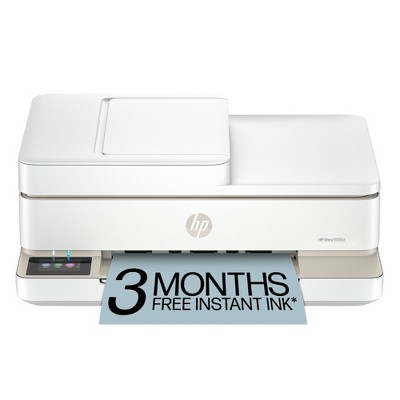
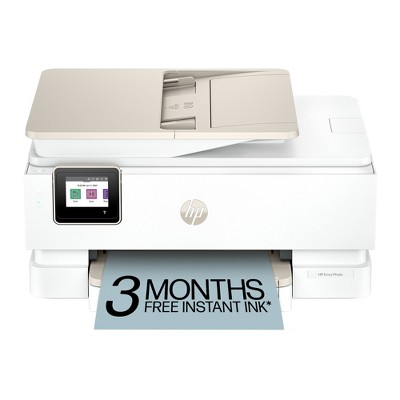
  • A: Hi, thanks for reaching out about HP Envy 6155e Wireless All-in-One Color Printer Scanner Copier with 3 Months Free Instant Ink (714L5A): USB, Wi-Fi, 1200x1200 DPI To better understand your individual needs, we welcome you to contact MyTGTtech at 833-848-8324 every day, between 7am-11pm CST.

    submitted byMike - 2 months ago
    Target expert support

Q: Can I use this to print vinyl sticker sheets?

submitted by Kay - 2 months ago
  • A: Hi, thanks for reaching out about the Refurbished: Epson EcoTank ET-2850 Wireless Color All-in-One Cartridge-Free Supertank Printer, White - Manufacturer Refurbished Yes, you can use the Epson EcoTank ET-2850 to print vinyl sticker sheets, and it is actually a very popular choice for small business owners and hobbyists (like Cricut users) because the ink is so affordable. If you have any additional questions, we welcome you to contact MyTGTtech at 833-848-8324 every day between 7 am and 11 pm CST.

    submitted byRena - 2 months ago
    Target expert support

Q: Does it come with standard ink or starter kit?

submitted by TM - 3 months ago
  • A: Hi, thank you for reaching out about Refurbished: Epson EcoTank ET-2850 Wireless Color All-in-One Cartridge-Free Supertank Printer, White - Manufacturer Refurbished. The manufacturer-refurbished Epson EcoTank ET-2850 comes with a full set of genuine Epson 502 ink bottles (1 black, 1 cyan, 1 magenta, 1 yellow). These are not special "starter" bottles but rather standard, high-capacity bottles, providing enough ink to last up to 2 years. If you have any additional questions, we welcome you to contact MyTGTtech at 833-848-8324 every day, between 7am-11pm CST.

    submitted byMatt - 3 months ago
    Target expert support

Q: Since this a refurbished printer, would I be able to use this for sublimation ink now?

submitted by Char - 5 months ago
  • A: Hi, thanks for reaching out about Refurbished: Epson EcoTank ET-2850 Wireless Color All-in-One Cartridge-Free Supertank Printer, White - Manufacturer Refurbished This printer will be refurbished to be as like new as possible. It does not natively support sublimation ink, but it is widely used by the crafting community as a easily convertible sublimation printer. If you have any additional questions, we welcome you to contact MyTGTtech at 833-848-8324 every day, between 7am-11pm CST.

    submitted byMike - 5 months ago
    Target expert support

Q: Does it come with ink

submitted by Letty - 7 months ago
  • A: Hi, thanks for reaching out about the Refurbished: Epson EcoTank ET-2850 Wireless Color All-in-One Cartridge-Free Supertank Printer, White - Manufacturer Refurbished Yes, the refurbished Epson EcoTank ET-2850 does come with a full set of ink bottles. If you have any additional questions, we welcome you to contact MyTGTtech at 833-848-8324 every day between 7 am and 11 pm CST.

    submitted byRena - 7 months ago
    Target expert support

Q: Does this printer have Duplex printing?

submitted by brendamuschal2861 - 7 months ago
  • A: Hi, thanks for reaching out about Epson EcoTank ET-2850 Wireless Color All-in-One Cartridge-Free Supertank Printer, White (Refurbished) Yes, the Epson EcoTank ET-2850, regardless of whether it is a new or refurbished unit, supports auto-duplex printing (also known as auto 2-sided printing) for paper sizes up to 8.5" x 11". This feature allows the printer to automatically print on both sides of a sheet of paper without requiring manual intervention. If you have any additional questions, we welcome you to contact MyTGTtech at 833-848-8324 every day, between 7am-11pm CST.

    submitted byJustin - 7 months ago
    Target expert support

Q: Hello Since this epson printer is reburnished There’s no ink in the cartridges correct ? I’d be able to put my ink in there as soon as I receive it ?

submitted by Kristen - 8 months ago
  • A: Hi Kristen, thanks for reaching out about Epson EcoTank ET-2850 Wireless Color All-in-One Cartridge-Free Supertank Printer, White (Refurbished). The Ink Tanks will be empty; however, starter ink should be included. If you have any additional questions, we welcome you to contact MyTGTtech at 833-848-8324 every day, between 7am-11pm CST.

    submitted byMatt - 8 months ago
    Target expert support

Q: Does this come with a 1 year warranty even though it's refurbished?

submitted by Shelly - 9 months ago
  • A: Hi Shelly, thanks for reaching out about Epson EcoTank ET-2850 Wireless Color All-in-One Cartridge-Free Supertank Printer, White (Refurbished). Yes, this has a 1-year warranty. If you have any additional questions, we welcome you to contact MyTGTtech at 833-848-8324 every day, between 7am-11pm CST.

    submitted byMatt - 9 months ago
    Target expert support

Q: Does this come with the ink tanks? How many and what colors?

submitted by Gluten free - 1 year ago
  • A: Hi Gluten free, thanks for reaching out about Epson EcoTank ET-2850 Wireless Color All-in-One Cartridge-Free Supertank Printer, White (Refurbished) To better understand your individual needs, we welcome you to contact MyTGTtech at 833-848-8324 every day, between 7am-11pm CST.

    submitted byMike - 1 year ago
    Target expert support

Additional product information and recommendations

4.2 out of 5 stars with 58 reviews
0% would recommend
1 recommendations
5 out of 5 stars
27 March, 2026
originally posted on epson.com

Image

Worked great and great price

This low cost printer with ink is great
Michael Marcus
Did you find this review helpful?
1 out of 5 stars
5 March, 2026
originally posted on epson.com
Image

Too many issues

Have had this printer for awhile and it has been nothing but problematic. It will give me a month or two of working just fine then out of the blue, paper jams after paper jams, and connection printing issues. I have been able to fix it up until now when the paper is feeding in crooked and getting stuck. Just about impossible to work on. This printer is a piece of garbage. On the bright side though the ink lasts a long time when the printer does work, which is not enough to redeem it from its many flaws.
1 reply from The Epson Team team - 1 month ago
Hi Unsatisfied31, we are sorry to hear you are having issues with your Epson printer. Your ET-2850 includes a 1-year limited warranty plus free technical support for the life of your product. Our Epson Support Team would be happy to hear from you and can be reached at (562) 276-4382; Hours: Monday – Friday, 7 a.m. to 4 p.m. (PT). Sincerely, Joseph – The Epson Team.
Unsatisfied31
Did you find this review helpful?
5 out of 5 stars
11 February, 2026
originally posted on epson.com
Image

Nice printer

Nice printer.
Copy me
Did you find this review helpful?
1 out of 5 stars
9 February, 2026
originally posted on epson.com
Image

Not worth

Doesn’t hold 100 sheets in the feeder, paper gets stuck , the quality of the printing is mediocre unable to print landscape . Not very efficient.
1 reply from The Epson Team team - 2 months ago
Hi Junky, we are sorry to hear you are having issues with your Epson printer. Your ET-2850 includes free technical telephone support for the life of your product. Our Epson Support Team would be happy to help you and can be reached at (562) 276-4382; Hours: Monday – Friday, 7 a.m. to 4 p.m. (PT). Sincerely, Joseph – The Epson Team.
Junky
Did you find this review helpful?
5 out of 5 stars
6 February, 2026
originally posted on epson.com
Image

Everything I need

I’ve printed about 250 sheets so far: both black and color, and have been very satisfied with the print speed, print quality, noise level, stingy ink usage, ease of filling ink tanks, and the ability to print from iPhone and Android. Connected directly via USB to Mac mini. Easy setup. No paper misfeeds yet. No discernible drop in ink levels yet.
Tazio
Did you find this review helpful?
3 out of 5 stars
28 January, 2026
originally posted on epson.com
Image

It would be great love the tank but mine has never worked

Will not print in color and I have tried to get it fixed but no one will look at it.
1 reply from Epson Service team - 2 months ago
Hi brokenangel, we are sorry to hear you are having issues with your Epson printer. Your ET-2850 includes free technical telephone support for the life of your product. Our Epson Support Team would be happy to help you and can be reached at (562) 276-4382; Hours: Monday – Friday, 7 a.m. to 4 p.m. (PT). Sincerely, Jacob – The Epson Team.
brokenangel
Did you find this review helpful?
5 out of 5 stars
28 January, 2026
originally posted on epson.com
Image

Good for home business

I have had this for several years now… great workhorse. No complications.
GoodBuy
Did you find this review helpful?
1 out of 5 stars
Thumbs down graphic, would not recommend
11 January, 2026Verified purchase

Doesnt print in color

Received item and setup. Waited til after the holidays to use it, only to find that the ink (color inks) won’t printer color. Everything comes out light gray. I have cleaned the nozzles and heads. Would like a replacement that actually works if possible
Char
1 guest found this review helpful. Did you?
5 out of 5 stars
18 December, 2025
originally posted on epson.com
Image

Excellence!

The printer is a non-stop marvel of modern machinery and technology and the human spirit! Thank you so very much for your amazingly creative invention! Bravo!
A happy customer
Did you find this review helpful?
5 out of 5 stars
20 November, 2025
originally posted on epson.com
Image

The Perfect Printer

Printer is perfect for my needs
Gbrad
1 guest found this review helpful. Did you?
5 out of 5 stars
3 September, 2025
originally posted on epson.com
Image

Great house printer

I bought this a month ago and I am happy with my purchase. Set up was very easy and the quality of printing is very good. It’s a great choice for house printer.
Caro25
2 guests found this review helpful. Did you?
5 out of 5 stars
27 August, 2025
originally posted on epson.com
Image

as advertised

very pleased with this product.
ronko
Did you find this review helpful?
1 out of 5 stars
23 July, 2025
originally posted on epson.com
Image

Not connecting to wifi.

The printer no longer is working because it can't connect to wifi. Other than that it's a nice printer. Just wish I could still use it. Everything else has no problem connecting. Apparently I'm not the only one with this problem.
1 reply from The Epson Team team - 9 months ago
Hi Soup55, we apologize about the disappointing experience you are having with your Epson printer's Wi-Fi connection. Your ET-2850 includes free technical support for the life of your product. Please call and let our Epson Support Team assist. Our support number is (562) 276-4382. Our support hours of operation are Monday – Friday, 7 a.m. to 4 p.m. (PT). We’re here to help. Sincerely, Joseph
Soup55
Did you find this review helpful?
5 out of 5 stars
2 July, 2025
originally posted on epson.com
Image

Why buy new? ByREnewed!

Just like new! Super easy to set up and looks brand new!
JenniferMcCulley
Did you find this review helpful?
4 out of 5 stars
2 May, 2025
originally posted on epson.com
Image

Printer head failures

Renew products work well so far Major problem with most Epson ET printers is the printer head wears out quickly. In spite of many efforts to nozzle and head cleaning or power clean or even more cleaning the printer head fails I own 6 of these
Mason f
2 guests found this review helpful. Did you?
4 out of 5 stars
14 April, 2025
originally posted on epson.com
Image

Colors & operating panel

Colors are washed out more than I expected & no operating app from my desktop was found.
Tom F
1 guest found this review helpful. Did you?
4 out of 5 stars
8 April, 2025
originally posted on epson.com
Image

Refurb ET-2850 First Use

Black Ink would not print until I power cleaned the Ink system 3 or 4 times, let it sit overnight, still didn't print black, power cleaned the Ink system 3 or 4 times, still no black print, let it sit overnight, and it started printing black.
Peacock
5 guests found this review helpful. Did you?
1 out of 5 stars
29 March, 2025
originally posted on epson.com
Image

Bad Renew Machine

Got the printer pretty quick although had to send back just as fast (Paper jams, parts coming out of machine) after 2 weeks still waiting for my credit back.
1 reply from The Epson Team team - 1 year ago
Hi Hydrantman, we value your business and will be sure to pass your feedback along to our product teams. Best, Joseph – The Epson Team.
Hydrantman
2 guests found this review helpful. Did you?
4 out of 5 stars
13 March, 2025
originally posted on epson.com
Image

Workhorse, Only Issue is Paper Feed

Workhorse. Only problem is with paper feed. These are fussy about being out of paper, even when there is paper in the feeder.
Aaartistic Armadillo
4 guests found this review helpful. Did you?
5 out of 5 stars
22 February, 2025
originally posted on epson.com
Image

Great price!!!

Unbelievable product!!!
1 guest found this review helpful. Did you?

Get top deals, latest trends, and more.

Privacy policy

Footer

About Us

About TargetCareersNews & BlogTarget BrandsBullseye ShopSustainability & GovernancePress CenterAdvertise with UsInvestorsAffiliates & PartnersSuppliersTargetPlus

Help

Target HelpReturnsTrack OrdersRecallsContact UsFeedbackAccessibilitySecurity & FraudTeam Member ServicesLegal & Privacy

Stores

Find a StoreClinicPharmacyTarget OpticalMore In-Store Services

Services

Target Circle™Target Circle™ CardTarget Circle 360™Target AppRegistrySame Day DeliveryOrder PickupDrive UpFree 2-Day ShippingShipping & DeliveryMore Services
PinterestFacebookInstagramXYoutubeTiktokTermsCA Supply ChainPrivacy PolicyCA Privacy RightsYour Privacy ChoicesInterest Based AdsHealth Privacy Policy