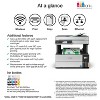
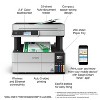
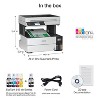
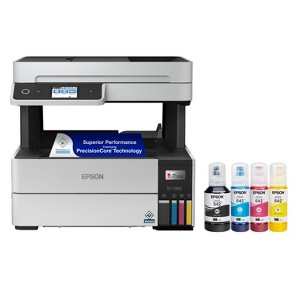
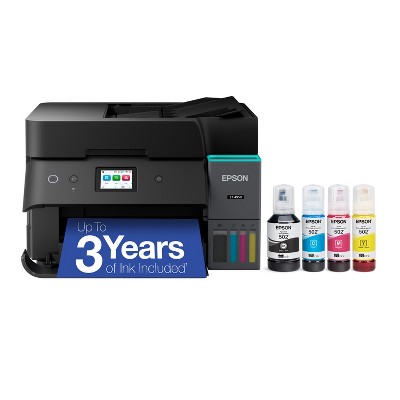
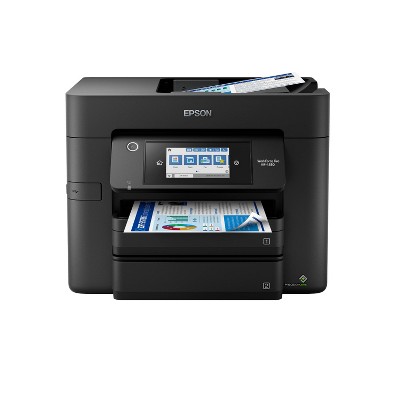
Epson EcoTank Pro ET-5150 Wireless Color All-in-One Supertank Printer
$449.99 reg $529.99
Sale save $80.00 (15% off)
In Stock

Free & easy returns
Return this item by mail or in store within 30 days for a full refund.
Sold & shipped by Epson
Eligible for registries and wish lists
About this item
Additional product information and recommendations
Discover more options


Frequently bought together



Guests also viewed






Related Categories
Guests are saying
The Epson EcoTank Pro ET 5150 wireless printer is designed for efficiency and high-quality printing, making it an excellent choice for both home and small business use. Guests appreciate its easy setup, low ink consumption, and vibrant print quality. The all-in-one functionality, including scanning and copying, adds to its versatility. However, some guests have experienced issues with the automatic document feeder and occasional printing problems, which may require attention.
Summary created by AI from text of reviews reflecting recent feedback provided across different star ratings (includes incentivized reviews)
4.1 out of 5 stars with 62 reviews
quality: 5 out of 5
value: 5 out of 5
100% would recommend
1 recommendations
2 out of 5 stars
30 April, 2026
originally posted on epson.com

Nice idea, failed design.
Purchased about a year ago. I would NOT buy this one again. I hate that this printer takes so long to start scanning/printing. The auto sheet feeder, on the scanner, often doesn't feed sheets very well. There are lots of sheets that just don't grab and run through the scanner. Also, this one needs to be out in the open, you have to be able to access all sides, often. I previously had an all-in-one ecotank and loved it, until it broke.
1 reply from Epson Service team - 16 days ago
Dear Brian101, we are sorry to hear you are disappointed with your Epson printer. Your ET-5150 includes a 1-year limited warranty, plus free technical support for the life of the product. You may reach our Epson Advanced Support Team directly at 1-800-241-5794 Monday through Friday from 7 a.m. to 4 p.m. (PT). Regards, Jacob – The Epson Team.
2 out of 5 stars
4 March, 2026
originally posted on epson.com
2 years was all she gave me
This printer lasted 2 years to the month then it died during a print job. At first the magenta quit working then it wouldn't print at all. It would not make copies it would turn itself off during a command. Very strange. Tried to change the maintenance box but it would not come alive again.
1 reply from The Epson Team team - 2 months ago
Hi bball, we are sorry to hear you are having issues with your Epson printer. Your ET-5150 includes a 1-year limited warranty plus free technical support for the life of your product. Our Epson Support Team would be happy to hear from you and can be reached at (562) 276-4382; Hours: Monday – Friday, 7 a.m. to 4 p.m. (PT). Sincerely, Joseph – The Epson Team.
5 out of 5 stars
Thumbs up graphic, would recommend
20 February, 2026Verified purchase
(no review title)
The Best printer
1 out of 5 stars
31 January, 2026
originally posted on epson.com
FALSE UNLIMITED INK ADVERTISING
Today is the end of JANUARY 2026. You need to get RID of the FALSE ADVERTISING of TWO YEARS of UNLIMITED INK!!!!! IT is EXTREMEY DECEPTIVE since the program ENDED 03/30/2025!!!!!
1 reply from The Epson Team team - 4 months ago
Hi ShoopyShoopShoop, thank you for taking the time to write a review of your new Epson printer. We appreciate your business, and value your feedback. Your ET-5150 includes free technical support for the life of your product, so if you’d like help, feel free to contact us at (562) 276-4382; Hours: Monday – Friday, 7 a.m. to 4 p.m. (PT). Kind Regards, Joseph – The Epson Team.
4 out of 5 stars
20 September, 2025
originally posted on epson.com
Warning Does NOT print two sided Legal 8 1/2 X 14
Warning Does NOT print two sided Legal 8 1/2 X 14 Poor documentation on two sided print.
3 out of 5 stars
25 April, 2025
originally posted on epson.com
No Smart Panel for Windows!!
Easy to install, a little lengthy but good at the end. The major issue for me is the fact that there is no Smart Panel for Windows... there are 6 or 7 apps in different locations but nothing in one central location, to make the user life easier.
1 reply from The Epson Team team - 1 year ago
Hi OttoX, thank you for sharing your experience. Epson takes into consideration all feedback to improve the performance and quality of our products. We will forward your feedback to the relevant Epson department, as we are always looking to make future Epson products better. Your product includes a 1-year warranty. Our Epson Support Team would be happy to help you and can be reached at (562) 276-4382; Hours: Monday – Friday, 7 a.m. to 4 p.m. (PT). Once again, thank you. Regards, Joseph – The Epson Team.
1 out of 5 stars
19 April, 2025
originally posted on epson.com
You're luck if it prints all the pages of the document
The printer was decent at first, but it has always been extremely slow. If you have a larger document that is over 100 pages, you would be lucky if it printed under 30 minutes. It has wasted me hundreds of pages of paper, because it would print the first half of the document, then freeze up, then restarts printing. For a $500+ printer, this is unacceptable. I ended up buying a Brother Maxify GX4020 for almost half the price, and it is much easier to set up, prints significantly faster and actually prints the whole document, and the ink is much cheaper. Do not waste your money on this garbage. The printer is so bad, now I am just lucky that it can print the first ten pages of a pdf document without freezing or automatically cancelling the job.
1 reply from The Epson Team team - 1 year ago
Hi Pufnik47, we are sorry to hear you are having issues with your Epson printer. Your ET-5150 includes a 1-year limited warranty plus free technical support for the life of your product. Our Epson Support Team would be happy to hear from you and can be reached at (562) 276-4382; Hours: Monday – Friday, 7 a.m. to 4 p.m. (PT). Sincerely, Joseph – The Epson Team.
5 out of 5 stars
18 September, 2024
originally posted on epson.com
What works
Easy to set up, lots of ink, flawless printing time after time.
1 out of 5 stars
25 June, 2024
originally posted on epson.com
Do NOT, repeat Do NOT, buy this printer! Read Our Review.
Pure crap! Our "EcoTank Pro ET-5150 Wireless All-in-One Supertank Printer" after 1 Year, just prints BLANK pages. No matter what we tried, it still prints all BLANK pages. I tried every online suggestion, and none worked. We have a $86.00 EPSON Workforce Pro WF-3720 printer that still works and prints beautifully, even after 6 years of use. Truly dissapointing as well as infuriating that the $500.00 "EcoTank Pro ET-5150 Wireless All-in-One Supertank Printer" does not work, especially after a year. It is purely a piece of crap! The inks are expensive. More expensive than our RELIABLE "EPSON Workforce Pro WF-3720" printer. Do NOT, repeat Do NOT, buy this printer.
1 reply from The Epson Team team - 2 years ago
Hi Epson Customer, we are sorry to hear you are having trouble with your Epson printer. Your ET-5150 includes a 1-Year Limited Warranty, plus free technical support for the life of your product. Our Epson Support Team would like to hear about the specific issue(s) you are experiencing and can be reached at (562) 276-4382. Hours: Monday – Friday 7am – 4pm (PT). We look forward to your call. Regards, Joseph – The Epson Team.
4 out of 5 stars
14 February, 2024
originally posted on epson.com
Bang for the buck!
I bought this printer a month ago and it is working OK. Printing quality is great, low consumption, WiFi print and scan, robust. I does, though, some noise when it position its mechanics.
5 out of 5 stars
8 February, 2024
originally posted on epson.com
ET-5150 Printer
Easy to setup and get started
5 out of 5 stars
1 February, 2024
originally posted on epson.com
The future of printing
Easy, straightforward setup in a feature-rich, cost-effective machine. Nice to break-free from the endless cycle of expensive, individual cartridges. Also great to reduce the plastic waste that those individual cartridges entailed.
5 out of 5 stars
1 February, 2024
originally posted on epson.com
5150 printer
This is my second Epson Eco tank printer, this one is definitely an upgrade from the first. Very satisfied.
5 out of 5 stars
31 January, 2024
originally posted on epson.com
Great Printer
The perfect printer for our home. Easy set up.
1 out of 5 stars
26 November, 2023
originally posted on epson.com
Don't Waste Your Money. This printer/scanner is TERRIBLE!
This printer/scanner is a waste of money! I bought this mainly for the scanning features less than a year ago. I scan papers for work weekly. I put fewer than the recommended number of papers in the feeder. The feeder jams 75% of the time on the first paper. When the feeder doesn't jam, it will randomly scan the first few papers and then stop, thinking that the scanning is done even though there are more papers in the feeder. When it does scan the stack, it will randomly rotate the scanned image, even though all of the papers are in the feeder the same way. Therefore, when I look at the scans, the first 2 are the same way, the third is rotated, the next 3 match the direction of the first 2, then the next one is rotated. Etc. If I had the money I would have replaced this product yesterday. This product is a giant waste of money!
1 reply from Epson Service team - 2 years ago
Hello KNS1, Epson provides useful information on scanning with an ADF in the product's User’s Guide at www.epson.com/support/et5150. If you continue to have problems scanning, our Epson Support Team would be happy to help you and can be reached at (562) 276-4382; Hours: Monday – Friday, 7 a.m. to 4 p.m. (PT). Sincerely, Dylan – The Epson Team.
5 out of 5 stars
17 November, 2023
originally posted on epson.com
Great Printer
Bought 2 of these printers about a month ago. They were to replace an older Artisan 830 that was starting to show its age after 18 years of use. So far the printing has been great with colours being vibrant and text easy to read. The only issue we had was in the settings by default it is set to print the best printing rather than standard. Once this was changed the speed came up and the quality of text only went down ever so slightly, but not anything you’d notice unless looking for it. Setup was easy and works great from all of our devices!
3 out of 5 stars
2 November, 2023
originally posted on epson.com
It OK....
Resolution is not great... scanner and copier does NOT duplex (my fault for not picking up on this earlier) Screen is very small for touch input.
1 reply from Epson Service team - 3 years ago
Hello tRickster, we appreciate your time in sharing your experience with your Epson EcoTank Pro ET-5150 printer. If you have questions and/or need assistance with another model that better fits your needs, our Epson Support Team is available to help and can be reached at (562) 276-4382. We greatly appreciate your business, and we hope you have a wonderful day. Sincerely, Dylan — The Epson Team.
3 out of 5 stars
6 September, 2023
originally posted on epson.com
Nice unit, great printing
Good printing, a bit slow. Don’t like that you don’t have a “Sam to email” outlook connection Or not easily set up from site Had to get my IT dept involved
1 out of 5 stars
27 August, 2023
originally posted on epson.com
NOT WORTH THE MONEY-HORRIBLE SUPPORT
I bought this ET-5150 printer 5 months ago and have been going around and around with Epson with the ADF-Auto Document Feed. It keeps jamming. Also, when I bought it, it was listed as with fax. Come to find out, I paid $50 more than the ET-5170 and it HAS a FAX.
5 out of 5 stars
10 August, 2023
originally posted on epson.com
The printer that meets all your needs
IT LITERALLY DOES EVERYTHING!!