

Target New ArrivalsGift Ideas for DadClothing, Shoes & AccessoriesHome & DecorKitchen & DiningOutdoor Living & GardenGroceryHousehold EssentialsBabyBeautyPersonal CareSports & OutdoorsHealthWellnessLuggageSchool & Office SuppliesToysElectronicsVideo GamesMovies, Music & BooksParty SuppliesGift IdeasGift CardsPetsUlta Beauty at TargetShop by CommunityTarget OpticalDealsClearanceNew ArrivalsGift Ideas for DadBack to SchoolCollegeTop DealsTarget Circle DealsWeekly AdShop Order PickupShop Same Day DeliveryRegistryRedCardTarget CircleFind Stores
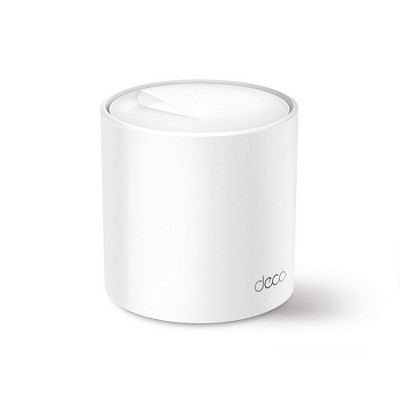
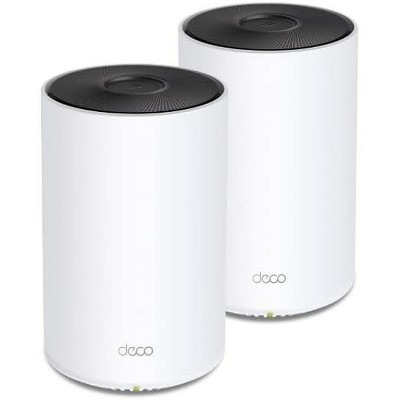
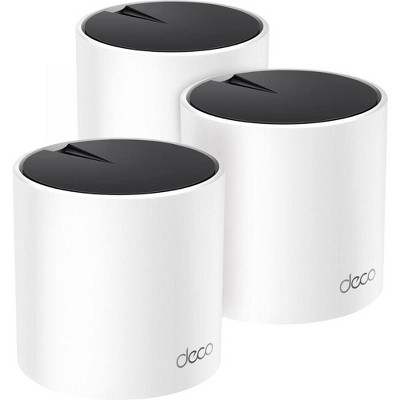
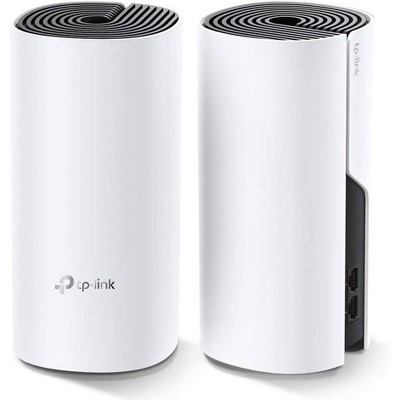
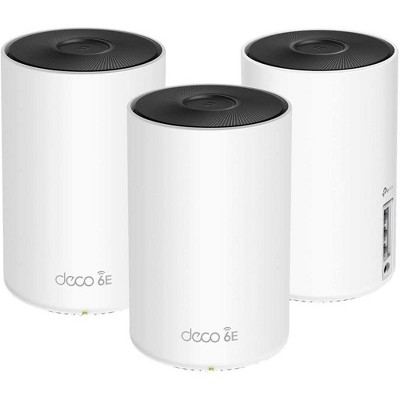
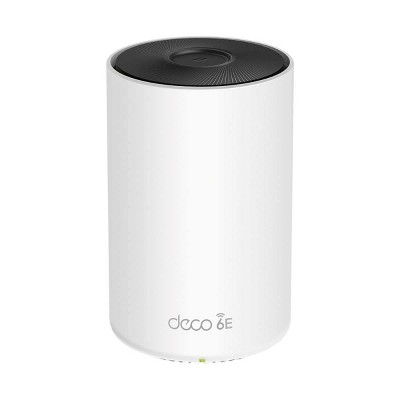
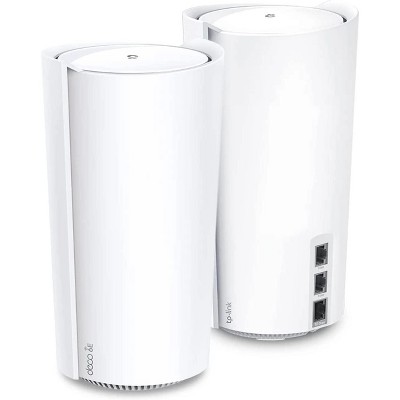
TP-Link AX1500 Whole Home Mesh Wi-Fi 6 3pk System: Gigabit Ethernet, Parental Controls - 2 of 4TP-Link AX1500 Whole Home Mesh Wi-Fi 6 3pk System: Gigabit Ethernet, Parental Controls - 3 of 4TP-Link AX1500 Whole Home Mesh Wi-Fi 6 3pk System: Gigabit Ethernet, Parental Controls - 4 of 4
TP-Link AX1500 Whole Home Mesh Wi-Fi 6 3pk System: Gigabit Ethernet, Parental Controls - 1 of 4

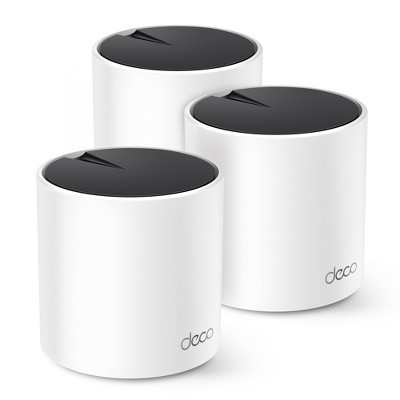
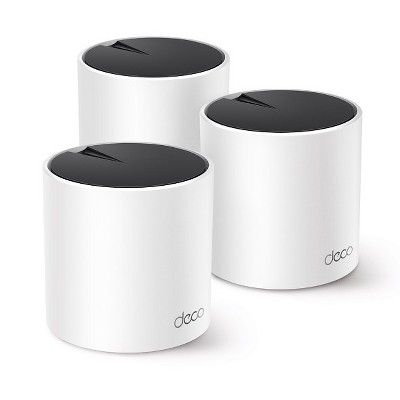
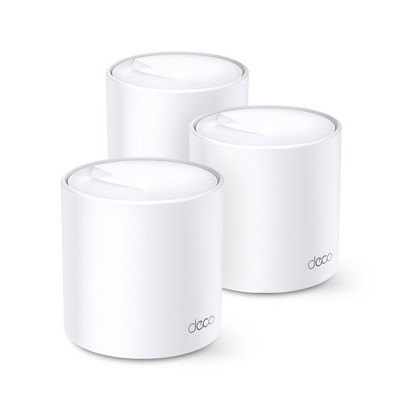
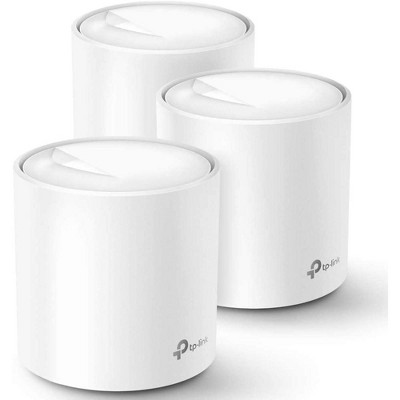
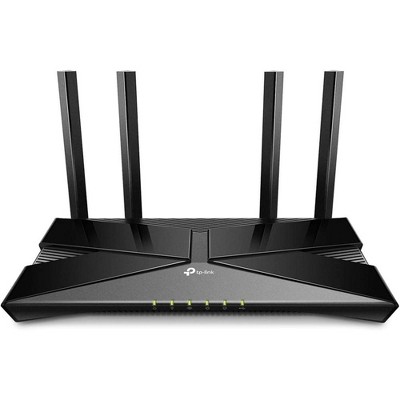
TP-Link AX1500 Whole Home Mesh Wi-Fi 6 3pk System: Gigabit Ethernet, Parental Controls

$99.99

In Stock

Eligible for registries and wish lists

About this item

Highlights

  • Whole Home Coverage: Surround up to 5,600 sq. ft. with seamless, reliable Wi-Fi 6 while effectively eliminating dead zones and buffering even in previously hard-to cover areas.†
  • One Network, One Password: Unites your home under a single Wi-Fi name and password while always delivering the most optimal connections even as you walk from room to room.
  • Connect More Devices with Dual-Band: Three nodes with dual Wi-Fi bands support up to 120 devices for maximum connectivity.†
  • Easily Set Up & Manage Your Wi-Fi: Upon installation, use the free Deco app to effortlessly set up your network and to manage your network from anywhere post-installation.
  • Protect Your Smart Home: Safeguard your home network and every connected device against intruders, viruses and malware with advanced Wi-Fi encryption and comprehensive antivirus protection.
  • Replace Your Router: Rather than using one centralized router to connect all stagnant and roaming devices, extend and strengthen your Wi-Fi coverage by setting up a Deco unit in different areas around your home.
  • Universal Compatibility: Backward compatible with all Wi-Fi generations and works with all internet service providers.(a modem is required for most internet service providers)
  • Compatible with Alexa & Google Assistant: Easily control your router with voice commands through Alexa or Google Assistant.

Description

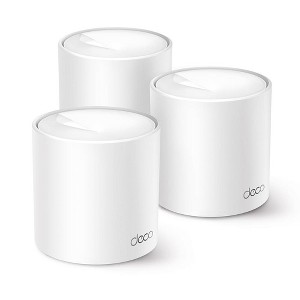
Experience seamless Wi-Fi 6 coverage in every corner of your home with Deco Wi-Fi 6 Mesh System. Featuring two Wi-Fi bands with dynamic backhaul to support up to 120 connected devices while keeping them all running at top speed and an extensive coverage area of 5,600 sq. ft., the Deco W4500 (3-Pack) is the easiest and most effective solution to ensure the complete elimination of connection dead-zones. In addition, it automatically learns and self-improves with AI-Driven Mesh capabilities to provide a unique and ideal connection for each of your devices. Lastly, keep your network and device protected with TP-Link HomeShield with comprehensive security settings and reports.†‡*


†Maximum wireless signal rates are the physical rates derived from IEEE Standard 802.11 specifications. Actual wireless data throughput and wireless coverage, and quantity of connected devices are not guaranteed and will vary as a result of network conditions, client limitations, and environmental factors, including building materials, obstacles, volume and density of traffic, and client location. Actual network speed may be limited by the rate of the product's Ethernet WAN or LAN port, the rate supported by the network cable, Internet service provider factors and other environmental conditions.
‡Clients need to support 802.11k/v and may require additional set up. Performance may vary depending on the client device.
△Use of WiFi 6 and other features including OFDMA, MU-MIMO, 1024-QAM and BSS Color require clients to also support the corresponding features.
§Gigabit internet speeds require compatible service plans and equipment. All WAN/LAN ports will operate as either WAN or LAN ports. Only one port can serve as a WAN port at a time.
*HomeShield includes the Free Basic Plan. Fees apply for the Pro Plan. Visit tp-link.com/homeshield for more information. Some features are under development and will be supported with subsequent software updates.
☆WiFi generations represent the wireless standard IEEE 802.11 a/b/g/n/ac/ax/be. Users may require an extra modem device that is compatible with their internet service provider to gain internet access.
This Deco may not support all the mandatory features as ratified in IEEE 802.11ax specification.
Further software upgrades for feature availability may be required.
Dimensions (Overall): 4.49 Inches (H) x 4.33 Inches (W) x 4.33 Inches (D)
Weight: 5.75 Pounds
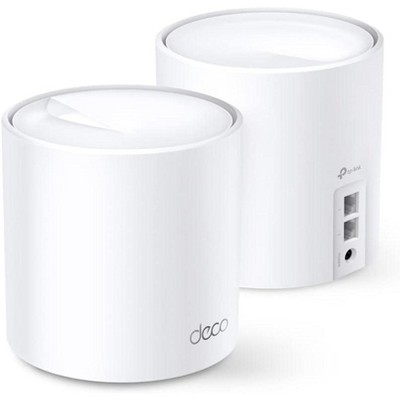
Number of Ethernet Ports: 2
Electronics Features: WPA3 Security, Parental Controls, Dual Band, Controlled by Smartphone App, Gigabit Ethernet
Connection Type: RJ-45 (Ethernet)
Includes: AC Power Adapter, Quick Start Guide, Ethernet Cable
Wireless Frequency/Band: 2.4 GHz / 5 GHz
Wireless Technology: Wi-Fi 6 (IEEE 802.11ax)
Industry or Government Certifications: No Certifications
Model name: Deco W4500(3-pack)
Maximum Wi-Fi Speed: 1500 Mbps
Mesh Networking: Mesh Compatible
Maximum Wired Speed: 1200 Mbps
Compatible Service Providers: GCI, Armstrong, Spectrum, CenturyLink, Xfinity
Battery: No Battery Used
Warranty: 2 Year Limited Warranty. To obtain a copy of the manufacturer's or supplier's warranty for this item prior to purchasing the item, please call Target Guest Services at 1-800-591-3869
TCIN: 91219895
UPC: 840030711497
Item Number (DPCI): 056-02-3160
Origin: Imported
If the item details aren’t accurate or complete, we want to know about it.

Shipping details

Estimated ship dimensions: 9.77 inches length x 9.69 inches width x 5.08 inches height
Estimated ship weight: 4.586 pounds

Return details

This item can be returned to any Target store or Target.com.
This item must be returned within 30 days of the date it was purchased in store, delivered to the guest, delivered by a Shipt shopper, or picked up by the guest.
See the return policy for complete information.

Q: Does this work with WOW internet?

submitted by Brown Sugar - 8 days ago
  • A: Yes, absolutely. The main Deco unit connects to your existing Internet source using an Ethernet cable, and the Deco App will guide you through the quick and intuitive setup process.

    submitted byTPLinkSupport - 3 days ago
    Brand expert
  • A: Hi, thank you for reaching out about TP-Link AX1500 Whole Home Mesh Wi-Fi 6 3pk System: Gigabit Ethernet, Parental Controls. Yes, the TP-Link AX1500 Whole Home Mesh Wi-Fi 6 System (Deco X10/X15/W4500) works with WOW! Internet. It is compatible with virtually all internet service providers, including cable internet, by connecting directly to your existing modem via Ethernet. If you have any additional questions, we welcome you to contact MyTGTtech at 833-848-8324 every day, between 7am-11pm CST.

    submitted byMatt - 7 days ago
    Target expert support

Q: Do each of the devices have there own Ethernet ports? Even the extenders?

submitted by rickey - 25 days ago
  • A: Yes, each Deco Mesh node in this 3 Pack System is equipped with two Ethernet ports.

    submitted byTPLinkSupport - 22 days ago
    Brand expert
  • A: Hi, thank you for reaching out about TP-Link AX1500 Whole Home Mesh Wi-Fi 6 3pk System: Gigabit Ethernet, Parental Controls. Yes, each unit in the TP-Link AX1500 (Deco X1500/W4500/X10) 3-pack system features its own Gigabit Ethernet ports, including the extenders (satellite nodes). Typically, each Deco unit has two Gigabit ports on the back, which can be used for wired Ethernet backhaul or to connect wired devices like smart TVs or consoles. If you have any additional questions, we welcome you to contact MyTGTtech at 833-848-8324 every day, between 7am-11pm CST.

    submitted byMatt - 23 days ago
    Target expert support

Q: Can I plug each of these into three separate computer tower in three different rooms? We are all gamers and need boosters

submitted by Thabes briggx - 4 months ago
  • A: Hi Thabes briggx, Yes, you can. Depending on which Backhaul method you use (e.g., Wi-Fi Mesh backhaul or Ethernet backhaul), placement of each node may affect your connection experience. If using Ethernet backhaul with this Deco model, devices that are wired to the Deco node will enjoy the same network speed offered by the main node. If you will be using Wi-Fi Mesh backhaul, please ensure each Deco node is optimally placed to ensure stable Wi-Fi connectivity between your Deco Mesh nodes, and as a result, the computer towers that are connected to each node.

    submitted byTPLinkSupport - 4 months ago
    Brand expert
  • A: Hi, thanks for reaching out about TP-Link AX1500 Whole Home Mesh Wi-Fi 6 3pk System: Gigabit Ethernet, Parental Controls Yes, you can do exactly that. Each unit in the TP-Link AX1500 (Deco) 3-pack comes with two Gigabit Ethernet ports on the back. This setup is a very smart way to handle gaming in different rooms without running long cables through your walls or along the floors. If you have any additional questions, we welcome you to contact MyTGTtech at 833-848-8324 every day, between 7am-11pm CST.

    submitted byMike - 4 months ago
    Target expert support

Q: What does parental control mean? Can I use it without parental control?

submitted by Lew777jr - 4 months ago
  • A: Hi Lew777jr, The Parental Control feature set on our Deco Whole Home Mesh Wi-Fi System is entirely optional and not enabled by default.

    submitted byTPLinkSupport - 4 months ago
    Brand expert
  • A: Hi, thanks for reaching out about the TP-Link AX1500 Whole Home Mesh Wi-Fi 6 3pk System: Gigabit Ethernet, Parental Controls Yes, you can absolutely use the TP-Link AX1500 system without ever touching the parental controls. If you have any additional questions, we welcome you to contact MyTGTtech at 833-848-8324 every day between 7 am and 11 pm CST.

    submitted byRena - 4 months ago
    Target expert support

Q: Can I turn off 5ghz to connect my older devices that run off of 2.4ghz?

submitted by Scott - 5 months ago
  • A: Hi Scott, This Deco Whole Home Mesh Wi-Fi System supports simultaneous 2.4 GHz and 5 GHz connectivity. You should not need to turn off the 5 GHz band for your older devices to connect. They should only see and interact with the 2.4 GHz band, regardless of the 5 GHz band's operation.

    submitted byTPLinkSupport - 5 months ago
    Brand expert
  • A: Hi, thank you for reaching out about TP-Link AX1500 Whole Home Mesh Wi-Fi 6 3pk System: Gigabit Ethernet, Parental Controls. Yes, you can turn off the 5GHz band on a TP-Link Deco AX1500 system using the mobile app. This is often necessary for connecting older smart home devices that only support the 2.4GHz frequency. If you have any additional questions, we welcome you to contact MyTGTtech at 833-848-8324 every day, between 7am-11pm CST.

    submitted byMatt - 5 months ago
    Target expert support

Q: Does this work with T-Mobile home internet? T-mobile uses cell towers I believe

submitted by Amir - 5 months ago
  • A: Hi Amir, Yes. Your T-Mobile Internet connection will be handled by the T-Mobile equipment (e.g., modem, ONT, gateway), which you can connect the main node of the Deco Mesh System to via Ethernet. Then, using the Deco app and remaining Deco nodes, you can quickly and intuitively set up seamless Mesh Wi-Fi throughout your home.

    submitted byTPLinkSupport - 5 months ago
    Brand expert
  • A: Hi, thanks for reaching out about the TP-Link AX1500 Whole Home Mesh Wi-Fi 6 3pk System: Gigabit Ethernet, Parental Controls Yes, the TP-Link AX1500 Mesh System (part of the Deco family) is fully compatible with T-Mobile Home Internet. If you have any additional questions, we welcome you to contact MyTGTtech at 833-848-8324 every day between 7 am and 11 pm CST.

    submitted byRena - 5 months ago
    Target expert support

Q: Is this compatible wuth Spectrum?

submitted by hi - 5 months ago
  • A: Hi, Yes, TP-Link Wi-Fi Routers and Mesh Wi-Fi Systems are designed for universal compatibility with virtually all Internet Providers. Simply connect the main Deco to your existing Internet source (e.g., a modem) via an Ethernet cable, then follow the steps in the Deco app to enjoy seamless Wi-Fi throughout your home.

    submitted byTPLinkSupport - 5 months ago
    Brand expert
  • A: Hi, thanks for reaching out about TP-Link AX1500 Whole Home Mesh Wi-Fi 6 3pk System: Gigabit Ethernet, Parental Controls. The TP-Link AX1500 Whole Home Mesh Wi-Fi 6 3pk System is compatible with Spectrum Internet service. If you have any additional questions, we welcome you to contact MyTGTtech at 833-848-8324 every day, between 7am-11pm CST.

    submitted byJoe - 5 months ago
    Target staff support

Q: Can I simply ask this system to play music? Will it automatically connect to Pandora or some other platform? Can I ask it what the weather will be like today?

submitted by Pat - 6 months ago
  • A: Hi Pat, This Deco Mesh Wi-Fi System does not have microphones or speakers and is not designed to serve as a smart assistant speaker. However, if you have existing smart assistant speakers, you can connect them to the Deco's Wi-Fi network in your home.

    submitted byTPLinkSupport - 5 months ago
    Brand expert
  • A: Hi, thanks for reaching out about TP-Link AX1500 Whole Home Mesh Wi-Fi 6 3pk System: Gigabit Ethernet, Parental Controls. That is a great question that clarifies the difference between a Wi-Fi router and a smart speaker! The TP-Link AX1500 Mesh Wi-Fi 6 System (Deco X10/X15) is primarily a networking device. Therefore: ❌ No, you cannot directly ask the Mesh system to play music or check the weather. The Deco units do not have a built-in microphone, smart speaker, or an integrated voice assistant (like Alexa or Google Assistant) that can handle general questions, play music from Pandora, or check the weather. The Mesh Wi-Fi system's job is solely to provide a fast and reliable internet connection throughout your home. If you have any additional questions, we welcome you to contact MyTGTtech at 833-848-8324 every day, between 7am-11pm CST.

    submitted byJoe - 6 months ago
    Target staff support

Q: Can I ask this mesh system to play music, like play Luke Combs?

submitted by Pat - 6 months ago
  • A: Hi Pat, No. This Deco Mesh Whole Home Wi-Fi System does not have microphones or speakers. However, your existing Smart Speaker devices that support Wi-Fi connectivity can be connected to the Deco's Wi-Fi network.

    submitted byTPLinkSupport - 6 months ago
    Brand expert
  • A: Hi, thank you for reaching out about TP-Link AX1500 Whole Home Mesh Wi-Fi 6 3pk System: Gigabit Ethernet, Parental Controls. No, you cannot directly ask the TP-Link AX1500 mesh system to play music. The AX1500 is a Wi-Fi router system designed for providing internet coverage and network management, not an integrated smart speaker for audio playback. If you have any additional questions, we welcome you to contact MyTGTtech at 833-848-8324 every day, between 7am-11pm CST.

    submitted byMatt - 6 months ago
    Target expert support

Q: What is the cost of the service plan basic and pro?

submitted by MomBrain - 6 months ago
  • A: Hi MomBrain, If you are referring to the HomeShield service and subscription options available for compatible TP-Link Routers, the basic plan is free. For pricing of other plans, please visit FAQ 3007 on our official TP-Link website. To locate this FAQ, visit our website and enter 3007 in the top-right search field, then click the corresponding FAQ in the search results.

    submitted byTPLinkSupport - 6 months ago
    Brand expert
  • A: Hi, thanks for reaching out about PTP-Link AX1500 Whole Home Mesh Wi-Fi 6 3pk System: Gigabit Ethernet, Parental Controls The TP-Link HomeShield Basic service is free, while the HomeShield Pro subscription costs approximately $5.99 per month or $54.99 per year. The Basic plan includes standard features like QoS and basic parental controls, while the Pro service adds more advanced features like a real-time network scanner, more in-depth reports, and more comprehensive parental controls. If you have any additional questions, we welcome you to contact MyTGTtech at 833-848-8324 every day, between 7am-11pm CST.

    submitted byJustin - 6 months ago
    Target expert support

Additional product information and recommendations

Discover more options

Frequently bought together

Guests also viewed
Guests are saying

This mesh Wi-Fi system has received positive feedback for its impressive performance and ease of setup. Guests appreciate the robust connectivity it provides throughout their homes, eliminating dead zones and improving internet speeds. The user-friendly app simplifies installation and device management, making it accessible even for those who are not tech-savvy. Overall, it is a reliable choice for families with multiple devices, ensuring seamless streaming and connectivity.
    Summary created by AI from text of reviews reflecting recent feedback provided across different star ratings (includes incentivized reviews)
    4.6 out of 5 stars with 30 reviews
    quality: 4 out of 5
    value: 3.75 out of 5
    95% would recommend
    22 recommendations
    4 out of 5 stars
    Thumbs up graphic, would recommend
    3 March, 2026Verified purchase

    (no review title)

    So far so good. Too early to say.
    Paul
    quality: 4 out of 5
    value: 5 out of 5
    Did you find this review helpful?
    2 out of 5 stars
    9 November, 2025Verified purchase

    (no review title)

    does not work as intended.
    1 reply from TPLinkSupport team - 6 months ago
    Hello Geovanny, To better understand if your desired operation is within the product's capabilities, we would suggest reaching out to TP-Link Support for assistance. If it is then support can help get this product online. If its not then at least we can say way and offer alternative that may work for your needs. Best Regards TP-Link System Support
    Geovanny
    Did you find this review helpful?
    5 out of 5 stars
    Thumbs up graphic, would recommend
    31 July, 2025Verified purchase

    Easy

    Easy set up, wish there was written directions instead of just online
    Dmac
    quality: 4 out of 5
    value: 4 out of 5
    4 guests found this review helpful. Did you?
    5 out of 5 stars
    Thumbs up graphic, would recommend
    11 June, 2025Verified purchase

    Great upgrade!

    Upgraded my old router. This system Is great. I no longer have issues with my smart lights, streaming, and overall connectivity issues.
    Tiffany D
    quality: 5 out of 5
    value: 5 out of 5
    1 guest found this review helpful. Did you?
    2 out of 5 stars
    Thumbs down graphic, would not recommend
    7 January, 2025Verified purchase

    Not as helpful as expected

    Many connectivity issues with little explanation as to why…going back to my old router.
    1 reply from TPLinkSupport team - 1 year ago
    Hello JKW The best solution to this would be to reach out to support. We can help isolate and troubleshooting the concern and help with a solution Best Regards, TP-Link Systems Technical Support
    jkw
    quality: 3 out of 5
    value: 1 out of 5
    5 guests found this review helpful. Did you?
    5 out of 5 stars
    Thumbs up graphic, would recommend
    7 December, 2024

    Excellent mesh system

    I used this to upgrade from my Orbi system I had. This is leaps and bounds better. I have an older home so sometimes we struggle to get good signal upstairs on the other end of the house. This worked amazingly. I was able to get better signal upstairs and my internet is moving at the speed it should. This was simple to set up and the interface is very user friendly. Highly recommend!
    Jamie
    2 guests found this review helpful. Did you?
    5 out of 5 stars
    Thumbs up graphic, would recommend
    31 October, 2024

    Strong signals!

    I purchased this wi-fi 6 set to replace an older mesh system that we had, and I couldn't be happier with it! Our house is 1600 sq feet, and I was having issues with the internet dropping while I was working from home in the basement with the old system. This one works wonderfully - no dropping, and full signal with the pods in the same location as the old ones. We also have a detached shop outside, so one of the pods is placed in the attached garage, and my husband has no issues streaming the TV out there. It was very easy to set up just walking through the app, and I love the app interface. It is easy to see when there are issues or what devices are online and connected to each pod. There are also notifications for things like when a new device joins your network. Overall, I am very pleased with this mesh system and would definitely recommend it!
    lyssamae01
    8 guests found this review helpful. Did you?
    4 out of 5 stars
    Thumbs up graphic, would recommend
    29 October, 2024

    Immediate Impact

    The Deco made immediate impact on the speed of our streaming services and everyone’s devices in our household. We are so thankful that we added this to our internet usage in the house! The speed of all of our shows, games, and email is so fast!
    Julia
    7 guests found this review helpful. Did you?
    5 out of 5 stars
    25 October, 2024

    Easy to set up!

    Mesh points are game changers and fantastic upgrades to everybody’s WiFi set up, especially in an older home like mine. When the walls are thick, it’s hard to get good coverage across the house but these mesh points can surpass them well!! They were easy to set up and use, and I felt like made it so my WiFi didn’t disconnect me when I changed room from room.
    christmastree
    2 guests found this review helpful. Did you?
    5 out of 5 stars
    Thumbs up graphic, would recommend
    25 October, 2024

    Love it

    I didn’t realize how weak my wifi was until I started using this. We have to keep our router downstairs, but this really helps boost the signal to every room in our house and outside. With all the devices we have hooked up, game consoles, phones, smart speakers, etc., the signal strains a lot. This really helps it be strong and everything work the way it should.
    Jenlynne21
    2 guests found this review helpful. Did you?
    5 out of 5 stars
    Thumbs up graphic, would recommend
    24 October, 2024

    Fast internet

    This mesh wifi system is great for a family. We have so many devices on our WiFi, from our lights to our phones and this never bogs down. We have a 3000sq feet 2 story home and I haven’t noticed any dips in internet anywhere in the house. Not to mention they look sleek set up is super easy. I have everything all set up within 10 mins
    BB
    Did you find this review helpful?
    4 out of 5 stars
    Thumbs up graphic, would recommend
    22 October, 2024

    Easy to Setup

    The DECOS Wi-Fi 6 Mesh Router System impresses with its sleek, modern design that blends seamlessly into any home decor. Setting it up is incredibly straightforward, with an out-of-the-box installation process that even tech novices can handle. The user interface, accessible via both mobile phone and computer, is intuitive and user-friendly, making network management a breeze. Performance-wise, it delivers robust and reliable connectivity, handling multiple devices and large areas without a hitch. Overall, it’s a top-notch choice for anyone seeking a hassle-free, high-performance router system.
    MrsCheapSkate
    Did you find this review helpful?
    5 out of 5 stars
    Thumbs up graphic, would recommend
    18 October, 2024

    Worked wonderfully

    I have never tried multiple routers like this before so I was weary but surprised how easy the setup was. It has a QR code that helped with everything in setup. Hooking them all up took around 20 min easy .
    smiller
    Did you find this review helpful?
    5 out of 5 stars
    Thumbs up graphic, would recommend
    17 October, 2024

    Great

    This TP link whole home mesh Wi-Fi system is pretty great. It is a 3 piece system which should cover all the dead spots in your home. It was extremely easy to set up thanks to the app you should download. It guides you through the set up step by step. Now I have Wi-Fi even in previously spotty areas in the home.
    Eve1
    Did you find this review helpful?
    5 out of 5 stars
    Thumbs up graphic, would recommend
    15 October, 2024

    Good system!

    This Deco mesh system seems great. I am not sure I can tell a speed or connectivity difference per se, but at a certain point, it becomes harder to tell just by use. The installation and set up were easy. My only complaint is that there was only one hard line plug in and I would have preferred at least 2. But we made it work. Overall, happy with the system!
    fitnfabmamafoxy
    Did you find this review helpful?
    4 out of 5 stars
    Thumbs up graphic, would recommend
    13 October, 2024

    The Upgrade I Didn't Know I Needed

    As the headline suggests, from living in a 1BR apartment, I did not think this upgrade would benefit me in any way, but boy was I wrong! Not only do I get strong service on all five of my devices anywhere in my place, I can go sit outside and chat with my neighbors a couple of buildings over and my signal still goes strong. The only reason I did not give five stars is because the advertised easy installation took me a bit longer than expected. I am not super tech savvy, but generally pick up on things quickly. Great color looks great in any room, and the size doesn't take up too much space.
    CharlieBoy82
    Did you find this review helpful?
    5 out of 5 stars
    Thumbs up graphic, would recommend
    12 October, 2024

    Great product

    I’m really impressed with this mesh WiFi system. I used to have connection problems upstairs and was considering a WiFi extender, but I decided to go with this mesh system instead. Rather than replacing my current router, I added the mesh nodes, and they’ve made a huge difference. The units are smaller, sleeker, and perform so well that I’m considering replacing my router entirely. Since installing the system, I haven’t had any connection issues at all, especially in the upstairs bedroom farthest from the router. The setup was quick and easy, thanks to the user-friendly app—it literally took just a few minutes. Managing connected devices is also a breeze. As with many companies today, there is a subscription fee for premium features like advanced security and parental controls beyond the free version. Overall, I’m very happy with this mesh system and would highly recommend it.
    Skydiver22
    1 guest found this review helpful. Did you?
    5 out of 5 stars
    Thumbs up graphic, would recommend
    10 October, 2024

    Quick install wifi system

    This system is super easy to install, all included, and an amazing product. The second we set this up, our internet was noticeably quicker to the point guests were asking about it. I highly recommend this amazing system
    Payne
    Did you find this review helpful?
    5 out of 5 stars
    Thumbs up graphic, would recommend
    9 October, 2024

    Easy to Use

    This was an easy to setup wifi system that seems to be working well so far. It requires you to download an app to do the setup - but once you do that, it's not difficult. It is nice that it comes in a set of three, so you are able to spread the units throughout your home or space.
    jk125
    Did you find this review helpful?
    5 out of 5 stars
    Thumbs up graphic, would recommend
    8 October, 2024

    A work from home must

    This made working from home a lot easier. I was worried that my office in the back of our home wouldn’t get good enough WiFi but with these it worked out. It was very very easy to set up and super quick.
    Thadeusdylan
    Did you find this review helpful?

    Get top deals, latest trends, and more.

    Privacy policy