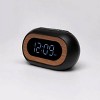
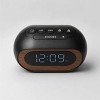
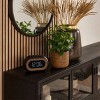
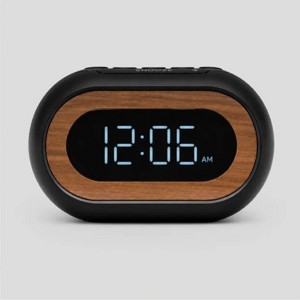
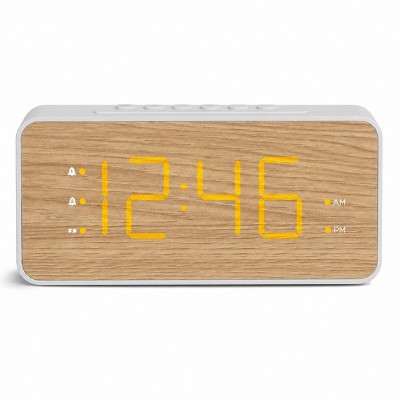
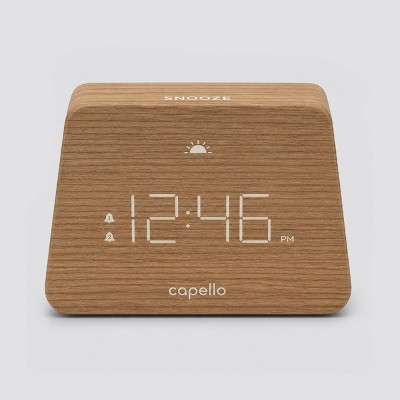
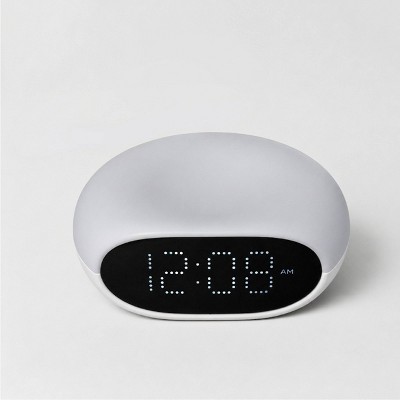
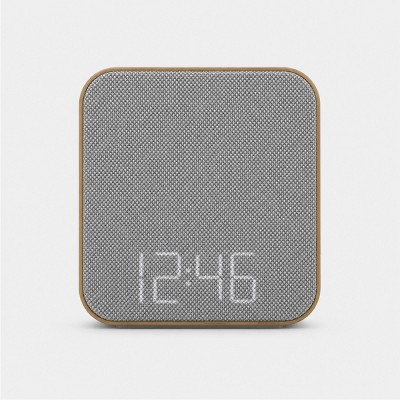
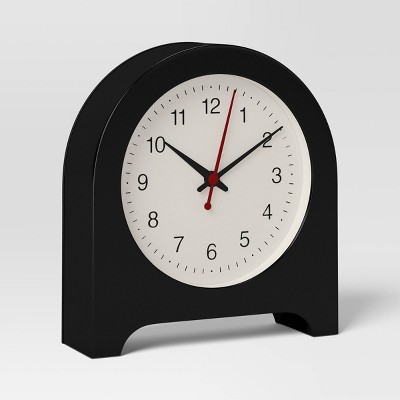
Capsule Alarm Table Clock Black - Capello: LED Display, Wood Accent, Modern Bedroom & Bedside Design
$16.99
In Stock
Eligible for registries and wish lists
About this item
Additional product information and recommendations
Frequently bought together

Related Categories
Guests are saying
This clock combines a stylish design with practical features, making it a great addition to any room. Guests appreciate its compact size, ease of use, and the ability to dim the display for a comfortable night's sleep. However, some have experienced issues with fading numbers and alarm functionality. Overall, it serves well as a basic alarm clock, especially for those who value simplicity and aesthetics in their decor.
Summary created by AI from text of reviews reflecting recent feedback provided across different star ratings (includes incentivized reviews)
3.8 out of 5 stars with 79 reviews
design: 4.04 out of 5
quality: 3.17 out of 5
value: 3.41 out of 5
62% would recommend
40 recommendations
3 out of 5 stars
14 October, 2026Verified purchase
Only stays on if plugged in
Very cute and perfect small size for a vanity. If using batteries and your goal is total darkness, this is it! Otherwise, it only illuminates all the time if plugged in.
1 out of 5 stars
Thumbs down graphic, would not recommend
27 September, 2026
Do not buy this clock.
This clock is cute, but it is poor quality. The numbers on the display fade in some areas making it impossible to read the time.
3 out of 5 stars
Thumbs down graphic, would not recommend
13 August, 2026Verified purchase
Looks great, can't see it.
The item itself is cute, but there is one glaring oversight. I specifically needed a battery-powered clock because there is no outlet nearby. Unfortunately, the battery is only intended as a backup to keep the alarm functioning during a power outage. The display does NOT illuminate when the clock is running solely on battery power. This limitation should have been more obvious in the description.
1 out of 5 stars
28 March, 2026Verified purchase
(no review title)
Dimmer worked for a week then stopped. Don’t buy if you’d use that feature.
5 out of 5 stars
Thumbs up graphic, would recommend
20 January, 2026Verified purchase
(no review title)
Great little clock for the price.
1 out of 5 stars
2 January, 2026Verified purchase
(no review title)
After 4 months of use the time stop showing up on the screen
5 out of 5 stars
18 December, 2025Verified purchase
(no review title)
Pretty
5 out of 5 stars
Thumbs up graphic, would recommend
22 October, 2025Verified purchase
BEST Bedside Clock!!!
I have tried about 7 different clocks for our nightstand... and this one is VERY stylist and is just the right size. Just LOVE IT! So easy to use too with all the buttons on the top... you don't need to tip the clock over to set it or turn off the alarm or anything. So glad I found this one!
5 out of 5 stars
Thumbs up graphic, would recommend
10 October, 2025Verified purchase
(no review title)
Like the size, and ease of use. Bought for kids room.
2 out of 5 stars
Thumbs down graphic, would not recommend
7 September, 2025Verified purchase
BELIEVE THE REVIEWS: #s fade over time
Other reviews indicated that the numbers began to fade and I should’ve listened. The clock is super cute and looked great with my mid-century modern look, but within about three or four months, parts of the digital letters faded, and you can’t even tell what time it is. It happened just after the return window, of course. Cute but useless overtime.
1 out of 5 stars
Thumbs down graphic, would not recommend
7 July, 2025Verified purchase
Keep it simple
Can’t figure out how to reset the alarm time - not sure if the alarm is broken or the UX is just awful but the end result is the same, it doesn’t ‘work’! I like products that ‘just work’. Keep it simple
1 out of 5 stars
Thumbs down graphic, would not recommend
5 July, 2025Verified purchase
poor quality
the display is fading and barely able to be read from 10ft away after about 6 months.
5 out of 5 stars
Thumbs up graphic, would recommend
1 July, 2025Verified purchase
Would recommend!
Its such a cute little basic but modern alarm clock! Works very well.
2 out of 5 stars
Thumbs down graphic, would not recommend
14 April, 2025Verified purchase
Can't set an alarm time
the clock keeps time so I gave it a couple stars. But it won't have the time for an alarm set, so I am returning and would not purchase again.
From Capello Support team
Sorry you’re having an issue setting the alarm. Reach out to us email and we can help out. support@hellocapello.com
2 years ago
1 out of 5 stars
Thumbs down graphic, would not recommend
1 April, 2025Verified purchase
Missing cable
Item was missing the cable. Had to return it. It was probably the store and associates negligence. As for the product, was not able to use it so I returned it instead.
1 out of 5 stars
Thumbs down graphic, would not recommend
21 March, 2025
Mosleading - it requires a cord (not pictured)
Very misleading - none of the photos show the power cord. The cord is not pictured on the product box (I looked at it in store) AND the website (also looked online while I was in store). The box also says it uses 2 AAA battery so I assumed with it saying that and no cord picture that it wad battery powered. I have several small clocks by this same brand that are battery ONLY and they are good for the bathroom counter to glance at & check your time when getting ready. That’s what I wanted not this version
1 out of 5 stars
Thumbs down graphic, would not recommend
9 March, 2025Verified purchase
Bad display quality
The clock numbers are fading in less than 1 year of use. In the beginning the clock would not maintain time when unplugged or after a power outage even though it had a new battery inside. Then the numbers started to fade and you can now barely see them.. I have another clock that I bought at the same time that works just fine and keeps the time after being unplugged. I don't recommend this clock.
5 out of 5 stars
Thumbs up graphic, would recommend
5 March, 2025Verified purchase
Cutest
It looks really nice in my living room and goes really well with the decoration.
5 out of 5 stars
Thumbs up graphic, would recommend
16 January, 2025
Alarm clock
I like the look of the clock modern with a classic twist,I had to get a alarm clock to wake up for work early in the morning all I need is the alarm, which it only has ,nice it has two ,don’t need the radio or charger or anything fancy that cost alot of money. tested it out and seems loud enough to wake me up if my phone alarm fails so far so good might write another review if it fails or issue with it waking me up.
5 out of 5 stars
Thumbs up graphic, would recommend
10 December, 2024Verified purchase
So cute!
I'm using it purely as a clock, not an alarm, but I love this clock! It's small, low profile but cute, easy to set up, and I love that I can dim the lights so it doesn't shine into my eyes when I'm trying to sleep