

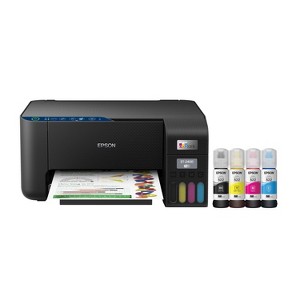
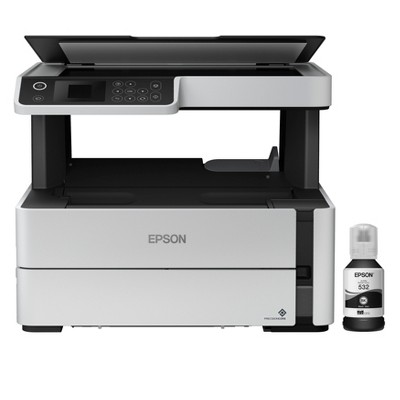
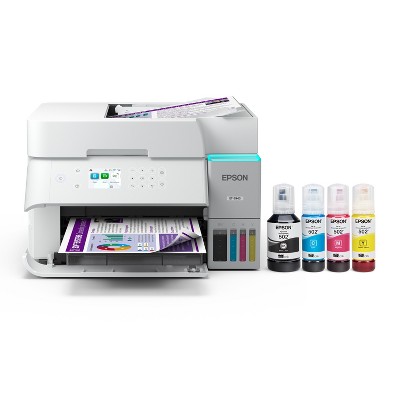
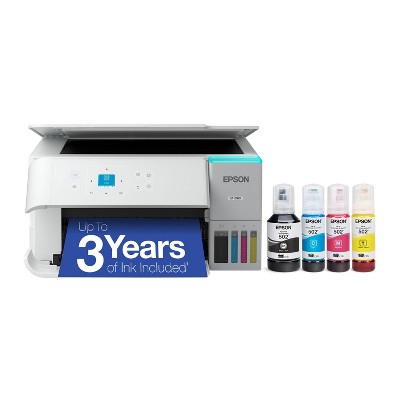
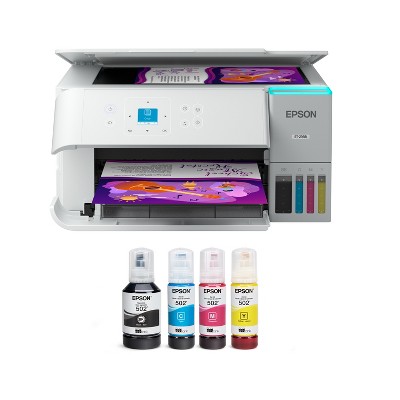
Epson EcoTank ET-2400 All-in-One Cartridge-Free Supertank Printer, Copier, Scanner - Black
$169.99 reg $189.99
Sale save $20.00 (11% off)
In Stock
Eligible for registries and wish lists
About this item
Additional product information and recommendations
Discover more options
- $139.99reg $249.99 Sale3.9 out of 5 stars with 161 ratings




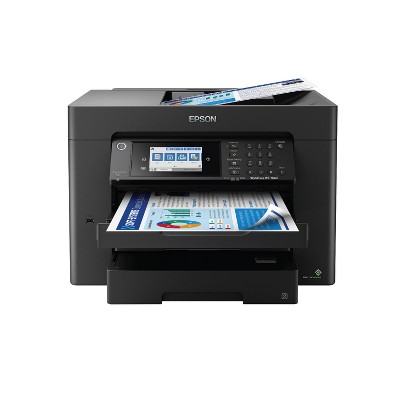
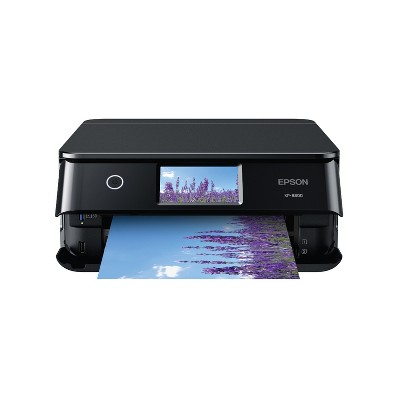
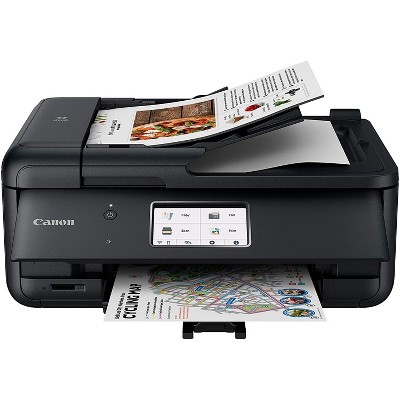
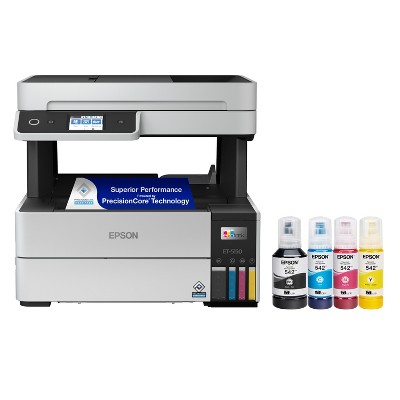
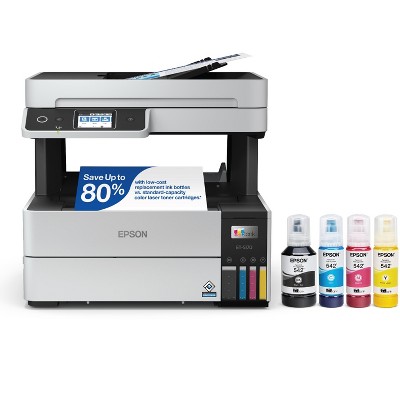
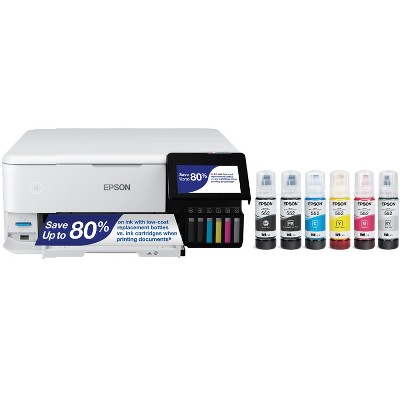
Frequently bought together
- $99.99 - $149.99reg $129.99 - $179.99 SaleGet the AirPods 4 starting at $13/mo. on select items3.9 out of 5 stars with 4450 ratings
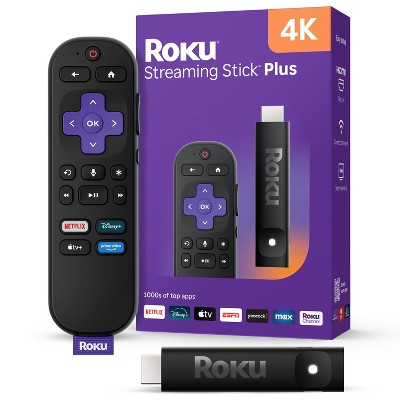

Guests also viewed
- $139.99reg $249.99 Sale3.9 out of 5 stars with 161 ratings




Related Categories
3.0 out of 5 stars with 379 reviews
quality: 2.64 out of 5
value: 2.6 out of 5
33% would recommend
123 recommendations
5 out of 5 stars
24 May, 2026
originally posted on epson.com

Great printer and scanner at a great price!
I bought the Epson EcoTank 2400 yesterday and set it up today. If it continues performing this well for the next ten years, I’ll be very happy with this purchase. I bought it to replace my old Canon MP190. The print quality on the Canon suddenly became very poor, which may honestly have been more of a cartridge issue than a printer issue, but testing that would have been expensive. On top of that, the printer was old enough that modern operating systems no longer support the scanner drivers, so I couldn’t even use the flatbed scanner anymore. At that point, replacing the whole printer made more sense. The ET-2400 is not quite as wide as the MP190 which is a nice plus. The biggest advantage of the EcoTank line is the refillable ink tanks. Printer ink is already expensive, but traditional cartridges also include microchips and hardware that drive the cost even higher. With this printer, I can refill only the specific color I need instead of replacing an entire color cartridge because one channel ran out. I mostly print proxies and alternate art for Magic: The Gathering, so I regularly print nearly full-page, full-color images (eight cards per page). Because of that, image quality matters a lot to me. I also wanted a working flatbed scanner so I could scan my paintings instead of photographing them. I did not use the wireless features. Instead, I connected the printer directly to my computer with a USB cable after downloading Epson’s management software. Setup was straightforward, the software updated itself automatically after asking permission, and my computer recognized the printer immediately. It showed up in Photoshop right away with no issues. The only thing I disliked during setup was that the registration process appears to require opting into marketing emails. I’ll unsubscribe later. Print Quality: Colors are bright and vibrant, blacks are deep and dark, and the images come out crisp and clean. Some reviewers mentioned getting “light gray” blacks, but I haven’t experienced that problem at all. Scanning: The flatbed scanner is slightly too small for a full 9x12 painting, but I expected that and don’t consider it a flaw. The scans came out vibrant, sharp, and detailed. It couldn’t fully capture the shimmer of my metallic paints, but that’s normal — I usually need angled lighting in photographs to show metallic effects accurately anyway.
2 out of 5 stars
22 May, 2026
originally posted on epson.com
Installation issue
I am rating 2/5 based only on set-up process which was very lengthy, somewhat confusing and certainly not user friendly.
1 reply from The Epson Team team - 11 days ago
Hi Ludovico, thank you for taking the time to write a review of your new Epson printer. We appreciate your business, and value your feedback. Your ET-2400 includes free technical support for the life of your product, so if you’d like help, feel free to contact us at (562) 276-4382; Hours: Monday – Friday, 7 a.m. to 4 p.m. (PT). Kind Regards, Joseph – The Epson Team.
5 out of 5 stars
Thumbs up graphic, would recommend
10 May, 2026Verified purchase
Excellent
Great all around printer.
1 out of 5 stars
8 May, 2026
originally posted on epson.com
I should have read the reviews first.
wish i had read the reviews for this before purchasing. It is LOUD , moves across the table when printing. VERY DIFFICULT to set up. still not working after one hour of set ups. FIRST it says paper jam there is no paper jam, Off and on again, now its printing weird messages not related to what i wanted to print. ( someone one else former printer returned.. ??) refilling is drippy not like the older model. . I have many regrets. MANY.
1 reply from The Epson Team team - 30 days ago
Hi Epson Customer, we are sorry to hear you are having issues with your Epson printer. Your ET-2400 includes a 1-year limited warranty plus free technical support for the life of your product. Our Epson Support Team would be happy to hear from you and can be reached at (562) 276-4382; Hours: Monday – Friday, 7 a.m. to 4 p.m. (PT). Sincerely, Joseph – The Epson Team.
1 out of 5 stars
4 May, 2026Verified purchase
(no review title)
The printer worked for 5 prints and then stopped working. Epson was no help when I contacted customer service. Very disappointing.
1 reply from Epson team - 1 month ago
Hi Nancy, we are sorry to hear about the disappointing experience you've encountered with our Customer Support team. Epson takes into consideration all feedback to improve the performance, quality, and support of our products. We will forward your feedback to the relevant department. If the issue still persists, you may reach out directly to our Advanced Epson Support Team at 1-800-241-5794. We appreciate your time and we look forward to your call. Kind Regards, Joseph – The Epson Team.
2 out of 5 stars
3 May, 2026
originally posted on epson.com
Average at best
I have an ecotank 2800 and a 2400. The 2800 is an absolute workhorse, the 2400 I am constantly trouble shooting. I finally gave up and bought a second 2800. No complaints about the ink or quality of print, but the printer itself was not great because it was hard to get working properly for any length of time.
1 reply from The Epson Team team - 1 month ago
Hi Nova Scotian, we are sorry to hear you are having issues with your Epson printer. Your ET-2400 includes a 1-year limited warranty plus free technical support for the life of your product. Our Epson Support Team would be happy to hear from you and can be reached at (562) 276-4382; Hours: Monday – Friday, 7 a.m. to 4 p.m. (PT). Sincerely, Joseph – The Epson Team.
3 out of 5 stars
29 April, 2026
originally posted on epson.com
Good print result, but hoops jumps for WiFi working
Getting my MAC's connected and working with WiFi is not easy. I was a IT dude and did not these hoops etc. to get the printer working. Normally WiFi is an easy thing, but this Epson was very applications and documentation. It not some working good, but getting there was several hoops to get there.
1 reply from Epson Service team - 1 month ago
Hi kjp6776, we apologize about the disappointing experience you are having with your Epson printer's Wi-Fi connection. Your ET-2400 includes free technical support for the life of your product. Please call and let our Epson Support Team assist. Our support number is (562) 276-4382. Our support hours of operation are Monday – Friday, 7 a.m. to 4 p.m. (PT). We’re here to help. Sincerely, Jacob – The Epson Team.
3 out of 5 stars
28 April, 2026
originally posted on epson.com
Love the cheaper ink. Works great with PC. Apple not at all.
Bought this in Dec. of 2025. It has worked perfectly on my regular windows based PC. However, it will not work with my wife's Ipad, Iphone, or Mac. Big disappointment there. Tried various work arounds but no success.
1 reply from Epson Service team - 1 month ago
Hi JNYR, we apologize about the disappointing experience you are having with your Epson printer's Wi-Fi connection. Your ET-2400 includes free technical support for the life of your product. Please call and let our Epson Support Team assist. Our support number is (562) 276-4382. Our support hours of operation are Monday – Friday, 7 a.m. to 4 p.m. (PT). We’re here to help. Sincerely, Jacob – The Epson Team.
1 out of 5 stars
Thumbs down graphic, would not recommend
23 April, 2026Verified purchase
Read review before purchase
I should have read the reviews before purchasing. It was on sale and grab my attention due to the ink refill. The printer Look very nice but while printing it print the first two pages fine but after one page faded another couple . I tried to restart it and checked everything redid it again it was not what I expected . After looking how to trouble shoot I realized everyone has problems with it and people say the ink gets clogged I’m thinking this is a new machine. I just need something to print without the hassle. Don’t bother
1 reply from Epson team - 1 month ago
Hi Val23, we are sorry to hear you are having issues with your Epson printer. Your ET-2400 includes a 1-year limited warranty plus free technical support for the life of your product. Our Epson Support Team would be happy to hear from you and can be reached at (562) 276-4382; Hours: Monday – Friday, 7 a.m. to 4 p.m. (PT). Sincerely, Joseph – The Epson Team.
4 out of 5 stars
17 April, 2026
originally posted on epson.com
Great value at a very reasonable price
Our HP printer went on the fritz so we bought this printer to avoid expensive cartridges in the future. Once we got through the start up stage, we have found this printer 4 times faster and half the size. We are loving the value we can foresee in our future!
3 out of 5 stars
Thumbs down graphic, would not recommend
14 April, 2026Verified purchase
(no review title)
I really loved it when I hooked it up. But the next a.m. it wouldn't print. I called Epson support and they weren't much help. I think I have to have the printer on 2.4 GHz connections instead of 5. So I guess I'll call my Internet provider.
1 reply from Epson team - 1 month ago
Hi Mary, we are sorry to hear about the disappointing experience you've encountered with our Customer Support team. Epson takes into consideration all feedback to improve the performance, quality, and support of our products. We will forward your feedback to the relevant department. If the issue still persists, you may reach out directly to our Advanced Epson Support Team at 1-800-241-5794. We appreciate your time and we look forward to your call. Kind Regards, Joseph – The Epson Team.
4 out of 5 stars
13 April, 2026
originally posted on epson.com
Install and first pages
Install and first pages were easy enough by following the instruction correctly. I have a WiFi home network with multiple extenders, about half using the same network name and password setup. I haven't tried to setup my cell phone to print... If I want to print a phone file I can transfer file with a flash drive... The WiFi setup didn't require me to look up network and password details. The process of installing, connecting, updating and printing a couple pages was easy enough... I installed mostly to do taxes ... I had learned to mostly print to PDFs when my last printer aged out of usefulness, store those on my external hard drives... uses less paper and helps me try to reduce clutter... used to print a lot to paper... I found the ink filling easy enough to do... My last printer used black toner cartridge... will be curious if the liquid ink will stretch as far... but easy enough to see ink levels and to fill..the tanks hold a bit more than a fill, and topping off is suggested... no cartridge surprises...the print quality was clear enough... I haven't tested the scanner interface yet... I am interested in building an e-book from scans of old diary pages from WWII ... not the current priority at this point ... taxes focus...so far so good... I did find with my last printer that the support for older printers tend to move on to newer products as the computers get updated beyond practical support... I was noticing the Adobe offer... that turns into a subscription... I don't do many subscriptions... and back when Adobe was sold on disks I had gotten a couple different versions bundled with products like printers and pens like Bamboo ... I still have the disks and if I have an urge to play with Adobe graphics again I suspect the disks would still work... but I don't do enough artwork at Adobe levels to support a subscription that auto renews from the trial version... As far as warranties go if a products can't perform for a reasonable lifetime... time to switch brands... Epson ink technology I am curious how well it performs over time... toner works well in black only version... I see my new Epson can go black only...
1 out of 5 stars
Thumbs down graphic, would not recommend
7 April, 2026Verified purchase
Zero Stars!!
The worst printer I’ve ever owned!! I have spent the past few months working with a manufacturer to troubleshoot, a thick black line that prints across the pages when photocopying or scanning, and now we can’t even print we have trouble shot every which way we have cleaned the ink, ducks, etc., and yet it is still not printing. If it does print, it’ll print two pages and then the rest are blank or extremely faded. We have had the printer exactly 109 days. I called to see about exchanging it for something else and Target told me that I’m outside of my return window. I can’t get help from the manufacturer and the protection plan which I paid for will not help me until it has been at least a year from purchase. It is a very expensive table warmer! I’m not sure I will ever buy an appliance from target again!!
3 out of 5 stars
1 April, 2026
originally posted on epson.com
Too complicated
I purchased this because my old print was having issues. I am using USB connection and the startup guide was filled with for me superfluous information, I really do not need a scanner or fax. I will not be printing from my cell phone. I wish Epson had an Engineer who could remember the K.I.S.S. principle (Keep It Simple Stupid). I do like the ink tanks but not being asked if they are filled, after filling them.
1 reply from The Epson Team team - 2 months ago
Hi Mike333, thank you for taking the time to write a review of your new Epson printer. We appreciate your business, and value your feedback. Your ET-2400 includes free technical support for the life of your product, so if you’d like help, feel free to contact us at (562) 276-4382; Hours: Monday – Friday, 7 a.m. to 4 p.m. (PT). Kind Regards, Joseph – The Epson Team.
1 out of 5 stars
29 March, 2026
originally posted on epson.com
Near IMPOSSIBLE to INSTALL SOFTWARE!
This is the most difficult and cumbersome download and set up I have ever endured. I owned an Epson ET- 2850 that lasted for about 18 months. I had a hard time installing the 2850, but this was near impossible. This is the last one!! Now I have to go this again when I hook up a wife's PC.
1 reply from Epson Service team - 2 months ago
Dear Bob 31, we appreciate your business and are sorry to hear you are not completely satisfied with your purchase. Your Epson ET-2400 includes free technical support for the life of your product. Please reach out to our Epson Support Team for assistance at (562) 276-4382; Hours: Monday – Friday, 7 a.m. to 4 p.m. (PT). We’re here to help. Sincerely, Jacob – The Epson Team.
5 out of 5 stars
20 March, 2026
originally posted on epson.com
Love it
I don’t know if it’s did it yet
1 out of 5 stars
Thumbs down graphic, would not recommend
19 March, 2026Verified purchase
Used printer
Target shipped us a used item. The ink was already used. Only half bottles. Waited about a week to receive it just for customer service to tell me to return it.
1 reply from Epson team - 2 months ago
Hi April, thank you for taking the time to write a review of your new Epson printer. We appreciate your business, and value your feedback. Your ET-2400 includes free technical support for the life of your product, so if you’d like help, feel free to contact us at (562) 276-4382; Hours: Monday – Friday, 7 a.m. to 4 p.m. (PT). Kind Regards, Joseph – The Epson Team.
3 out of 5 stars
Thumbs down graphic, would not recommend
15 March, 2026
printer
gets the job done in a slower time . its a good starter printer. but just print so slow
1 reply from Epson team - 3 months ago
Hello Jessica, we apologize for the disappointing experience you’ve encountered with your Epson printer. Your ET-2400 includes free technical support for the life of your product. Please reach out to our Epson Support Team for assistance at (562) 276-4382; Hours: Monday – Friday, 7 a.m. to 4 p.m. (PT). We’re here to help. Sincerely, Joseph – The Epson Team.
4 out of 5 stars
Thumbs up graphic, would recommend
26 February, 2026Verified purchase
Like the Ecotank
Wasn't too hard to set up but did take some time to follow the app- directed start up steps. Includes lots of ink. Printing seemed well centered & the ink distribution was good. Plastic body of printer not very thick. Hope it holds up. Guess time will tell.
1 out of 5 stars
Thumbs down graphic, would not recommend
25 February, 2026Verified purchase
DO NOT BUY IT
IT'S TERRIBLY SLOW AND NOT SUITABLE FOR PRINTING PHOTOS DO NOT BUY IT
1 reply from Epson team - 3 months ago
Dear Kristina, we appreciate your business and are sorry to hear you are not completely satisfied with your purchase. Your Epson ET-2400 includes free technical support for the life of your product. Please reach out to our Epson Support Team for assistance at (562) 276-4382; Hours: Monday – Friday, 7 a.m. to 4 p.m. (PT). We’re here to help. Sincerely, Joseph – The Epson Team.