New ArrivalsEasterClothing, Shoes & AccessoriesHomeKitchen & DiningOutdoor Living & GardenFurnitureGroceryHousehold EssentialsBabyBeautyPersonal CareHealthWellnessBackpacks & LuggageSports & OutdoorsToysElectronicsVideo GamesMovies, Music & BooksSchool & Office SuppliesParty SuppliesGift IdeasGift CardsPetsUlta Beauty at TargetShop by CommunityTarget OpticalDealsClearanceTarget New ArrivalsRoller Rabbit x TargetEasterHome Decor Ideas & TrendsTop DealsTarget Circle DealsWeekly AdShop Order PickupShop Same Day DeliveryRegistryRedCardTarget CircleFind Stores
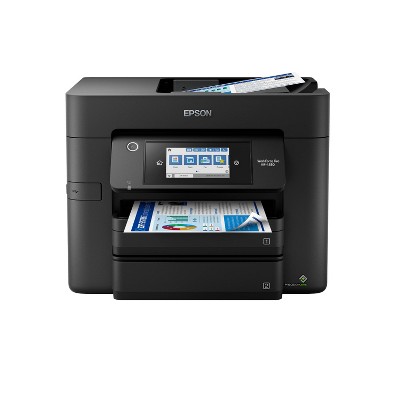
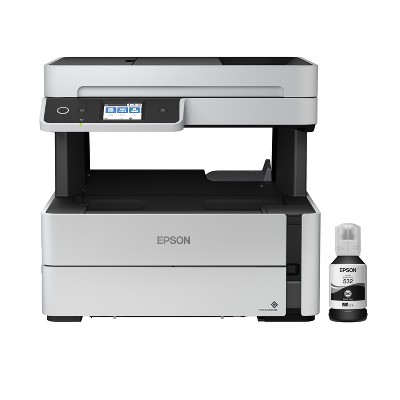
Epson Expression Home XP-4200 Wireless Color Inkjet All-in-One Printer, Copier, Scanner - Black: Up to 47.2" Document Compatible - 2 of 4Epson Expression Home XP-4200 Wireless Color Inkjet All-in-One Printer, Copier, Scanner - Black: Up to 47.2" Document Compatible - 3 of 4Epson Expression Home XP-4200 Wireless Color Inkjet All-in-One Printer, Copier, Scanner - Black: Up to 47.2" Document Compatible - 4 of 4
Epson Expression Home XP-4200 Wireless Color Inkjet All-in-One Printer, Copier, Scanner - Black: Up to 47.2" Document Compatible - 1 of 4

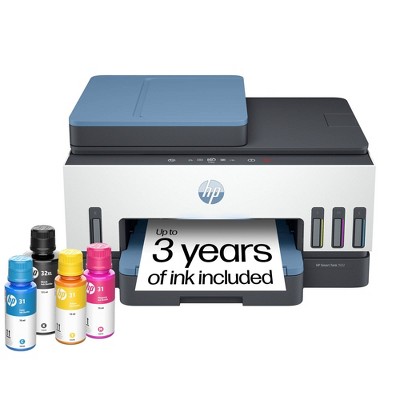
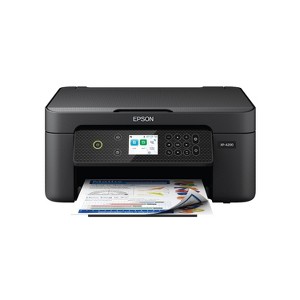
Epson Expression Home XP-4200 Wireless Color Inkjet All-in-One Printer, Copier, Scanner - Black: Up to 47.2" Document Compatible

$99.99

In Stock

Eligible for registries and wish lists

About this item

Highlights

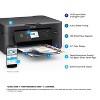
  • Remarkable Print Quality for Home and Photo Printing — Epson’s leading-edge imaging technology produces crisp documents, vibrant borderless photos with rich colors, and more
  • Stress-Free Setup and Operation — Large 2.4" color display for effortless navigation, plus easy installation and operation through your smartphone or tablet using the Epson Smart Panel app
  • Convenient Connectivity — Supports easy wireless connections and printing from Android or iOS devices; easily print and scan from your smart device with the Epson Smart Panel app, Mopria Print Service and Mopria Scan
  • Engineered for Reliability — Consistently delivers high-quality prints with Micro Piezo Heat Free technology and a permanent printhead designed to last the life of the printer
  • Easy, Affordable Printing — Individual ink cartridges make it easy to only replace the ink you need
  • Efficient, Economical Design — Automatic 2-sided printing helps you save paper and reduce paper waste
  • Hands-Free, Voice-Activated Printing — Easily print on the go using Alexa
  • Versatile Functionality — Create searchable PDFs and more with included Epson ScanSmart scanning software
  • Epson Printing System Is Designed to Be Used Exclusively with Epson Genuine Cartridges — Use of non-genuine ink could cause damage not covered under the printer’s limited warranty

Description

Enjoy easy, everyday printing—plain and simple—with the Expression Home XP-4200. From coupons to directions, recipes to homework, the XP-4200 delivers the documents you need without missing a beat. Engineered with Epson’s state-of-the-art imaging technology, this high-performance, all-in-one solution also supports all your creative projects with exceptional image quality for remarkable prints and borderless photos. Plus, it offers convenient features and simple installation.
Dimensions (Overall): 9.5 Inches (H) x 14.8 Inches (W) x 22.7 Inches (D)
Weight: 9.5 Pounds
B&W Print Speed: 10 Pages per Minute
Color Print Speed: 5 Pages per Minute
Electronics Condition: New
Electronics Features: Printer, Copier, Scanner, Automatic 2-Sided Printing, Controlled by Smartphone App
Maximum capacity: 100 Sheets
Operating System Compatibility: Android, Apple iOS, Microsoft Windows, Google Chrome OS
Maximum Resolution: 5760 x 1440 (Color)
Wireless Technology: Wi-Fi, Apple AirPrint
Printer Ink Color: Multiple Colors
Compatible With: Up to 8.5" x 47.2" Documents
Ink Series: Epson 232 series
Battery: No Battery Used
Warranty: 1 Year Limited Warranty. To obtain a copy of the manufacturer's or supplier's warranty for this item prior to purchasing the item, please call Target Guest Services at 1-800-591-3869
TCIN: 90762985
UPC: 010343968592
Item Number (DPCI): 056-03-0031
Origin: Imported
If the item details aren’t accurate or complete, we want to know about it.

Shipping details

Estimated ship dimensions: 17.93 inches length x 15.92 inches width x 9.85 inches height
Estimated ship weight: 16.01 pounds

Return details

This item can be returned to any Target store or Target.com.
This item must be returned within 30 days of the date it was purchased in store, delivered to the guest, delivered by a Shipt shopper, or picked up by the guest.
See the return policy for complete information.

Q: Does this have rear loading capacity?

submitted by Ica - 2 years ago
  • A: Hello Ica. Yes, the XP-4200 includes a rear paper feed for loading paper. You can load approximately 100 sheets of plain paper. Regards, Kevin - The Epson Team.

    submitted byEpson - 2 years ago
    Brand expert
  • A: Hi Ica, thanks for reaching out about Epson Expression Home XP-4200 Wireless Color Inkjet All-in-One Printer, Copier, Scanner - Black Yes, the paper loads in the back of the printer. The pictures above do not show an extendable part that supports the incoming paper, but you can get a lot more information on this from the manual located at: https://files.support.epson.com/docid/cpd6/cpd62196.pdf If you have any additional questions, we welcome you to contact MyTGTtech at 833-848-8324 every day, between 7am-11pm CST.

    submitted byMike - 2 years ago
    Target expert support

Q: What if I don’t want it wireless and I wanted to hook up the printer to my laptop does it come with the usb?

submitted by Kiki - 1 year ago
  • A: You can use Epson app for printers & attach from your gadget after you find as to Bluetooth connection; find and locate. Can people fax using this printer?

    submitted byGuest - 5 months ago
  • A: Hello Kiki. The XP-4200 can be used wirelessly via Wi-Fi or with a USB connection. We recommend using a "USB A to B" or "USB B to C" cable, depending on your computer. Please note that USB cables are sold separately. Regards, Kevin - The Epson Team.

    submitted byEpson - 1 year ago
    Brand expert
  • A: Hi Kiki, thanks for reaching out about Epson Expression Home XP-4200 Wireless Color Inkjet All-in-One Printer, Copier, Scanner - Black. Based on the information available, here's what you need to know about connecting the Epson Expression Home XP-4200 printer to your laptop via USB: USB Cable Not Included: Typically, Epson, like many other printer manufacturers, does not include a USB cable with their printers. This means you'll likely need to purchase a USB-A to USB-B cable separately. USB Connection is Possible: The Epson Expression Home XP-4200 does support USB connectivity. So, you can definitely connect it to your laptop using a USB cable. It is important that the cable be a USB A to USB B cable. Wireless Functionality: While the printer is designed with wireless capabilities, you're not obligated to use them. A wired USB connection is a viable option. Therefore, to connect your Epson Expression Home XP-4200 to your laptop via USB, you'll need to purchase a separate USB-A to USB-B cable. If you have any additional questions, we welcome you to contact MyTGTtech at 833-848-8324 every day, between 7am-11pm CST.

    submitted byJoe - 1 year ago
    Target staff support

Q: Does this require an app without a cost attached to it? I don’t want to pay a fee for printing

submitted by Mary W - 1 year ago
  • A: Hello Mary W. There is no fee required to use the printer. Once you purchase the printer, you can use it with a computer, smartphone, or tablet without an additional cost. Regards, Kevin - The Epson Team.

    submitted byEpson - 1 year ago
    Brand expert
  • A: Hi Mary W, thanks for reaching out about Epson Expression Home XP-4200 Wireless Color Inkjet All-in-One Printer, Copier, Scanner - Black. Yes, the Epson Expression Home XP-4200 printer can be used without paying a fee for printing itself. If you have any additional questions, we welcome you to contact MyTGTtech at 833-848-8324 every day, between 7am-11pm CST.

    submitted byJoe - 1 year ago
    Target staff support

Q: Can i print sticker labels with this printer

submitted by Lori - 1 year ago
  • A: Hello Lori. The XP-4200 can print on standard inkjet-compatible label sheets like Epson Photo Quality Self-adhesive Sheets. Inkjet sticker paper should work, but your results can vary when using third-party paper with the machine. So, we always recommend contacting the paper manufacturer first to ensure compatibility with our printers. Regards, Kevin—The Epson Team.

    submitted byEpson - 1 year ago
    Brand expert
  • A: Hi Lori, thanks for reaching out about Epson Expression Home XP-4200 Wireless Color Inkjet All-in-One Printer, Copier, Scanner - Black This printer can print sticker labels, but it's crucial to use inkjet-compatible sticker paper and potentially adjust your printer settings If you have any additional questions, we welcome you to contact MyTGTtech at 833-848-8324 every day, between 7am-11pm CST.

    submitted byMike - 1 year ago
    Target expert support

Q: Can you fax on this machine

submitted by lats - 1 year ago
  • A: Hi Iats, thanks for reaching out about Epson Expression Home XP-4200 Wireless Color Inkjet All-in-One Printer, Copier, Scanner - Black No. While this machine can print, scan, and copy, it does not fax. If you have any additional questions, we welcome you to contact MyTGTtech at 833-848-8324 every day, between 7am-11pm CST.

    submitted byJustin - 1 year ago
    Target expert support
  • A: Hello lats. Unfortunately, the XP-4200 does not include fax functionality. We recommend looking at the ET-4850 or our WorkForce lineup for All-in-One printers with fax features included. Regards, Kevin - The Epson Team.

    submitted byEpson - 1 year ago
    Brand expert

Q: Can this printer print on 5x7 envelope?

submitted by Pri - 2 years ago
  • A: I bought this printer specifically for that and yes it does print 5x7

    submitted byCommoncoco - 2 years ago
  • A: Hi Pri, thanks for reaching out about the Epson Expression Home XP-4200 Wireless Color Inkjet All-in-One Printer, Copier, Scanner - Black . The Epson Expression Home XP-4200 Wireless Printer can print Sizes Letter, A4, 8" x 10", 5" x 7", 4" x 6". If you have any additional questions, we welcome you to contact MyTGTtech at 833-848-8324 every day, between 7 am-11 pm CST.

    submitted byRena - 2 years ago
    Target expert support
  • A: Hello Pri. The XP-4200 is designed to only work with No.10 Envelopes. Unfortunately, 5" x 7" envelopes will not work with the machine. Regards, Kevin - The Epson Team.

    submitted byEpson - 2 years ago
    Brand expert

Q: Does printer rtequire 2.4 GHz OR 5 GHz wireless ? William

submitted by William Utley - 13 days ago
  • A: Hello William Utley. Although the XP-4200 can connect to a Wi-Fi router that uses 5 GHz, it can only work on the 2.4 GHz band. You want to ensure the router operates in dual-band (2.4 GHz and 5 GHz) mode. If your router uses a single network name (SSID) for both the 2.4 GHz and 5 GHz bands, we recommend giving each band its own network name (SSID) instead, such as Home Network 2.4 GHz and Home Network 5 GHz. Regards, Kevin - The Epson Team.

    submitted byEpson - 6 days ago
    Brand expert
  • A: Hi, thanks for reaching out about Epson Expression Home XP-4200 Wireless Color Inkjet All-in-One Printer, Copier, Scanner - Black: Up to 47.2" Document Compatible The Epson Expression Home XP-4200 requires a 2.4 GHz wireless band to connect to your Wi-Fi network. It does not support 5 GHz-only connections. If you have any additional questions, we welcome you to contact MyTGTtech at 833-848-8324 every day between 7 am and 11 pm CST.

    submitted byRena - 11 days ago
    Target expert support

Q: What ink cartridges does this printer use?

submitted by Lisa d - 15 days ago
  • A: Hi, thanks for reaching out about Epson Expression Home XP-4200 Wireless Color Inkjet All-in-One Printer, Copier, Scanner - Black: Up to 47.2" Document Compatible The Epson Expression Home XP-4200 uses Epson 232 ink cartridges. If you have any additional questions, we welcome you to contact MyTGTtech at 833-848-8324 every day, between 7am-11pm CST.

    submitted byMike - 15 days ago
    Target expert support
  • A: Hello Lisa d. The XP-4200 is designed to work with Epson 232 & 232XL Ink Cartridges. Regards, Kevin - The Epson Team.

    submitted byEpson - 15 days ago
    Brand expert

Q: Is this Epson XP4200 printer compatible with an older HP Pavilion computer with Windows 8?

submitted by John - 19 days ago
  • A: Hi, thanks for reaching out about the Epson Expression Home XP-4200 Wireless Color Inkjet All-in-One Printer, Copier, Scanner - Black: Up to 47.2" Document Compatible Yes, the Epson Expression Home XP-4200 is fully compatible with your HP Pavilion running Windows 8. If you have any additional questions, we welcome you to contact MyTGTtech at 833-848-8324 every day between 7 am and 11 pm CST.

    submitted byRena - 19 days ago
    Target expert support
  • A: Hello John. We do have an official driver available for the XP-4200 and Windows 8, so the printer should work with your computer. You can find the driver on our official Epson Support page. Regards, Kevin - The Epson Team.

    submitted byEpson - 18 days ago
    Brand expert

Q: Does it come with ink

submitted by Linda - 20 days ago
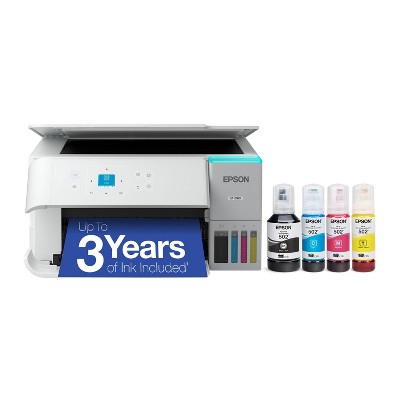
  • A: Hello. Yes, the Epson XP-4200 includes four ink cartridges (Cyan, Magenta, Yellow, and Black). A portion of the ink will be used to charge the ink delivery system, and the remainder can be used for printing. Regards, Kevin - The Epson Team.

    submitted byEpson - 19 days ago
    Brand expert
  • A: Hi, thanks for reaching out about Epson Expression Home XP-4200 Wireless Color Inkjet All-in-One Printer, Copier, Scanner - Black: Up to 47.2" Document Compatible Yes, the Epson Expression Home XP-4200 comes with a set of four starter ink cartridges (black, cyan, magenta, and yellow) included in the box. These cartridges are designed for initial setup and printing. If you have any additional questions, we welcome you to contact MyTGTtech at 833-848-8324 every day, between 7am-11pm CST.

    submitted byJustin - 20 days ago
    Target expert support

Additional product information and recommendations

Guests are saying

The printer has received mixed feedback from guests, with many praising its ease of setup and print quality, while others express frustration over ink consumption and technical issues. Guests appreciate the convenience of wireless printing and the compact design, but concerns about frequent ink replacements and connectivity problems are prevalent. Overall, it serves well for light users but may not meet the needs of those requiring heavy printing.
    Summary created by AI from text of reviews reflecting recent feedback provided across different star ratings (includes incentivized reviews)
    3.1 out of 5 stars with 385 reviews
    quality: 2.4 out of 5
    value: 2.39 out of 5
    26% would recommend
    88 recommendations
    1 out of 5 stars
    Thumbs down graphic, would not recommend
    29 March, 2026Verified purchase

    Not worth it

    Very difficult to print anything when color goes out even if black ink is full…they want you to spend money buying unnecessary ink
    Jesus
    quality: 1 out of 5
    value: 2 out of 5
    Did you find this review helpful?
    2 out of 5 stars
    Thumbs down graphic, would not recommend
    19 March, 2026Verified purchase

    (no review title)

    This, by far, is the worst printer I've ever bought. Trouble with getting it working. Instructions are not helpful. I don't know if it works or not because the ink that came with it either was old or damage
    Sarah
    Did you find this review helpful?
    1 out of 5 stars
    11 March, 2026
    originally posted on epson.com
    Image

    Brand Quality Erroding

    I have used this printer maybe 5 or 6 times in the last 2 months. Because I had previously owned a WF4350 I believe it was, and I was very happy with that printer and had it for several years. Based on past experience with an Epson printer I did not give a seconnd thought to buying another Epson product. WRONG. This is absolutely the worse printer. Ink runs out extremely to fast. I bought this printer as a retired secretary of 35 years and I have never used a printer that is so undependable. Printing identification documents were the worst as the color was totally off. I will give this printer away and buy another brand. I wish I had taken the time to read the reviews instead of relying on past experience with Epson.
    1 reply from The Epson Team team - 15 days ago
    Hi Denise506, we are sorry you are disappointed with your Epson printer. Your XP-4200 includes free technical support for the life of your product. Our Epson Support Team may be able to help you customize your settings for a more efficient performance. Please contact us at (562) 276-4382; Hours: Monday – Friday, 7 a.m. – 4 p.m. PT. We look forward to your call. Regards, Joseph – The Epson Team.
    Denise506
    Did you find this review helpful?
    1 out of 5 stars
    Thumbs down graphic, would not recommend
    10 March, 2026

    Dont invest in a better printer

    Had it only 1 year and now it won’t accept the ink! I did a full update as requested but now it won’t even work. I have also did a reset and nothing.!!! Yah the price was okay but to use it only hand full of times you are better off paying more for something that will last ypu
    1 reply from Epson team - 12 days ago
    Hello Switch, the Epson XP-4200 is designed to use only genuine Epson-brand ink cartridges. Other brands of ink cartridges, and ink supplies, are not compatible, and even if described as compatible, may not function properly or at all. Please ensure you have installed Epson genuine cartridges. If you are still having problems, you may contact our Epson Advanced Support Team at (800) 241-5794; Hours: Monday – Friday, 7 a.m. to 4 p.m. (PT). Sincerely, Joseph – The Epson Team
    Switch
    quality: 1 out of 5
    value: 2 out of 5
    4 guests found this review helpful. Did you?
    1 out of 5 stars
    Thumbs down graphic, would not recommend
    2 March, 2026Verified purchase

    Dont waste your money

    Truly a terrible printer... constantly jams, prints uneven. You get what you pay for...too late for me to return.
    1 reply from Epson team - 22 days ago
    Hi Sonya, we are sorry to hear you are having issues with your Epson printer. Your XP-4200 includes a 1-year limited warranty plus free technical support for the life of your product. Our Epson Support Team would be happy to hear from you and can be reached at (562) 276-4382; Hours: Monday – Friday, 7 a.m. to 4 p.m. (PT). Sincerely, Joseph – The Epson Team.
    Sonya
    quality: 1 out of 5
    value: 2 out of 5
    2 guests found this review helpful. Did you?
    1 out of 5 stars
    Thumbs down graphic, would not recommend
    27 February, 2026

    Extremely fragile

    I need to return it because my daughter was playing and knocked it down and it literally broke from one fall.
    1 reply from Epson team - 28 days ago
    Hi Richard, we are sorry to hear you are having issues with your Epson printer. Your XP-4200 includes a 1-year limited warranty plus free technical support for the life of your product. Our Epson Support Team would be happy to hear from you and can be reached at (562) 276-4382; Hours: Monday – Friday, 7 a.m. to 4 p.m. (PT). Sincerely, Joseph – The Epson Team.
    Richard
    quality: 1 out of 5
    value: 1 out of 5
    Did you find this review helpful?
    5 out of 5 stars
    Thumbs up graphic, would recommend
    24 February, 2026Verified purchase

    (no review title)

    Good home quality printer for the Money
    Rodney
    quality: 4 out of 5
    value: 5 out of 5
    1 guest found this review helpful. Did you?
    1 out of 5 stars
    22 February, 2026
    originally posted on epson.com
    Image

    Horrible. Hay it two months and tried seven times to scan an

    I can't get it do anything Garbage
    1 reply from Epson Service team - 28 days ago
    Dear PII restricted, we appreciate your business and are sorry to hear you are not completely satisfied with your purchase. Your Epson XP-4200 includes free technical support for the life of your product. Please reach out to our Epson Support Team for assistance at (562) 276-4382; Hours: Monday – Friday, 7 a.m. to 4 p.m. (PT). We’re here to help. Sincerely, Jacob – The Epson Team.
    1 guest found this review helpful. Did you?
    1 out of 5 stars
    Thumbs down graphic, would not recommend
    19 February, 2026Verified purchase

    Broken from the start

    I want to like this printer. Everything about it is logical . Except that right out of the box, it was unable to read all four ink cartridges. I spent a few hours trying to translate the problem with overseas tech support. They were unhelpful. It's going back.
    1 reply from Epson team - 1 month ago
    Hi Marie, we are sorry to hear about the disappointing experience you've encountered with our Customer Support team. Epson takes into consideration all feedback to improve the performance, quality, and support of our products. We will forward your feedback to the relevant department. If the issue still persists, you may reach out directly to our Advanced Epson Support Team at 1-800-241-5794. We appreciate your time and we look forward to your call. Kind Regards, Joseph – The Epson Team.
    Marie
    1 guest found this review helpful. Did you?
    5 out of 5 stars
    18 February, 2026
    originally posted on epson.com
    Image

    Great Basic Machine

    This is a great Printer, Scanner and Copier. This is my 4th Epson Printer. Completely satisfied. I don't understand the negative reviews. I'm 72 years old, and not real tech savvy, but this was a breeze to set-up and run. The quality of printing is perfect for my needs. Well done Epson !
    Surfer53
    4 guests found this review helpful. Did you?
    5 out of 5 stars
    Thumbs up graphic, would recommend
    16 February, 2026Verified purchase

    (no review title)

    love it
    SHAWN
    quality: 5 out of 5
    value: 5 out of 5
    1 guest found this review helpful. Did you?
    1 out of 5 stars
    14 February, 2026
    originally posted on epson.com
    Image

    Anti-consumer garbage

    Absolutely scummy product. Won't allow you to print B&W if color ink isn't used, ink is consumed crazy fast and cartridges are crazy expensive.
    1 reply from The Epson Team team - 1 month ago
    Hi nickname1234, Epson printers contain a permanent print head that must be charged with all colors to work. Even when you are printing only black text, a small amount of color ink is used to keep air bubbles from entering. Air bubbles can damage the print head. If we can help you with anything else, please contact Epson Support at (562) 276-4382; Hours: Monday – Friday, 7 a.m. to 4 p.m. (PT). Sincerely, Joseph – The Epson Team.
    nickname1234
    2 guests found this review helpful. Did you?
    1 out of 5 stars
    Thumbs down graphic, would not recommend
    14 February, 2026

    Terrible printer! Dont buy

    This printer is the worst. Scanner never scans and printing is ok but quality isn’t there.
    1 reply from Epson team - 1 month ago
    Hi Claudio, we are sorry to hear that you are experiencing issues with your printer. Your XP-4200 includes free technical support for the life of your product. Our Epson Support Team would be happy to help and can be reached at (562) 276-4382; Hours: Monday – Friday, 7 a.m. – 4 p.m. PT. Sincerely, Joseph – The Epson Team.
    Claudio
    quality: 1 out of 5
    value: 1 out of 5
    1 guest found this review helpful. Did you?
    5 out of 5 stars
    Thumbs up graphic, would recommend
    4 February, 2026Verified purchase

    (no review title)

    It’s a printer that works.
    GAC
    quality: 4 out of 5
    value: 3 out of 5
    3 guests found this review helpful. Did you?
    5 out of 5 stars
    4 February, 2026Verified purchase

    (no review title)

    great product
    Disappointed
    Did you find this review helpful?
    5 out of 5 stars
    Thumbs up graphic, would recommend
    1 February, 2026Verified purchase

    (no review title)

    Amazing
    Jessica
    quality: 5 out of 5
    value: 5 out of 5
    Did you find this review helpful?
    5 out of 5 stars
    Thumbs up graphic, would recommend
    31 January, 2026Verified purchase

    Easy set up printer

    Working great for the price
    Phyllis
    quality: 5 out of 5
    value: 5 out of 5
    Did you find this review helpful?
    4 out of 5 stars
    31 January, 2026
    originally posted on epson.com
    Image

    Scan Setup

    Set up was challenging, but i figured it out on my own. Appreciated the learning experience. Everything is good except I need assistance setting up the scan function. Will call Customer Svc. for help'; meanwhile, I will attempt to figure it out. We can do more than we even imagine. God has blessed with awesome brains. I like my Epson XP-4200; it prints nicely, copys and scans. Great price!
    Vision of Beauty
    1 guest found this review helpful. Did you?
    2 out of 5 stars
    Thumbs down graphic, would not recommend
    30 January, 2026

    After the update, I do NOT recommend

    After the update, it stopped taking ink from other sources and started to get jammed a lot.
    1 reply from Epson team - 2 months ago
    Hello Jess, Epson periodically provides firmware updates to address issues of security, performance, minor bug fixes, and to ensure your printer functions as designed. Your XP-4200 was designed to work only with genuine Epson ink cartridges, therefore some updates may affect the functionality of third-party ink. Non-Epson branded or altered Epson cartridges that functioned prior to a firmware update may not continue to function. If we can help with anything else, please reach out to our Epson Support Team at (562) 276-4382; Hours: Monday – Friday, 7 a.m. to 4 p.m. (PT). Sincerely, Joseph – The Epson Team.
    Jess
    quality: 3 out of 5
    value: 2 out of 5
    Did you find this review helpful?
    1 out of 5 stars
    Thumbs down graphic, would not recommend
    30 January, 2026

    (no review title)

    it worked well until I updated, was never able to work again
    1 reply from Epson team - 2 months ago
    Hello Geraldine, Epson periodically provides firmware updates to address issues of security, performance, minor bug fixes, and to ensure your printer functions as designed. Your XP-4200 was designed to work only with genuine Epson ink cartridges, therefore some updates may affect the functionality of third-party ink. Non-Epson branded or altered Epson cartridges that functioned prior to a firmware update may not continue to function. If we can help with anything else, please reach out to our Epson Support Team at (562) 276-4382; Hours: Monday – Friday, 7 a.m. to 4 p.m. (PT). Sincerely, Joseph – The Epson Team.
    Geraldine
    2 guests found this review helpful. Did you?

    Get top deals, latest trends, and more.

    Privacy policy

    Footer

    About Us

    About TargetCareersNews & BlogTarget BrandsBullseye ShopSustainability & GovernancePress CenterAdvertise with UsInvestorsAffiliates & PartnersSuppliersTargetPlus

    Help

    Target HelpReturnsTrack OrdersRecallsContact UsFeedbackAccessibilitySecurity & FraudTeam Member ServicesLegal & Privacy

    Stores

    Find a StoreClinicPharmacyTarget OpticalMore In-Store Services

    Services

    Target Circle™Target Circle™ CardTarget Circle 360™Target AppRegistrySame Day DeliveryOrder PickupDrive UpFree 2-Day ShippingShipping & DeliveryMore Services
    PinterestFacebookInstagramXYoutubeTiktokTermsCA Supply ChainPrivacy PolicyCA Privacy RightsYour Privacy ChoicesInterest Based AdsHealth Privacy Policy