
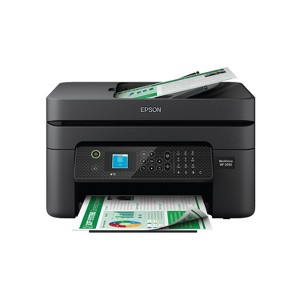
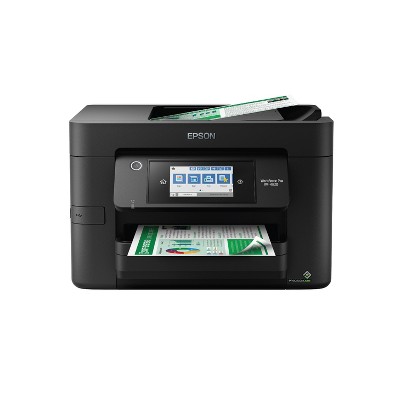
Epson WorkForce WF-2930 Wireless All-in-One Color Inkjet Printer, Copier, Scanner - Black: Smartphone App, USB, Automatic 2-Sided Printing
$99.99 reg $119.99
Sale save $20.00 (17% off)
In Stock
Eligible for registries and wish lists
About this item
Additional product information and recommendations
Discover more options
- $129.99reg $249.99 Sale3.9 out of 5 stars with 159 ratings





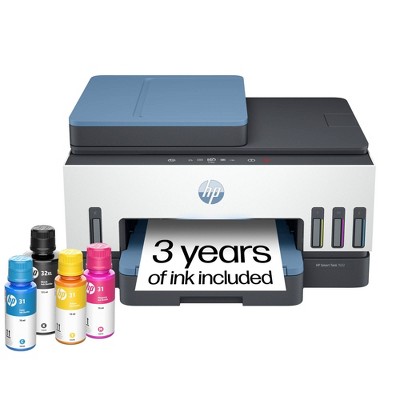
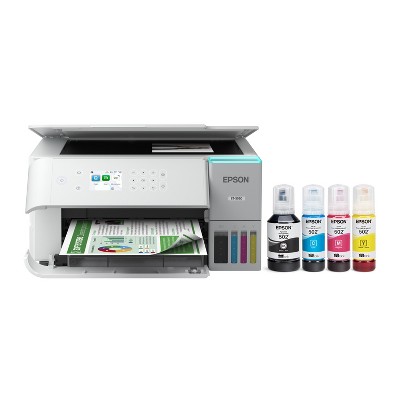

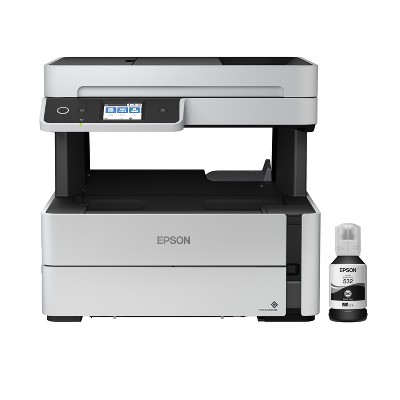
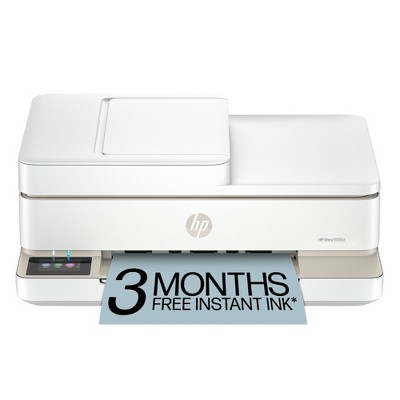

Frequently bought together


Guests also viewed
- $129.99reg $249.99 Sale3.9 out of 5 stars with 159 ratings

Related Categories
Guests are saying
The Epson Workforce WF 2930 printer offers a range of features including wireless connectivity, scanning, and copying capabilities, making it suitable for home office use. However, many guests express frustration over its ink consumption and connectivity issues. While some appreciate its print quality for basic documents, the frequent need for ink replacements and challenges with setup have led to disappointment. Guests recommend considering other options if frequent printing is required.
Summary created by AI from text of reviews reflecting recent feedback provided across different star ratings (includes incentivized reviews)
2.4 out of 5 stars with 164 reviews
quality: 1.77 out of 5
value: 1.94 out of 5
16% would recommend
36 recommendations
1 out of 5 stars
Thumbs down graphic, would not recommend
15 May, 2026Verified purchase
Waste of time and money
Don’t but any Epson printer unless you like throwing away money on ink. It WILL NOT let you use 3rd party ink, and the Epson ink is twice the price.
1 out of 5 stars
Thumbs down graphic, would not recommend
24 April, 2026Verified purchase
DO NOT BUY THIS
I bought this in October. It is not the easiest to use if you need to do anything more than print. The screen to scroll thru for options like changing the ink, cleaning the print heads, etc. is not easy to navigate. It jams with regualr printer paper often. In March, (5 months after buying) it started saying that I needed new ink cartridges. I thought it was odd as I had changed them about 2 weeks prior and I had not used it much. It kept saying it needed ink. It would not allow me to do anything with it until I changed them out so I went ahead and changed them. Using the company ink, it would not recognize the cartidges. It would not allow me to do anything with it after changing them. I went and bought another set of Epson cartridges, and then it would not print correctly. I cleaned it and it was still not printing correct. I cleaned it again. Still not printing correct. I did a power clean on it. It used almost all the ink in the brand new cartridge. It then said I had to wait 12 hours before using it. I waited over 12 hours. The next day I tried to use it, it still did not print right. It then said it was out of ink. In just cleaning the print heads on a power clean, it used the entire cartridges of BRAND NEW ink. That is ridiculous! I had to go buy another set of cartirdges and it does not recognize Epson cartidges again and says I need to replace the ink. I have tried the Epson site for help but all it does is send me to the manual and after doing all the steps in that, it still does not recognize the cartiridge and says the ink needs replacing. I tried calling the 800 number but there is no option for troubleshooting and no one will answer the other options. I am pretty sad about this as the Epson I had before lasted forever and I couldnt find ink for it anymore so I replaced it with this model. A printer should last more than 5 months. A good company should have an easy way to get troubleshooting when needed. This thing is garbage. I might as well as lit $70x4 on fire since that is what I spent on all the ink cartridges that it said where not recognized.
1 reply from Epson team - 13 days ago
Hi KFERRELL, thank you for sharing your experience. Epson takes into consideration all feedback to improve the performance and quality of our products. We will forward your feedback to the relevant Epson department, as we are always looking to make future Epson products better. Your product includes a 1-year limited warranty. Our Advanced Epson Support Team would be happy to help you and can be reached at 1-800-241-5794; Hours: Monday – Friday, 7 a.m. to 4 p.m. (PT). Once again, thank you. Regards, Joseph – The Epson Team.
1 out of 5 stars
Thumbs down graphic, would not recommend
31 March, 2026Verified purchase
don't
nope save your time. save your money on different ink more cartridges different paper and every problem and headache for not even really mediocre print. their top quality option was draft on other printers I've had. and now I'm stuck with it because I didn't watch the window of return
1 reply from Epson team - 1 month ago
Hi jennifer, we are sorry to hear you are having issues with your Epson printer. Your WF-2930 includes free technical telephone support for the life of your product. Our Epson Support Team would be happy to help you and can be reached at (562) 276-4382; Hours: Monday – Friday, 7 a.m. to 4 p.m. (PT). Sincerely, Joseph – The Epson Team.
1 out of 5 stars
Thumbs down graphic, would not recommend
26 March, 2026Verified purchase
(no review title)
I can’t believe I just bought this printer last than two months ago and I already have to order ink very disappointment
1 reply from Epson team - 1 month ago
Hi Nico, we are sorry you are disappointed with your Epson printer. Your WF-2930 includes free technical support for the life of your product. Our Epson Support Team may be able to help you customize your settings for a more efficient performance. Please contact us at (562) 276-4382; Hours: Monday – Friday, 7 a.m. – 4 p.m. PT. We look forward to your call. Regards, Joseph – The Epson Team.
1 out of 5 stars
26 March, 2026
originally posted on epson.com

Dont waste your money.
This is garbage! From connecting to printing this is the worst printer, copier, scanner I have ever wasted my money on. Ink is so expensive and last a very short time.
1 reply from The Epson Team team - 2 months ago
Hi Epson Customer, thank you for taking the time to write a review of your new Epson printer. We appreciate your business, and value your feedback. Your WF-2930 includes free technical support for the life of your product, so if you’d like help, feel free to contact us at (562) 276-4382; Hours: Monday – Friday, 7 a.m. to 4 p.m. (PT). Kind Regards, Joseph – The Epson Team.
1 out of 5 stars
26 March, 2026
originally posted on epson.com
bad never buy a workForce 2950 printer
I bought this 6 months ago and I regret every day I did I got 5 color pages out of the print caartriges that came with the printer. bought a new black cartridge set of 2 got 5 pages on the first of the two with it set on black and white . installed the second one tried to print and now wont by pass the low color. this is a piece of crap never buy a workforce 2950 it is a scam you need a boat load of print cartridges just to print 5 simple pages.
1 reply from The Epson Team team - 2 months ago
Hi unhappy72, we are sorry you are disappointed with your Epson printer. Your WF-2930 includes free technical support for the life of your product. Our Epson Support Team may be able to help you customize your settings for a more efficient performance. Please contact us at (562) 276-4382; Hours: Monday – Friday, 7 a.m. – 4 p.m. PT. We look forward to your call. Regards, Joseph – The Epson Team.
1 out of 5 stars
16 March, 2026
originally posted on epson.com
crap
the printer drinks ink and I cant seem to get it to work with a canon cheap printer or the Epson 2930 WF the chrome book is a piece of crap do not buy this type even though its cheap
1 reply from The Epson Team team - 2 months ago
Hi Epson Customer, we are sorry you are disappointed with your Epson printer. Your WF-2930 includes free technical support for the life of your product. Our Epson Support Team may be able to help you customize your settings for a more efficient performance. Please contact us at (562) 276-4382; Hours: Monday – Friday, 7 a.m. – 4 p.m. PT. We look forward to your call. Regards, Joseph – The Epson Team.
2 out of 5 stars
6 March, 2026Verified purchase
(no review title)
Brand new printer but BK ink is empty inside. I cannot believe it! I have to order a new BK ink from Epson online store.
1 reply from Epson team - 2 months ago
Hi Wesley, we are sorry to hear you are having issues with your Epson printer. Your WF-2930 includes free technical telephone support for the life of your product. Our Epson Support Team would be happy to help you and can be reached at (562) 276-4382; Hours: Monday – Friday, 7 a.m. to 4 p.m. (PT). Sincerely, Joseph – The Epson Team.
1 out of 5 stars
15 February, 2026
originally posted on epson.com
Blows!
Print two pages, buy new ink. Print two more, buy new ink. What a terrible machine! I want to throw it out the window!
1 reply from The Epson Team team - 3 months ago
Hi Blow, we are sorry you are disappointed with your Epson printer. Your WF-2930 includes free technical support for the life of your product. Our Epson Support Team may be able to help you customize your settings for a more efficient performance. Please contact us at (562) 276-4382; Hours: Monday – Friday, 7 a.m. – 4 p.m. PT. We look forward to your call. Regards, Joseph – The Epson Team.
1 out of 5 stars
Thumbs down graphic, would not recommend
14 February, 2026
Wi-Fi connectivity for Epson but not for you
Does not connect to 5Ghz Wi-Fi for printing, but somehow connects to it for Firmware updates and data logging. OK printer for basic stuff, but be sure to buy a printer to USB cable for this one.
1 reply from Epson team - 3 months ago
Hi Nathan, we apologize about the disappointing experience you are having with your Epson printer's Wi-Fi connection. Your WF-2930 includes free technical support for the life of your product. Please call and let our Epson Support Team assist. Our support number is (562) 276-4382. Our support hours of operation are Monday – Friday, 7 a.m. to 4 p.m. (PT). We’re here to help. Sincerely, Joseph – The Epson Team.
1 out of 5 stars
Thumbs down graphic, would not recommend
13 February, 2026Verified purchase
giant paper weight
much like all major printer companies unless you buy their special official ink the printer won't work. meaning you get like 10 days before this turns into a paper weight.
1 reply from Epson team - 3 months ago
Hello silent, the Epson WF-2930 is designed to use only genuine Epson-brand ink cartridges. Other brands of ink cartridges, and ink supplies, are not compatible, and even if described as compatible, may not function properly or at all. Please ensure you have installed Epson genuine cartridges. If you are still having problems, you may contact our Epson Advanced Support Team at (800) 241-5794; Hours: Monday – Friday, 7 a.m. to 4 p.m. (PT). Sincerely, Joseph – The Epson Team
1 out of 5 stars
Thumbs down graphic, would not recommend
12 February, 2026Verified purchase
(no review title)
Horrible printer will not print straight and keeps ripping up paper on the edges
1 reply from Epson team - 3 months ago
Hi Greg, please visit www.epson.com/support/wf2930 for useful product information on optimizing print settings and avoiding paper jams. Your Epson includes free technical support for the life of your product. Our Epson Support Team would be happy to help you and can be reached at (562) 276-4382; Hours: Monday – Friday, 7 a.m. to 4 p.m. (PT). We appreciate your purchase, and we value your feedback. Sincerely, Joseph – The Epson Team.
1 out of 5 stars
3 February, 2026
originally posted on epson.com
HORRIBLE SET UP EXPERIENCE
HORRIBLE EXPERIENCE TRYING TO SET UP A SIMPLE PRINTER
1 reply from Epson Service team - 3 months ago
Hello TEDIOUS, we apologize for the disappointing experience you’ve encountered with your Epson printer. Your WF-2930 includes free technical support for the life of your product. Please reach out to our Epson Support Team for assistance at (562) 276-4382; Hours: Monday – Friday, 7 a.m. to 4 p.m. (PT). We’re here to help. Sincerely, Jacob– The Epson Team.
2 out of 5 stars
31 January, 2026
originally posted on epson.com
Ink too Expensive
I am soooo done buying Epson printers I swore by them for my home offices for 10 years. But when the printer ink got so expensive AND now won’t allow you to purchase knock off ink or the printer won’t work. I literally threw away the Epson refillable ink printer even though I purchased the Epson ink It stopped working in about 6 mos. Just done! And why would Epson need to know my location when I am registering this new printer?
1 reply from The Epson Team team - 3 months ago
Hi Bla Bla, thank you for sharing your experience. Epson takes into consideration all feedback to improve the performance and quality of our products. We will forward your feedback to the relevant Epson department, as we are always looking to make future Epson products better. Your product includes a 1-year limited warranty. Our Advanced Epson Support Team would be happy to help you and can be reached at 1-800-241-5794; Hours: Monday – Friday, 7 a.m. to 4 p.m. (PT). Once again, thank you. Regards, Joseph – The Epson Team.
1 out of 5 stars
22 January, 2026
originally posted on epson.com
Ink issue
I purchased ink on Tuesday printed 10 standard pages and now it tells me my brand new black ink cartridge is empty. How does that happen???? This is the feeling of getting ripped off
1 reply from The Epson Team team - 4 months ago
Hi MLang, we are sorry you are disappointed with your Epson printer. Your WF-2930 includes free technical support for the life of your product. Our Epson Support Team may be able to help you customize your settings for a more efficient performance. Please contact us at (562) 276-4382; Hours: Monday – Friday, 7 a.m. – 4 p.m. PT. We look forward to your call. Regards, Joseph – The Epson Team.
1 out of 5 stars
19 January, 2026
originally posted on epson.com
Junk
I have had this WF-2930 printer for a short time and I am through with it. It has limited functions and will immediately make you wish you had bought a better printer. It sucks the ink cartridges dry in no time and immediately you will pay more for the ink than you did on the printer. Do Not Buy...It is total garbage. It is sold to sucker you in.... then make you spend a small fortune on ink. If you just want a printer to print in Black and will use it rarely....it might be ok for you.
1 reply from The Epson Team team - 4 months ago
Hi Failed for Deek, we are sorry you are disappointed with your Epson printer. Your WF-2930 includes free technical support for the life of your product. Our Epson Support Team may be able to help you customize your settings for a more efficient performance. Please contact us at (562) 276-4382; Hours: Monday – Friday, 7 a.m. – 4 p.m. PT. We look forward to your call. Regards, Joseph – The Epson Team.
5 out of 5 stars
Thumbs up graphic, would recommend
18 January, 2026Verified purchase
Great printer
Has all the options you need in a printer, and it’s a great price for it too
1 out of 5 stars
Thumbs down graphic, would not recommend
5 January, 2026
Dont do it
Do you value your insanity? This printer has been nothing but problems since the first week it will make you crazy when you need it the most when you need to print off gift cards, pictures, printing labels, etc. it’s causes fights in my relationship with my wife due to the fact of it having errors and miss printing And when you try to put aftermarket ink in it, it sends a message. Are you sure you really want to do this this will affect your printing and could cause issues. Consider this a warning if you purchase this and good luck to you.
1 reply from Epson team - 4 months ago
Hello Ricardo, the Epson WF-2930 is designed to use only genuine Epson-brand ink cartridges. Other brands of ink cartridges, and ink supplies, are not compatible, and even if described as compatible, may not function properly or at all. Please ensure you have installed Epson genuine cartridges. If you are still having problems, you may contact our Epson Advanced Support Team at (800) 241-5794; Hours: Monday – Friday, 7 a.m. to 4 p.m. (PT). Sincerely, Joseph – The Epson Team
1 out of 5 stars
29 December, 2025Verified purchase
(no review title)
Not sure about the product yet, but whoever they hired to deliver it... instead of putting it at the door, which is only 20' from the curb, decided to set it out at the end of the drive by street like it was trash. I just happened to see the email that it was delivered and went outside, just in time to see someone stopping to pick it up because they thought it was being thrown out with the trash! I generally get at least one or more deliveries a day, and have never had this happen.
1 reply from Epson team - 5 months ago
Hi Steven, thank you for sharing your experience. Epson takes into consideration all feedback to improve the performance and quality of our products. We will forward your feedback to the relevant Epson department, as we are always looking to make future Epson products better. Once again, thank you. Regards, Joseph – The Epson Team.
5 out of 5 stars
21 December, 2025Verified purchase
(no review title)
For the most part it does why at it suppose to.