Target New ArrivalsGift Ideas for DadClothing, Shoes & AccessoriesHome & DecorKitchen & DiningOutdoor Living & GardenGroceryHousehold EssentialsBabyBeautyPersonal CareSports & OutdoorsHealthWellnessLuggageSchool & Office SuppliesToysElectronicsVideo GamesMovies, Music & BooksParty SuppliesGift IdeasGift CardsPetsUlta Beauty at TargetShop by CommunityTarget OpticalDealsClearanceNew ArrivalsGift Ideas for DadBack to SchoolCollegeTop DealsTarget Circle DealsWeekly AdShop Order PickupShop Same Day DeliveryRegistryRedCardTarget CircleFind Stores
Roku Streaming Stick Plus 2025 4K and HDR Streaming Device with Voice Remote - Free and Live TV Access: Wi-Fi Connectivity, HDMI Compatibility - 2 of 4Roku Streaming Stick Plus 2025 4K and HDR Streaming Device with Voice Remote - Free and Live TV Access: Wi-Fi Connectivity, HDMI Compatibility - 3 of 4Roku Streaming Stick Plus 2025 4K and HDR Streaming Device with Voice Remote - Free and Live TV Access: Wi-Fi Connectivity, HDMI Compatibility - 4 of 4
Roku Streaming Stick Plus 2025 4K and HDR Streaming Device with Voice Remote - Free and Live TV Access: Wi-Fi Connectivity, HDMI Compatibility - 1 of 4

Roku Streaming Stick Plus 2025 4K and HDR Streaming Device with Voice Remote - Free and Live TV Access: Wi-Fi Connectivity, HDMI Compatibility

$39.99

In Stock

Eligible for registries and wish lists

About this item

Highlights

  • 4K streaming made simple: With America’s #1 TV streaming platform exploring popular apps—plus tons of free movies, shows, and live TV—is as easy as it is fun. (1)Based on hours streamed—Hypothesis Group
  • 4K picture quality: With Roku Streaming Stick Plus, watch your favorites with brilliant 4K picture and vivid HDR color.
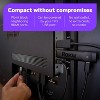
  • Compact without compromises: Our sleek design won’t block neighboring HDMI ports, and it can even be powered by your TV’s USB port. Simply plug it into the back of your TV, and it stays out of sight. No plug socket, no extra cords, no clutter.
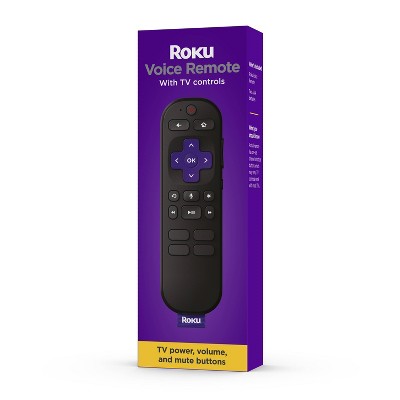
  • No more juggling remotes: Power up your TV, adjust the volume, and control your Roku device with one remote. Use your voice to quickly search, play entertainment, and more.
  • Shows on the go: Take your TV to-go when traveling—without needing to log into someone else’s device.
  • Bluetooth Headphone Mode: Wanna stream solo? Pair your favorite headphones directly on your Roku Streaming Stick Plus and crank up the volume without waking the house.
  • All the top apps: Never ask “Where’s that streaming?” again. Now all of the top apps are in one place, so you can always stream your favorite shows, movies, and more.
  • Home sweet home screen: Jump right in with a home screen that easily gets you to what you want to watch fast.
  • Unbelievably free live TV: Enjoy 500+ TV channels with live news and weather, sports coverage, and more—totally free.
  • Quick and easy setup: Just power up your device, connect to the internet, and dive into a world of streaming.

Description

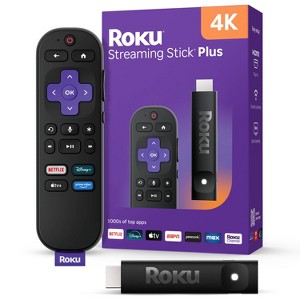
Roku Streaming Stick Plus is the easiest way to upgrade any 4K TV to America’s #1 TV streaming platform.1 Start streaming in a snap and enjoy 500+ free TV channels with live news, weather, sports coverage, and more. Watch your favorites in crystal-clear 4K and rich HDR colors. With its sleek, portable design, this player stays out of sight and out of the way of other HDMI ports. It powers directly from your TV—no wall outlet needed. Our handy voice remote does it all, from adjusting the volume to controlling your streaming. And with Bluetooth Headphone Mode, you can crank up the volume without waking the house.


1 Based on hours streamed—Hypothesis Group

Dimensions (Overall): .5 Inches (H) x .8 Inches (W) x 3.7 Inches (D)
Weight: .8 Ounces
Electronics Condition: New
Electronics Features: Parental Controls, Streaming Capability, Controlled by Smartphone App, Wi-Fi, HDR10
Connection Type: HDMI
Data Storage Capacity: 4GB
Maximum Resolution: 4K
Wireless Technology: Wi-Fi 5 (IEEE 802.11ac), Bluetooth 5.0
System RAM: 1 GB
Compatible With: Crunchyroll, Netflix, YouTube, Paramount+, Max, Amazon Prime Video, Hulu, Apple HomeKit, YouTube TV, Disney+, Roku, Spotify, Peacock, ViX, Apple TV+, discovery+
Voice assistant built-in: ROKU Voice Assistant Built-In
Model name: 3830R
Screen Mirroring Technology: Apple Airplay
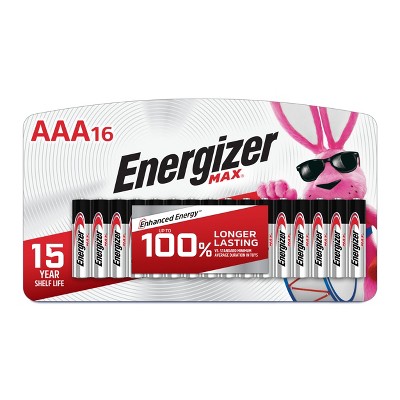
Battery: 2 AAA Alkaline, Optional, Packaged With
Warranty: 1 Year Limited Warranty. To obtain a copy of the manufacturer's or supplier's warranty for this item prior to purchasing the item, please call Target Guest Services at 1-800-591-3869
TCIN: 94570937
UPC: 829610007847
Item Number (DPCI): 008-06-3791
Origin: Imported
If the item details aren’t accurate or complete, we want to know about it.

Shipping details

Estimated ship dimensions: 5.8 inches length x 3.7 inches width x 1.5 inches height
Estimated ship weight: 0.4 pounds

Return details

This item can be returned to any Target store or Target.com.
This item must be returned within 30 days of the date it was purchased in store, delivered to the guest, delivered by a Shipt shopper, or picked up by the guest.
See the return policy for complete information.

Q: Can I use this on a non-smart TV?

submitted by Dennie - 9 months ago
  • A: As long as your TV has an HDMI port this will work.

    submitted byRgb - 4 months ago
  • A: Yes. Just need hdmi slot to plug it in

    submitted byTerri - 1 month ago
  • A: I can mirror my phone to tv by that

    submitted byScreen - 7 months ago
  • A: Hello Dennie, These devices are made for non smart TVs! This device turns your TV into a smart TV, giving you access to your favorite streaming services and our amazing Roku Platform.

    submitted byRoku Support - 9 months ago
    Brand expert

Q: Is this an HDMI 2.1 device? Have a 120 hz TV and want to utilize it's full potential

submitted by Elliot - 6 months ago
  • A: Hello Elliot, The device only outputs 60hz.

    submitted byRoku Support - 6 months ago
    Brand expert
  • A: Will it work with a projector?

    submitted byMimi - 4 months ago

Q: Can I AirPlay via Roku?

submitted by Nikkkkko - 10 months ago
  • A: Hello Nikkkkko, Yes! Roku offers Apple Airplay, Android SmartView, and Windows MiraCast.

    submitted byRoku Support - 10 months ago
    Brand expert
  • A: Hi Nikkkkko, thanks for reaching out about Roku Streaming Stick Plus 2025 4K and HDR Streaming Device with Voice Remote - Free and Live TV Access: Wi-Fi Connectivity, HDMI Compatibility To enable AirPlay on a Roku device, navigate to Settings > Apple AirPlay and HomeKit and ensure AirPlay is turned on. You may also need to enable HomeKit for the Roku device to be discoverable on your Apple devices. If you have any additional questions, we welcome you to contact MyTGTtech at 833-848-8324 every day, between 7am-11pm CST.

    submitted byJustin - 10 months ago
    Target expert support

Q: Is this the 3820R2 model?

submitted by CJ - 11 months ago
  • A: Hi CJ, thanks for reaching out about Roku Streaming Stick Plus 2025 4K and HDR Streaming Device with Voice Remote - Free and Live TV Access No, this is the 3830R released on 2025-05-06 If you have any additional questions, we welcome you to contact MyTGTtech at 833-848-8324 every day, between 7am-11pm CST.

    submitted byJustin - 11 months ago
    Target expert support
  • A: Hello CJ, No, this is the 3830R released on 2025-05-06

    submitted byRoku Support - 10 months ago
    Brand expert

Q: Is internet required?

submitted by Da7 tea - 11 months ago
  • A: Hi Da7 tea, thanks for reaching out about Roku Streaming Stick Plus 2025 4K and HDR Streaming Device with Voice Remote - Free and Live TV Access. Yes, interent is required to use this. If you have any additional questions, we welcome you to contact MyTGTtech at 833-848-8324 every day, between 7am-11pm CST.

    submitted byMatt - 11 months ago
    Target expert support
  • A: Hello Da7 tea, Yes internet and WiFi are required to use Roku Devices.

    submitted byRoku Support - 11 months ago
    Brand expert

Q: Can I use this with direct tv on a new lg tv?

submitted by Dara - 11 months ago
  • A: Hello Dara, Roku devices work on any TV with an HDMI port. You can also download the DirecTV app on the Roku App Store and stream your DirecTV content.

    submitted byRoku Support - 11 months ago
    Brand expert
  • A: Hi Dara, thanks for reaching out about Roku Streaming Stick Plus 2025 4K and HDR Streaming Device with Voice Remote - Free and Live TV Access Yes. This will work on any TV with an available HDMI port. If you have any additional questions, we welcome you to contact MyTGTtech at 833-848-8324 every day, between 7am-11pm CST.

    submitted byJustin - 11 months ago
    Target expert support

Q: Will this work with my 2015 Samsung Smart TV Model UN40H5203AF? Thanks.

submitted by SM - 1 year ago
  • A: Hi SM, thanks for reaching out about Roku Streaming Stick Plus 2025 4K and HDR Streaming Device with Voice Remote - Free and Live TV Access. Yes, the Roku Streaming Stick Plus 2025 will work with your 2015 Samsung Smart TV Model UN40H5203AF. If you have any additional questions, we welcome you to contact MyTGTtech at 833-848-8324 every day, between 7am-11pm CST.

    submitted byJoe - 11 months ago
    Target staff support
  • A: Hello SM, Yes! Roku devices work on any TV with a HDMI port.

    submitted byRoku Support - 11 months ago
    Brand expert

Q: does the remote have a headphone jack?

submitted by elroy - 1 year ago
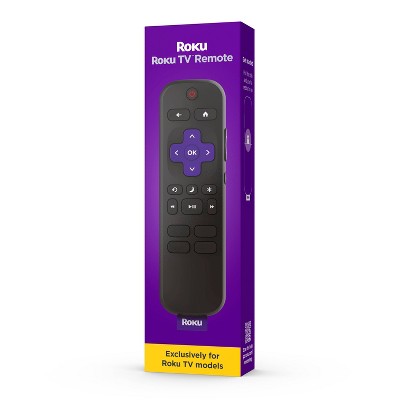
  • A: Hello elroy, This remote does not come with a headphone jack but you can use headphones mode off of the Roku Mobile App to use any headphones connected to your phone on your TV. Here's how https://support.roku.com/article/217478308

    submitted byRoku Support - 1 year ago
    Brand expert
  • A: Hi elroy, thanks for reaching out about the Roku Streaming Stick Plus 2025 4K and HDR Streaming Device with Voice Remote - Free and Live TV Access The remote included with the Roku Streaming Stick Plus 2025 does not have a headphone jack. If you have any additional questions, we welcome you to contact MyTGTtech at 833-848-8324 every day between 7 am and 11 pm CST.

    submitted byRena - 1 year ago
    Target expert support

Q: Can i use xfinity streaming on this tv?

submitted by Carol - 1 year ago
  • A: Hi Carol, thanks for reaching out about SYLVOX 22 inch Smart RV TV, 12 Volt TV with DVD Player, 1080P Smart Android TV for RV Camper, Free Download APPs, Support WiFi Bluetoot(Limo Series) Yes, this Roku streaming Stick is compatible with the Xfinity Stream app. If you have any additional questions, we welcome you to contact MyTGTtech at 833-848-8324 every day, between 7am-11pm CST.

    submitted byMike - 1 year ago
    Target expert support
  • A: Hello Carol, Yes you sure can just download the Xfinity stream app off of the Roku App Store. https://channelstore.roku.com/details/8d6f3245be847d75357a9e4e9db22c80:0838d6365c0fe48e12d28c5055da82d5/xfinity-stream

    submitted byRoku Support - 1 year ago
    Brand expert

Q: How do I find out if my tv is 4k?

submitted by Pammy - 7 days ago
  • A: Hi, thanks for reaching out about Roku Streaming Stick Plus 2025 4K and HDR Streaming Device with Voice Remote - Free and Live TV Access: Wi-Fi Connectivity, HDMI Compatibility Looking up the specifications by model number will provide you with that information and other details about your device. If you have any additional questions, we welcome you to contact MyTGTtech at 833-848-8324 every day, between 7am-11pm CST.

    submitted byJustin - 7 days ago
    Target expert support
WARNING: This product can expose you to chemicals including styrene which is known to the state of California to cause cancer, and bisphenol A which is known to the state of California to cause birth defects or other reproductive harm. For more information, go to www.P65Warnings.ca.gov For more information, go to https://www.p65warnings.ca.gov/

Additional product information and recommendations

Discover more options

Frequently bought together

Guests also viewed

Guests are saying

The Roku streaming stick offers an exceptional user experience with its easy setup, intuitive interface, and compatibility with various TVs. Guests appreciate the extensive app selection and the ability to control TV functions through the remote. Many find it a cost-effective alternative to traditional cable, providing access to a wide range of shows and channels. However, some guests have reported connectivity issues and concerns about the remote's design.
    Summary created by AI from text of reviews reflecting recent feedback provided across different star ratings (includes incentivized reviews)
    4.6 out of 5 stars with 2871 reviews
    ease of use: 4.67 out of 5
    features: 4.53 out of 5
    quality: 4.6 out of 5
    value: 4.62 out of 5
    79% would recommend
    39 recommendations
    2 out of 5 stars
    9 May, 2026
    originally posted on roku.com
    Image

    It doesn't work

    I have had it maybe 3 months and it keeps disconnecting from my WiFi. I change ports in my TV and it doesn't work. My phone and TV are still connected to my WIFI so it has nothing to do with it. My neighbor has the old version and it works fine. Maybe you should go back to the old way. I think it overheats and fries the device.
    1 reply from Roku Customer Advocate team - 1 month ago
    Hi there! Thank you for sharing your experience with us. For a quick fix, it is imperative to ensure that your device is operating on the latest software version. This will significantly enhance its functionality and provide access to the most recent features. To verify, navigate to Home > Settings > System > Software Update > Check Now. It is also essential to ascertain the stability of your Wi-Fi connection to enable uninterrupted streaming. For further guidance, please refer to the following link: https://support.roku.com/article/213122277#section-1. Additionally, consider connecting to a different network, such as a mobile hotspot, to determine if the issue lies with your Wi-Fi router or Roku device. If the problem persists, please feel free to reach out to us at support.roku.com/contactus. Thanks! Roku Customer Advocate
    Did you find this review helpful?
    3 out of 5 stars
    Thumbs up graphic, would recommend
    7 May, 2026Verified purchase

    (no review title)

    What like tv stick is the color dislike is sound button it not very big upgrade button
    1 reply from Roku Support team - 1 month ago
    Hello Dinsey! Thanks for choosing Roku and for sharing your feedback with us. Rest assured, we’ll pass your comments along to our product team. If there’s anything we can assist you with in the future, please don’t hesitate to reach out at http://support.roku.com/contactus. Happy Streaming! Jessica, Roku Customer Advocate
    Dinsey
    ease of use: 3 out of 5
    features: 3 out of 5
    quality: 3 out of 5
    value: 3 out of 5
    Did you find this review helpful?
    5 out of 5 stars
    30 April, 2026
    originally posted on roku.com
    Image

    Best one out there.

    I have used Apple tv, Amazon Firesticks and Roku. Roku is the best by far. So much easier to install, so much easier to use than the others. Best of all, my wife loves Roku. Easy to handle, even for those who are not tech friendly.
    John P
    Did you find this review helpful?
    5 out of 5 stars
    29 April, 2026
    originally posted on roku.com
    Image

    Good network connection

    My old roku wasn’t able to get a strong enough signal but this new one gets a good signal strength in the same space. I have a roku on each tv because they are much better than the built in tv apps.
    Janice G
    Did you find this review helpful?
    5 out of 5 stars
    29 April, 2026
    originally posted on roku.com
    Image

    (no review title)

    Bought for a friend. He loves it. Has a variety of shows to watch now
    Kathy M
    Did you find this review helpful?
    5 out of 5 stars
    29 April, 2026
    originally posted on roku.com
    Image

    Access to Masn

    Roku is MASN app friendly where LG and Samsung TVs are not.
    Robert M
    Did you find this review helpful?
    5 out of 5 stars
    29 April, 2026
    originally posted on roku.com
    Image

    (no review title)

    Great remote enjoy using it all the time I would recommend it to anyone who needs a remote with neuropathy in their hands!
    David H
    Did you find this review helpful?
    5 out of 5 stars
    29 April, 2026
    originally posted on roku.com
    Image

    (no review title)

    Love it easy to set up and use recommend it for anyone
    Did you find this review helpful?
    5 out of 5 stars
    29 April, 2026
    originally posted on roku.com
    Image

    Senior friendly. MASN

    Senior friendly. Able to get MASN Should have bought a Roku TV!!
    Antoinette S
    Did you find this review helpful?
    5 out of 5 stars
    28 April, 2026
    originally posted on roku.com
    Image

    ROKU

    The easiest setup and app experience of any streaming stick. I have three Roku sticks and enjoy the free programming.
    Derrick S
    Did you find this review helpful?
    5 out of 5 stars
    28 April, 2026
    originally posted on roku.com
    Image

    Uncomplicated and best interface

    I like Roku and its intuitive interface. When I purchase new TV, I make sure to straight away install Roku stick or hub go to Roku home page for its simplicity and powerful functionality. The TV interface that comes with any new TVs can be very confusing and complicated with Icons spread everywhere, thats why Roku's interface and home page is my favorite.
    Anand P
    Did you find this review helpful?
    5 out of 5 stars
    28 April, 2026
    originally posted on roku.com
    Image

    New ROKU power stick and remote control

    Yes, thank you for our new new ROKU streaming stick and remote control! Wow, it was easy to install and so much faster response than our old system! Powerful! Thank you, thank you, thank you!🙂👍
    Gladys S
    Did you find this review helpful?
    5 out of 5 stars
    28 April, 2026
    originally posted on roku.com
    Image

    Purchased for convenience

    I purchased the Roku because of the past use of the older version that I had and for the convenience of having all of my apps in one place and using only one remote to operate everything. The apps seem to work quicker than they did on the TV alone
    arthur m
    Did you find this review helpful?
    5 out of 5 stars
    28 April, 2026
    originally posted on roku.com
    Image

    Portable, handy and easy.

    Went on vacation and brought the streaming stick plus with us. Connected to the resort TV (per the direction) and changed inputs on the TV. That was it. We were able to access our streaming accounts I previously set up and didn't have to even think about leaving my account on a strange device. Unplugged and packed it up before we left. Easy
    Anthony P
    Did you find this review helpful?
    5 out of 5 stars
    28 April, 2026
    originally posted on roku.com
    Image

    Roku stuck

    Super easy just plug in and done. Thank you I love it
    Darci L
    Did you find this review helpful?
    5 out of 5 stars
    28 April, 2026
    originally posted on roku.com
    Image

    Great

    I got it for my wife's room, she loves it! I highly recommend it.
    James B
    Did you find this review helpful?
    5 out of 5 stars
    28 April, 2026
    originally posted on roku.com
    Image

    So much better than LG!

    As stated in title. We really really really really like it
    Suzanne S
    Did you find this review helpful?
    5 out of 5 stars
    28 April, 2026
    originally posted on roku.com
    Image

    Works great

    The Roku stick works great. We have an LG tv that didn't work for Paramount plus. Paramout plus would freeze up, we would have audio but no video so it was really frustrating. We bought the Roku stick and everything works great. Lots of options to use it for as well.
    Jeff T
    Did you find this review helpful?
    5 out of 5 stars
    27 April, 2026
    originally posted on roku.com
    Image

    ROKU

    Seaworthy the money!! I love the iPhone app!! Took a few times to hook up the 2nd remote but finally figured it out. I’m going to get another one for my bedroom
    Jo W
    Did you find this review helpful?
    5 out of 5 stars
    27 April, 2026
    originally posted on roku.com
    Image

    (no review title)

    Yes it’s the best one. Roku have. I would recommend it to all my friends and family.. I going to buy two more for my kids. They will love them. Thank you for sharing all the details. Stuart Jones
    Stuart J
    Did you find this review helpful?

    Get top deals, latest trends, and more.

    Privacy policy